
Creative Cloud Stuck at Updating, Can't do anything else
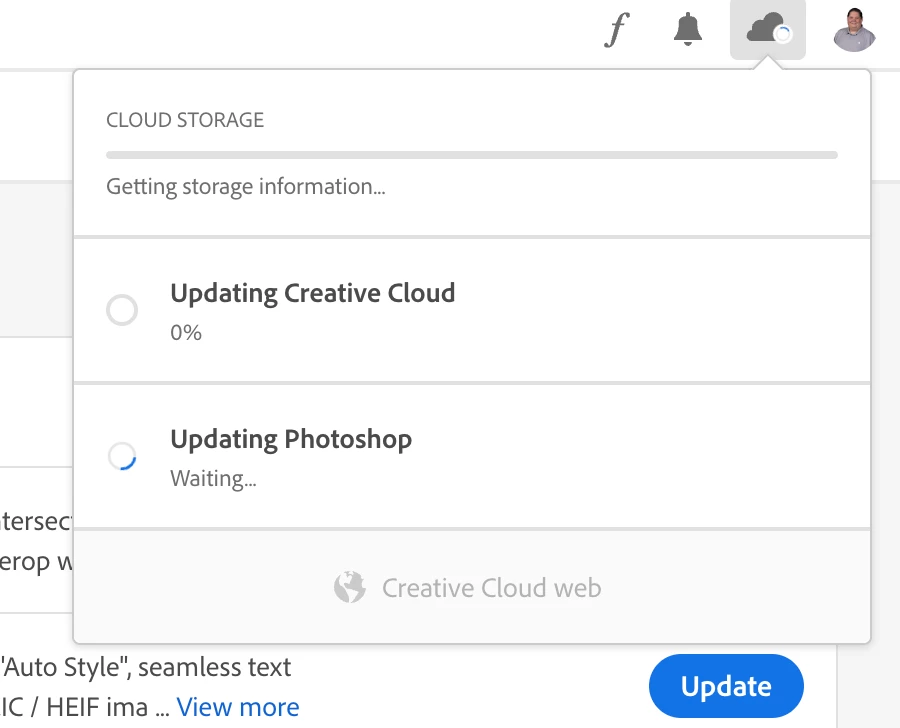
So, I haven't launched Creative Cloud in a while on my machine. I launched it the other day to uninstall some of the software, and I could not get anything to work. I used the CC Cleaner or whatever to remove all the Apps I wanted to get rid of; however, now I want to update the Apps I'm keeping. When I launch CC, it gathers storage info in the top right, then it keeps saying Updating Creative Cloud. I have tried downloading Creative Cloud and reinstalled it and also tried uninstalling and hit repair. I'm still stuck with this. If I click uninistall or update an app, I get the screenshot below. NOTHING happens even after leaving it for a weekend. I cannot figure out what to do. I've gone in and renamed the opm.db in the OOBE folder. I've restarted and tried from a fresh restart. Nothing has helped. I've followed every support doc I can find. I'm running macOS Ventura 13.2.1 not an M1 or M2 Mac. Please help!
 AdChoices