
October 10, 2016
Answered

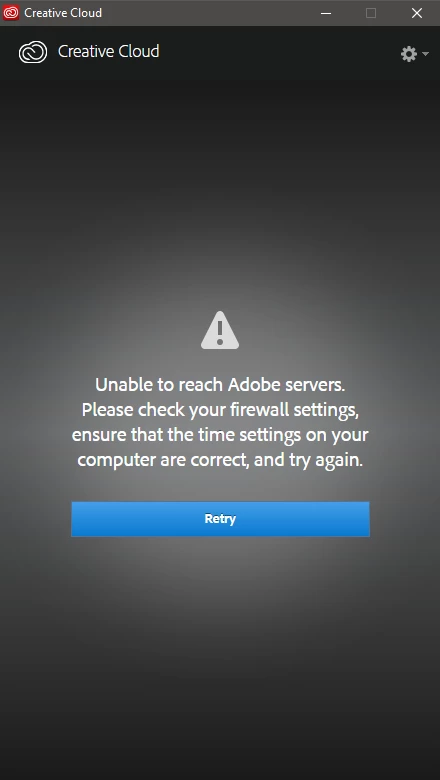
Creative Cloud - Unable to reach Adobe servers. Please check firewall...

  • October 10, 2016
  • 4 replies
  • 3146 views

Let me preface this by saying that I have read through about 5 or 6 posts that had this same problem. I have uninstalled and reinstalled creative cloud about 6 times. I have tried logging in with the firewall on and with it off. I have gone to the direct download site Adobe CC 2013 Direct Download Links: Creative Cloud 2013 Release | ProDesignTools  located here and tried downloading creative cloud from here. Still doesn't work. I go to Clemson University, and we are able to download the Adobe suite for free, but I can't unless I can log into creative cloud. I get to the login page, enter my enterprise ID, and it takes me into a different window where I enter my school username and password. It then loads for about 20 seconds then displays this window. I have been trying to login for the past 2 weeks to no avail. I have tried everything, and I don't know what else to do. Do you guys have any suggestions? (Also, I have tried changing my default browser. That didn't work either.
This topic has been closed for replies.
Correct answer alisterblack

This document covers all the required endpoints for Creative Cloud.

4 replies

arutyund19634963
New Participant
February 24, 2018

I just had the same issue and it turned out to be an issue with Adobe binaries not able to communicate through IPv6 (I had Dualstack implemented together with 6RD implementation through my ISP)... All I had to do is disable IPV6 on my desktop and the program can now connect to adobe servers with no problems. Adobe needs to make all their cloud endpoints IPV6 compatible.

alisterblack
Community Manager
Community Manager
October 13, 2016

These would be whitelisted in the firewall, if you are in a managed network (at work or college for example) you would need to ask your IT admins to do this.

Bani Verma
Community Manager
Community Manager
October 11, 2016
Raimundo Illanes
Inspiring
October 11, 2016

You need that the people of TI unlock this ports Configure ports 1935, 443, & 80 for Adobe Connect

October 12, 2016

I don't think the Adobe Connect thing will work for me because I don't have Adobe Connect on my computer. Not sure if I'm missing something here.

alisterblack
Community Manager
alisterblackCommunity ManagerCorrect answer
Community Manager
October 12, 2016

This document covers all the required endpoints for Creative Cloud.