
Participant
October 7, 2025
Question

Enable specific Partner models in Adobe products

  • October 7, 2025
  • 1 reply
  • 1373 views

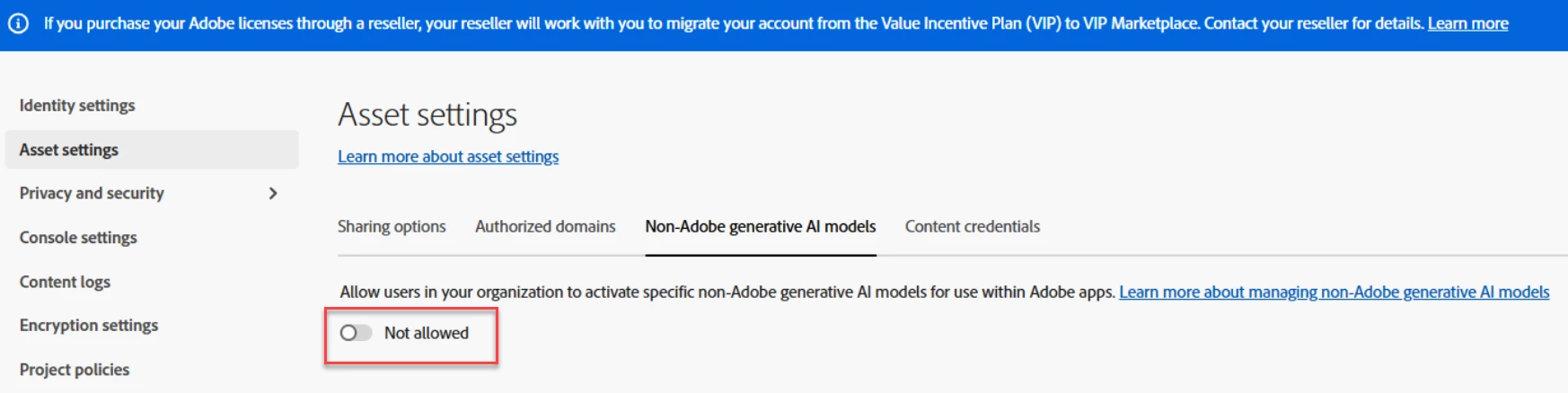
Is there a way, from an admin level, select which third party models we would like enabled? 

Or is it the case if we enable this, all third party models selected by adobe will be accessible by users?


1 reply

Bani Verma
Legend
October 8, 2025

Hi @Dreamy_Euphoria5438,


Thank you for reaching out. 

The setting for partner models in the Adobe Admin Console is managed through a single toggle that applies organization-wide. When this setting is enabled, all available partner models from Adobe become visible to users. If it’s turned off, none of the models are displayed.

The ability to selectively enable or restrict individual third-party models is currently unavailable. 


I hope this helps.


Thanks,

^BS

cholubaz
Participant
October 14, 2025

I dont have non Adobe generative AI Models in that list. I have the other 3 but not that. Why is that?


Cheers,

Chris

Community Manager
October 14, 2025

I had one person on my team asking me to turn the feature on but it seems we dont have it.


-Chris


Hi @cholubaz,

Could you please ask your user to follow the steps outlined in this article: https://adobe.ly/4n12ICP

While selecting the non-Adobe models, if they encounter any error, please have them share a screenshot of the message they see.

Regards,

^AN