
Guide to Accessing Pre-Generated Packages in Adobe Admin Console

You can now download single-app packages from the Adobe Admin Console. Single-app packages each contain the latest version of a single Creative Cloud app, for example, Photoshop or Premiere Pro.
To get started, sign into the Admin Console and navigate to Pre-generated Packages> Single Application.
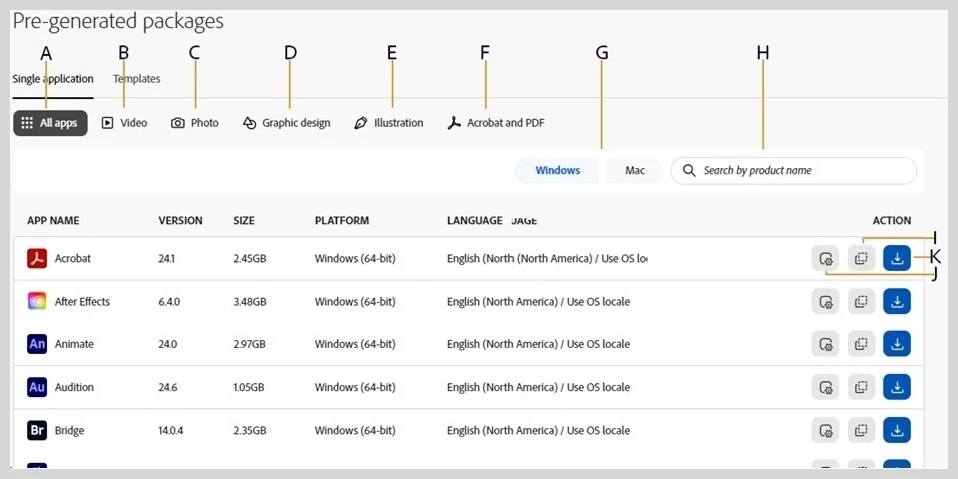
A: Show all apps
B: Show Photo apps (Examples: Photoshop, Lightroom Classic)
C: Show Illustration apps (Examples: Illustrator, Adobe Express)
D: Show Video apps (Examples: Premiere Pro, After Effects)
E: Show Graphic design apps (Examples: Illustrator, InDesign)
F: Acrobat and PDF (Examples: Acrobat, Fill & Sign)
G: Filter by Windows or MacOS platforms
H: Search by product name
I: Customize package
J: Copy the checksum of the downloadable package
K: Download package
Learn more about Pre-generated packages.



 AdChoices