
Participant
April 28, 2025
Answered

I'm unable to cancel my free trial

  • April 28, 2025
  • 2 replies
  • 926 views

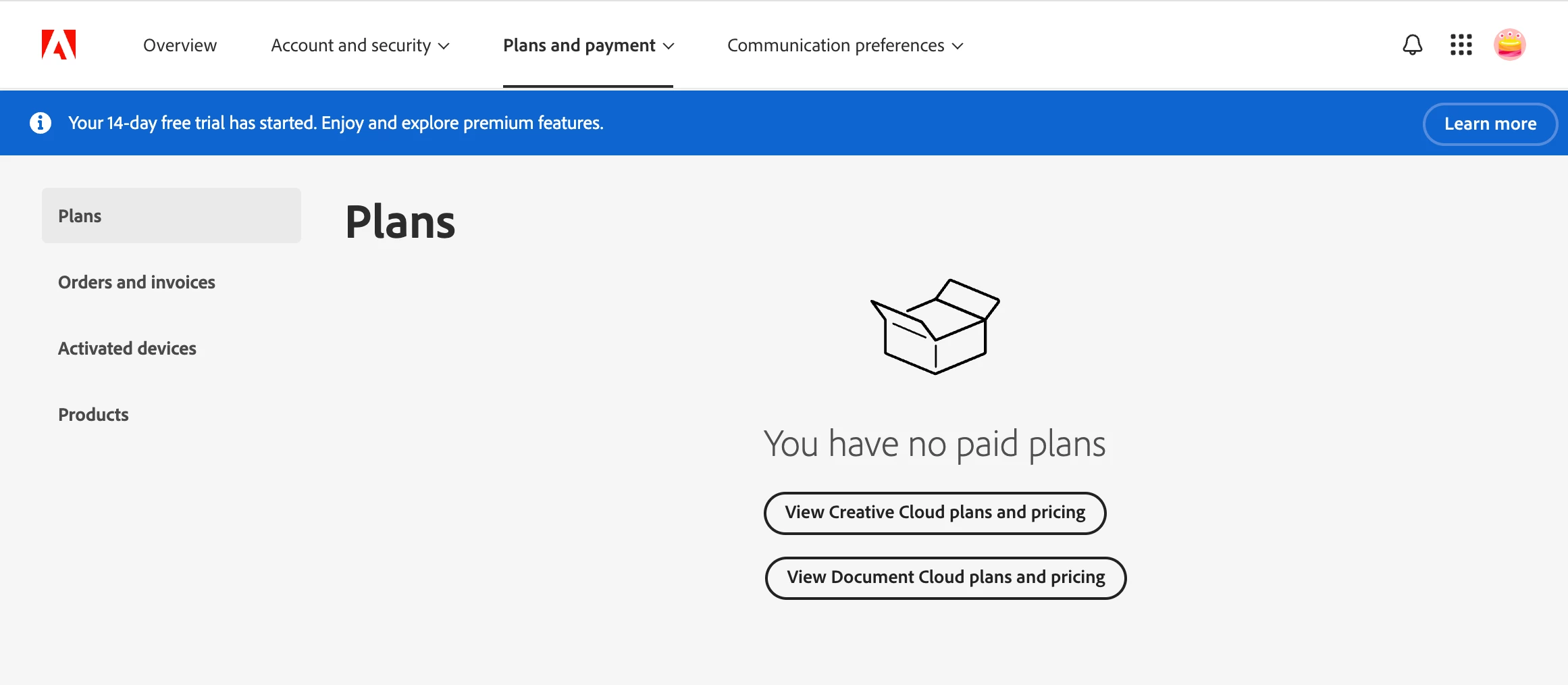
I got a free trial of Creative Cloud All Apps and I'd like to cancel the plan. When I follow the steps listed in the help link (https://helpx.adobe.com/account-billing-next/manage-plan/cancel-plan/cancel-trial-subscription.html), I get stuck on step 2. There should be a Manage plan option under plans, but the webpage says I have no paid plans. And yet the blue bar says I have a 14 day free trial. I'm really trying to cancel this free trial ASAP. Can anyone help me? 
 

Correct answer Bani Verma

When should I expect that? Do I need to reach out to someone? If so, how do I do that? 


Hi there, 


Sorry to hear that you are having trouble canceling your Creative Cloud Teams trial. 

Please try the steps shared in the following help document to cancel the trial. If it still doesn't work, then please go to the 'Support Tab' in the Adobe Admin Console and start a chat with the support team to get help.


Thanks,
^BS

2 replies

Shivangi_Gupta
Community Manager
Community Manager
April 28, 2025

Hi @adventurous_Raindrop2132,

Thanks for waiting. I looked into your account details and found that you do not have any active individual plan subscribed to your account. However there is a team's license associated with this account. 
I'm moving this thread to the Enterprise & teams community for further discussion.


^Shivangi

kglad
Community Expert
Community Expert
April 28, 2025

try using a different updated (non-opera) browser.


using a mobile's phone browser with wifi disabled is the most likely to succeed.

Participant
April 28, 2025

I have tried Chrome on my laptop (that's the screenshot), I've tried Safari on my laptop (no difference), and safari on my phone (no difference). This has not solved my problem 

kglad
Community Expert
Community Expert
April 28, 2025

then you'll need to await an adobe employee to give you next step.