Participant
October 11, 2021
Answered

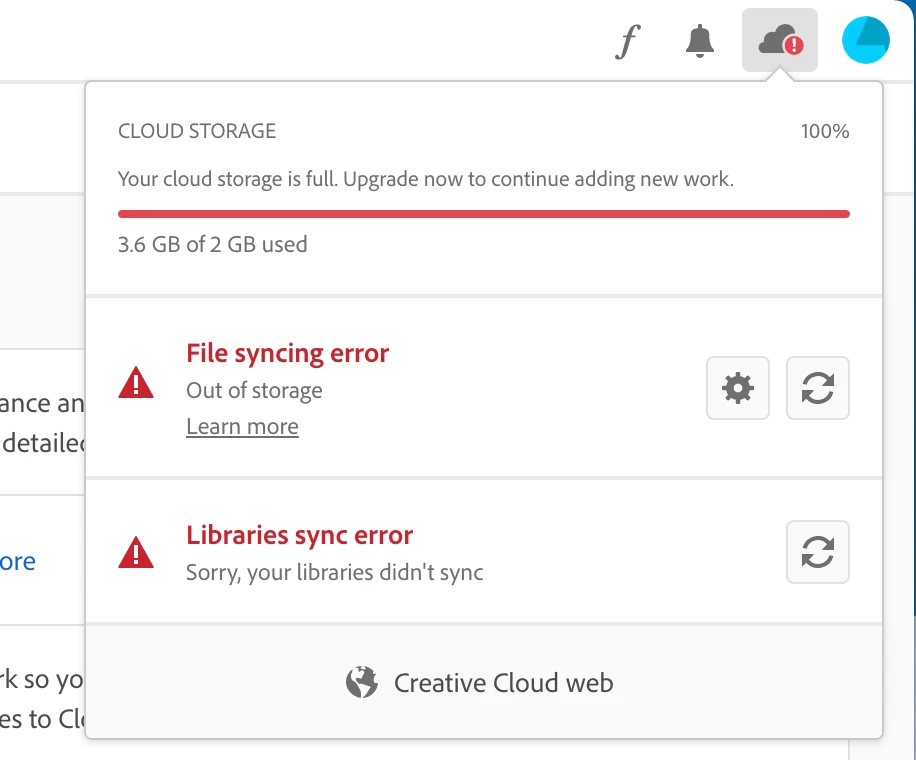
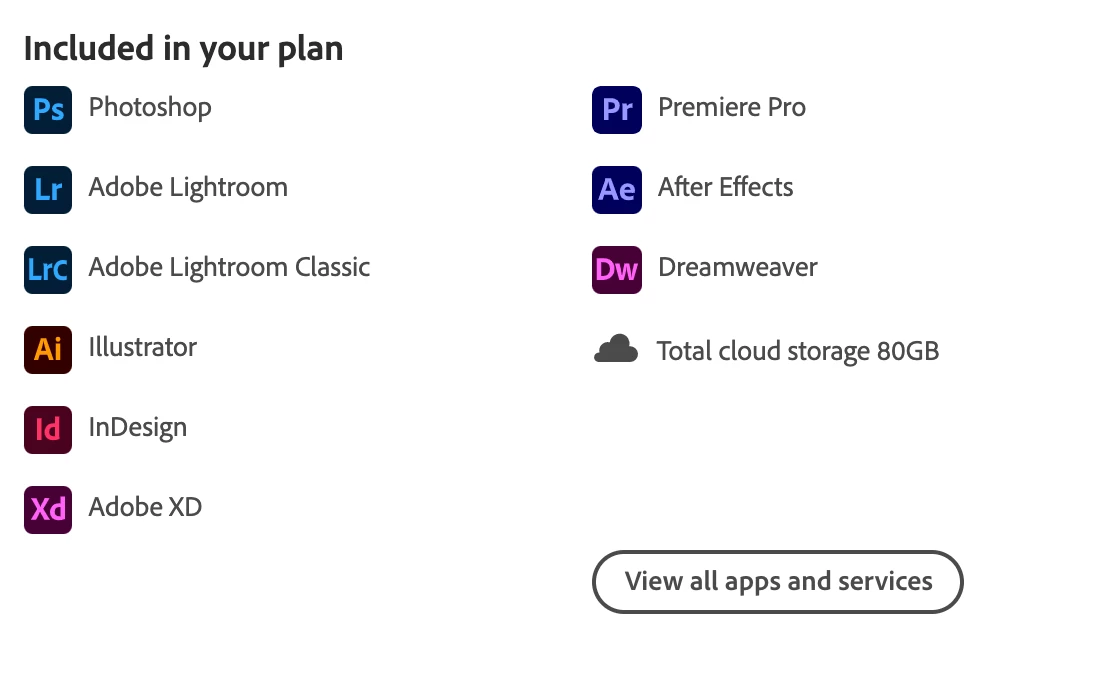
I only have 2GB for cloud storage. My plan should have 80GB

  • October 11, 2021
  • 1 reply
  • 658 views

My plan includes 80GB of cloud storage but i only have 2GB of cloud storage available, even though it should be 80GB


This topic has been closed for replies.
Correct answer Jeffrey_A_Wright

Default, I am very sorry, but you will need to follow the advice in the dialog and contact your organization's Creative Cloud administrator for assistance. Unfortunately, no one in this public discussion forum will be able to help you regarding the storage allotment provided by your organization.


If the Creative Cloud plan administrator needs to contact us on your behalf, they can use the process listed in https://helpx.adobe.com/enterprise/using/support-for-enterprise.html to access the elevated support included with the membership.

1 reply

kglad
Community Expert
Community Expert
October 12, 2021

check your account to verify your subscription is what you expect and to verify your adobe id, https://accounts.adobe.com


if that shows 80gb storage, sign out and then back in to your cc desktop application using the same adobe id used to verify your subscription: http://helpx.adobe.com/creative-cloud/kb/sign-in-out-creative-cloud-desktop-app.html


if that fails to solve the problem, using a browser that allows popups and cookies, contact adobe support during pst business hours by clicking here, https://helpx.adobe.com/contact.html

click contact us (= cryptic icon in the lower right)

in the chat field, type AGENT
be patient, it can take quite a while to reach a human

Participant
October 12, 2021

I checked my Adobe subscription, and it is what I expect. The subscription shows 80GB of cloud storage. However signing out and back in on both Creative Cloud and Photoshop did not help fix the issue. Also, I'm not allowed to searching the chat field, because it tells me to contact my administrator. However my administrator isn't being able to solve the issue.


Jeffrey_A_Wright
Community Manager
Jeffrey_A_WrightCommunity ManagerCorrect answer
Community Manager
October 12, 2021

Default, I am very sorry, but you will need to follow the advice in the dialog and contact your organization's Creative Cloud administrator for assistance. Unfortunately, no one in this public discussion forum will be able to help you regarding the storage allotment provided by your organization.


If the Creative Cloud plan administrator needs to contact us on your behalf, they can use the process listed in https://helpx.adobe.com/enterprise/using/support-for-enterprise.html to access the elevated support included with the membership.