
Answered
Mass install Adobe Reader with TimeStamp Server with required log on
Hi
I have a problem with create application package in SCCM including TimeStamp log on Configuration. This option is configurate in Edit\Preferences\Signatures\Configure Timestamp Server Settings\Time Stamp Servers\New I found this configuration in windows registry in Komputer\HKEY_CURRENT_USER\Software\Adobe\Acrobat Reader\DC\Security\cPPKHandler\cTimeStampServers\c0 key. When I copied it to another machine I have TimeStamp server properties correctly, but creditionals fields are empty. I marked on attachment what options don't migrate: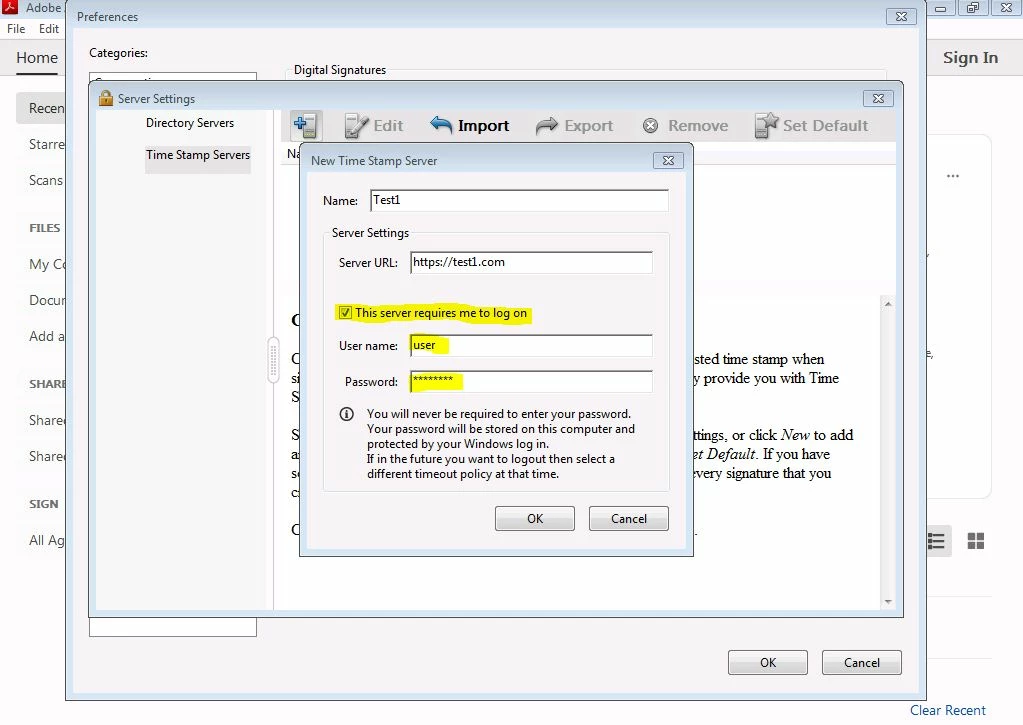 How can I make a mass deployment with TimeStamp configuration?


 AdChoices