
Participant
February 17, 2021
Answered

Purchased Adobe Software but it has no record shown in my account

  • February 17, 2021
  • 1 reply
  • 413 views

Hi everyone.


I have just bought for Premiere Pro by using my school email account. By then, I have recieved an confimation email and message from Adobe to the email address above. The main concern is that, my Creative Cloud got no trade or plan record in my account information so I cannot install it now. For more informations, I have purchased for Premiere Pro with using another account for around 3 months. Due to pricing matter, I switched to my school account for re-install. Still, I have my Premiere Pro application in my laptop but its trial ended, meaning I cannot use it unless I successfully paid.


At the moment, I cannot contact anyone from Adobe customer service department as the notification said there have a contact person in my school responese for it. In fact, our school seem didn't show us who is the representative. With using another account, Adobe also told me that opening hours for the customer service would be 9 a.m. to 5 p.m.


Thank you for spending time to read it. Wish the problem would be solved soon.
This topic has been closed for replies.
Correct answer kglad

you can try it, but my guess is you won't in contact with anyone that could help you.


using a browser that allows popups and cookies, contact adobe support during pst business hours by clicking here, https://helpx.adobe.com/contact.html

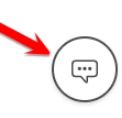
click contact us (= cryptic icon in the lower right)


in the chat field, type AGENT
be patient, it can take quite a while to reach a human

1 reply

kglad
Community Expert
Community Expert
February 17, 2021

sign out and then back in to your cc desktop application using the email address your school used to authorize you: http://helpx.adobe.com/creative-cloud/kb/sign-in-out-creative-cloud-desktop-app.html


if you don't know that email or that fails, you need to contact your school's it dept (who would usually be responsible for administering the account).  your school has to have someone administering the account (though that may not be "shown" where you're looking).

Participant
February 17, 2021

Thank you for your instant repsonse!

I have tried the method mentioned in the above link but unfortunately it doesn't work on my case. 

Also, I have searched for the Adobe administer in my school but honestly it does't have any information too. Therefore, I am thinking is it possible that my school might not have any authorization or access in Adobe.

Maybe I need to refund from Adobe but I don't get any contact information for Adobe customer service. Is it useful if I call Adobe office hotline in Hong Kong? (As it is the only contact number I can find through Internet.)


kglad
Community Expert
kgladCommunity ExpertCorrect answer
Community Expert
February 17, 2021

you can try it, but my guess is you won't in contact with anyone that could help you.


using a browser that allows popups and cookies, contact adobe support during pst business hours by clicking here, https://helpx.adobe.com/contact.html

click contact us (= cryptic icon in the lower right)


in the chat field, type AGENT
be patient, it can take quite a while to reach a human