Participant
December 6, 2020
Answered

Still need URGENT help deactivating student Creative Cloud Subscription

  • December 6, 2020
  • 3 replies
  • 1231 views

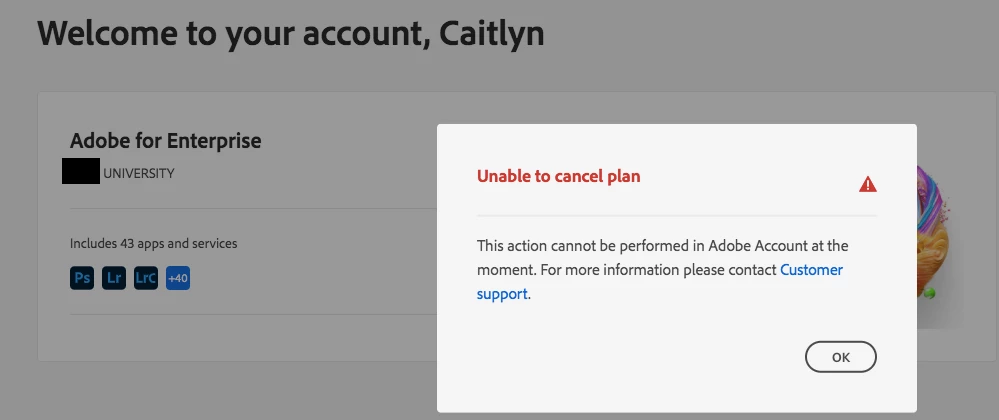
Hi everyone. Thank you to the people who replied to my previous post (here, please read for more information) however, it was of no help. I'm still unable to cancel or change my plan and I need to do it URGENTLY. The customer support link provides no assistance. I don't mean to sound childish but I really need this to be fixed ASAP. 


Do I contact my university's IT department? I have no idea who I can contact. Please, please someone help.
 

This topic has been closed for replies.
Correct answer Jeffrey_A_Wright

Hi, John. Thank you for your reply.


How do I delete the account registered to "Mary"? I know deleting it will cancel the plan, which is exactly what I want, but this still isn't helpful. That link said I need to leave the organisation first (again, will that affect the account registered to "Caitlyn"?) and I couldn't figure out how to change the primary advisor. There was no further instructions.


Also, as I stated in the original post, I didn't know my email was already registered as I was never informed by my teacher or university. How can the same email be registered twice to begin with?


Mary/Caitlyn, I am sorry if things are still unclear. Please focus on making direct contact with our support team by following the steps listed in https://helpx.adobe.com/enterprise/using/admin-console.html#Support.


Neither of your issues can be resolved in a public discussion forum.

3 replies

Legend
December 21, 2020

Jargin note: you do NOT  want to "deactivate". Adobe you "deactivate" to mean "stop using a license on this computer, so I can use it in a different computer and KEEP PAYING". The word you want is not deactivate but CANCEL. This may save you time in dealing with support. 

Legend
December 18, 2020

When you sign in, after you type your email but before you type your password, it might ask you to choose between "personal" and "enterprise" accounts. These are entirely different if you have both. One, you must talk to your local administrator. One, you must talk to Adobe. 

Participant
December 18, 2020

I tried selecting "personal account" instead of student account. It still won't work. How do I contact Adobe?

Jeffrey_A_Wright
Community Manager
Jeffrey_A_WrightCommunity ManagerCorrect answer
Community Manager
December 21, 2020

Hi, John. Thank you for your reply.


How do I delete the account registered to "Mary"? I know deleting it will cancel the plan, which is exactly what I want, but this still isn't helpful. That link said I need to leave the organisation first (again, will that affect the account registered to "Caitlyn"?) and I couldn't figure out how to change the primary advisor. There was no further instructions.


Also, as I stated in the original post, I didn't know my email was already registered as I was never informed by my teacher or university. How can the same email be registered twice to begin with?


Mary/Caitlyn, I am sorry if things are still unclear. Please focus on making direct contact with our support team by following the steps listed in https://helpx.adobe.com/enterprise/using/admin-console.html#Support.


Neither of your issues can be resolved in a public discussion forum.

Participant
December 18, 2020

To be clear: Since I supposedly had a student account to begin with, will this one cause any issues? And if I already had a student account, how was I able to create a new account with the same email? 

Jeffrey_A_Wright
Community Manager
Community Manager
December 18, 2020

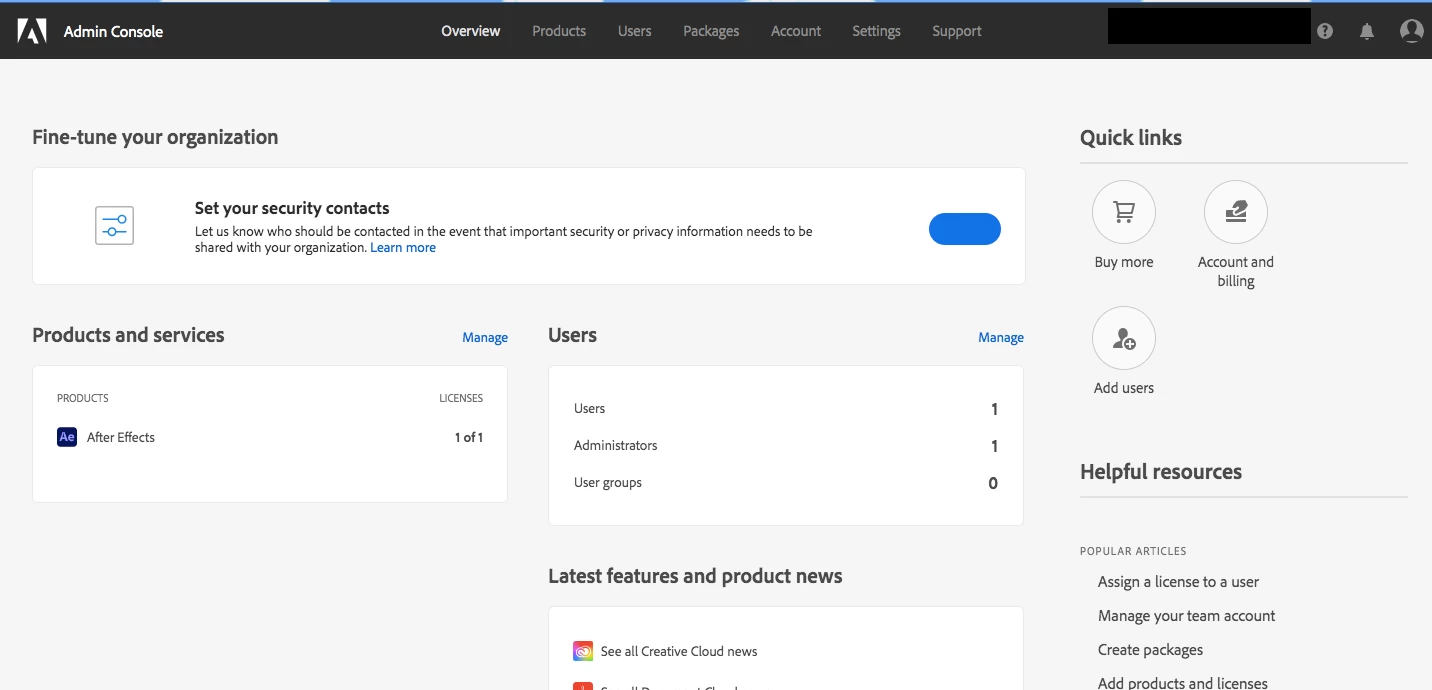
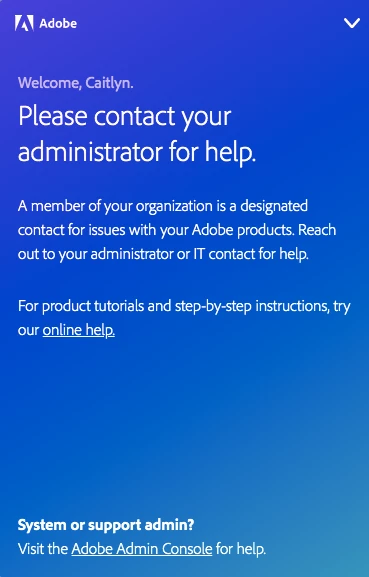
Caitlyn5C25, there are two accounts created under the e-mail address you used to post to this public discussion forum.  One has a Creative Cloud for Team membership which is why you are unable to self-cancel the membership.  Please contact our customer team through the Admin Console.  If you are not a designated administrator, then you will not have access to the admin console.  For more information see https://helpx.adobe.com/enterprise/using/admin-console.html#Support.