Participating Frequently
January 19, 2017
Answered

Unable to re-install creative cloud?

  • January 19, 2017
  • 2 replies
  • 908 views

My company has just renewed its licence, but I am unable to re-install creative cloud (spinning wheel) on my Mac and unable to uninstall as (apparently) I have applications that need Adobe.  We have run out of ideas.  Tried all of the following:

The Creative Cloud desktop app does not open or shows a spinning progress wheel.

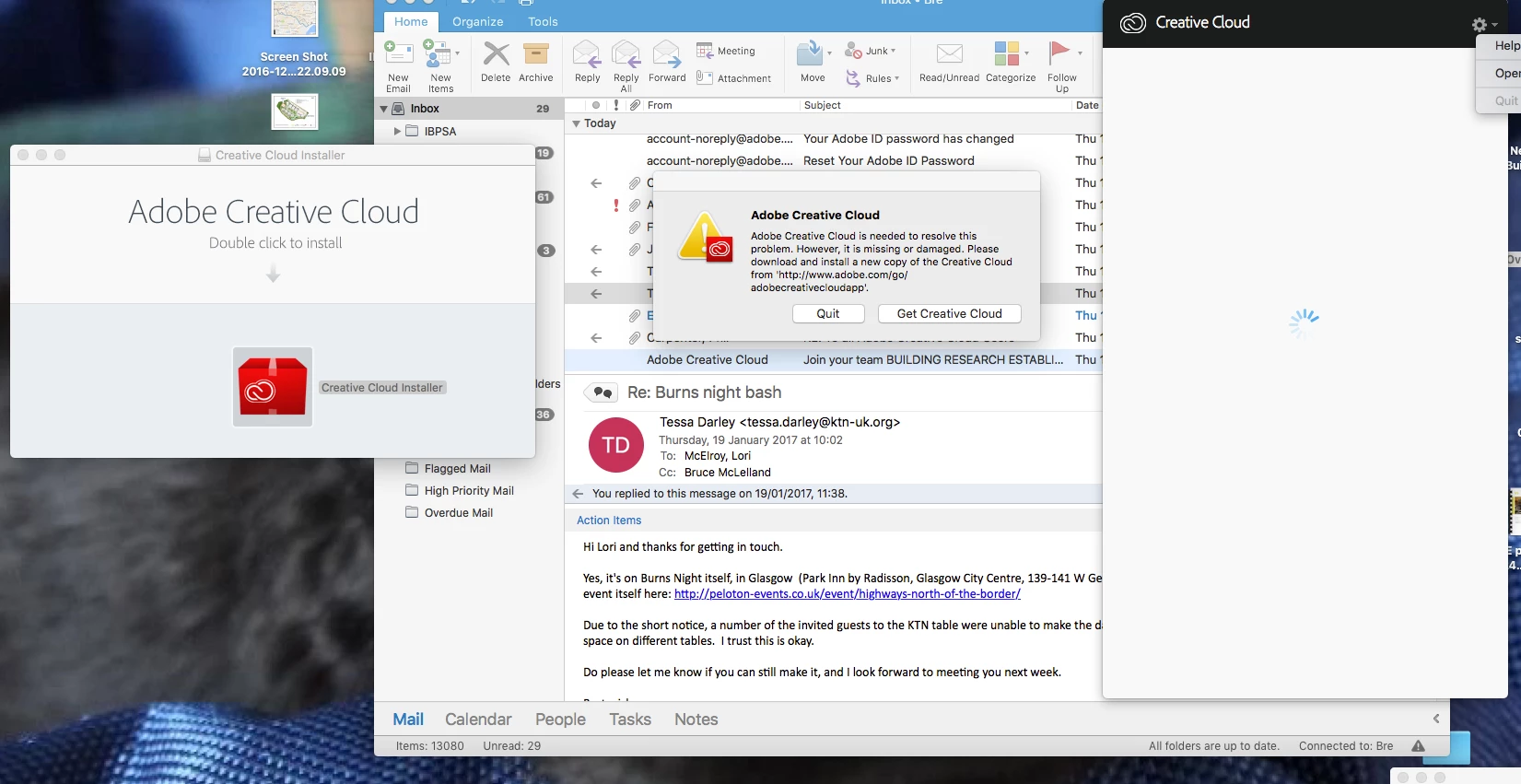
This is what I see each time:

Any ideas?

Thanks

Lori

    This topic has been closed for replies.
    Correct answer kglad

    Yes – that’s when I get stuck in a loop of trying to update my desktop app and not being able to download the new app….


    1) Quit the Creative Cloud desktop app from the gear icon in the upper-right corner.

    2) Delete the contents of your OOBE folder at,  /Users/<user folder>/Library/Application Support/Adobe/OOBE

            Note: The \Users\<user folder>\Library\ is hidden by default after 10.7. google enable access to hidden user library files | Mac OS 10.7 and later for instructions on accessing it or check https://helpx.adobe.com/creative-cloud/kb/unknown-server-error-launching-cc.html.

    3) open your cc app and sign in.

    2 replies

    Bani Verma
    Community Manager
    Community Manager
    January 25, 2017
    kglad
    Community Expert
    Community Expert
    January 19, 2017

    uninstall everything cc including preferences, https://helpx.adobe.com/creative-cloud/help/uninstall-remove-app.html
    then uninstall the cc desktop app, https://helpx.adobe.com/creative-cloud/help/uninstall-creative-cloud-desktop-app.html
    clean your computer of cc files per http://www.adobe.com/support/contact/cscleanertool.html
    restart your computer (don't skip this)
    reinstall the cc desktop app, https://creative.adobe.com/products/creative-cloud. (if you have a win os, right click the exe > click 'run as administrator'.
    use the desktop app to install your cc programs/trials

    http://helpx.adobe.com/creative-suite/kb/cs5-cleaner-tool-installation-problems.html

    Participating Frequently
    January 19, 2017

    Hi – sorry – the problem is that I can’t launch CC at all – every time I get a message saying that Creative Cloud is required to solve this problem and then when I try to install it won’t install – so I’m going round in a loop.

    When I try to uninstall I can’t because I ‘still have creative cloud applications installed on your computer that require it’!!

    Think I’m going mad!

    Participating Frequently
    January 19, 2017

    sign back in.

    if you're immediately signed-out after signing-in, Creative Cloud signs me out or asks me to sign in repeatedly


    I have signed back in but the message is still that I’ve signed out – I think it’s something to do with being a group user – but I’m the only Mac User so no one can help!