
Participant
August 12, 2021
Answered

Unable to Reach Adobe Servers

  • August 12, 2021
  • 2 replies
  • 8219 views

I have an end user getting this error:
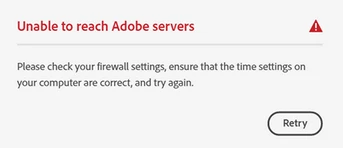
Windows 10 Pro 64 Bit

Tried the following solutions:

1. Update operating system to latest version

2. Reinstall all Adobe software

3. Firewall is already disabled, so that can't block it

4. Checked the host file

5. Used the Adobe Cleaner Tool

6. Run the software from another profile with their credentials (successful on both local admin and user accounts, but it still fails on the end user's account)

7. Clean reinstall of Adobe software, credentials, and content

8. Winsock Reset

9. Manually set user's time zone


Unfortunately, after trying all these checks, it still fails. Because it appears to only affect the user's local profile on his PC, we could always recreate it, but this would create a number of issues. Does anyone have any other solutions?

This topic has been closed for replies.
Correct answer defaultstq4cyclx3fa

Ended up re-creating the user's profile locally.

2 replies

defaultstq4cyclx3faAuthorCorrect answer
Participant
August 20, 2021

Ended up re-creating the user's profile locally.

kglad
Community Expert
Community Expert
August 20, 2021

what were the steps needed to do that.

Participant
August 20, 2021

There's a few methods. I usually just move the profile to another location to back it up, then go into the registry editor and delete the key that keeps the profile path.


If you just search 'recreate' or 'remap' 'user profile in windows 10,' you should get plenty of results.

kglad
Community Expert
Community Expert
August 12, 2021

in their control panel note your default browser then check if tls 1.2 is enabled in that browser, https://help.hotschedules.com/hc/en-us/articles/360020184072-Release-Notes-TLS-Enabling-TLS-1-2-on-web-browsers


<moved from cc services>

Participant
August 12, 2021

Thanks for the feedback! Its already enabled. I also checked to make sure the browser's temporary internet settings/cache/cookies were cleared. Unfortunately, it's still not working.