
Participant
August 3, 2020
Answered

Unable to Update Adobe Apps

  • August 3, 2020
  • 1 reply
  • 790 views

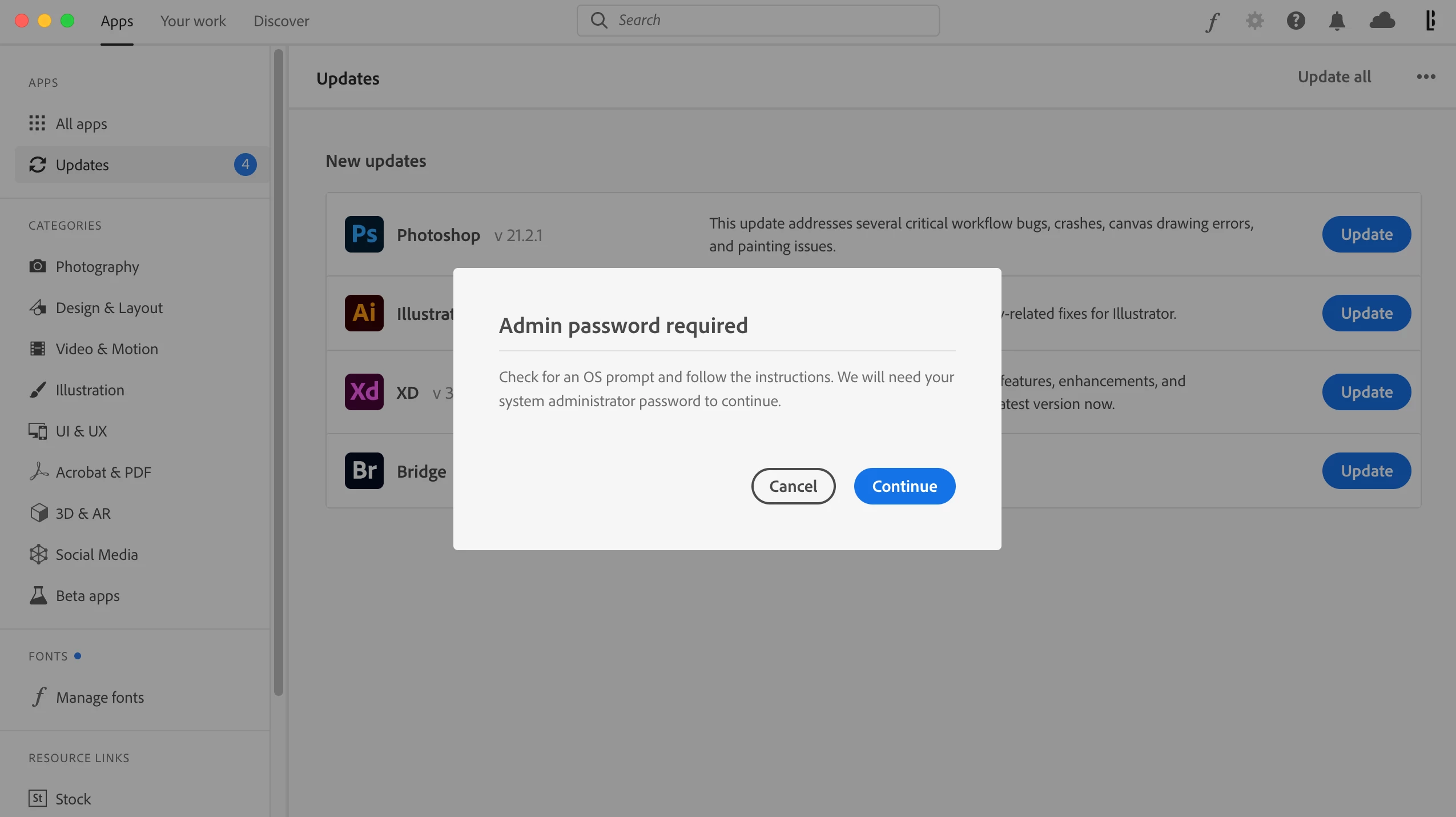
Recently I signed up for a year-long subscription to Adobe through my university. Beforehand, I had an account associated with my personal email and never had issues updating apps. Now that I am connected through a school email, Adobe is not allowing me to update apps because it requires a system administration password to continue. The dialog box says to "check for an OS prompt and follow the instructions" but no window shows up to enter a password after clicking Continue. How can I solve this issue without contacting my school's IT every time there is an app update?
 

This topic has been closed for replies.
Correct answer Bani Verma

Hi there, 

As you have mentioned you are being asked to enter the Administrator username & password, your universities Created Cloud Admin will be able to help you with this, please contact them https://helpx.adobe.com/in/enterprise/kb/contact-administrator.html.


1 reply

Bani Verma
Community Manager
Bani VermaCommunity ManagerCorrect answer
Community Manager
August 3, 2020

Hi there, 

As you have mentioned you are being asked to enter the Administrator username & password, your universities Created Cloud Admin will be able to help you with this, please contact them https://helpx.adobe.com/in/enterprise/kb/contact-administrator.html.