
Participant
October 14, 2020
Answered

How to Remove an Organization from your account

  • October 14, 2020
  • 1 reply
  • 5941 views

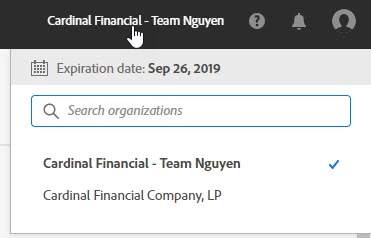
While performing an audit of users under our account, I noticed we had an additional organization (Cardinal Financial - Team Nguyen) listed.  Those users are no longer with the company and we'd like to remove that organization and the users listed.


How can I do this?  I didn't see any information on how to do this.


Thanks!!!
This topic has been closed for replies.
Correct answer SuJoshi

I would recommend contacting the support team directly who can take the request and forward it to the concerned team to delete the unused contract/console, by initiating a chat session. Click on the chat icon on the bottom right corner of this page: https://helpx.adobe.com/support.html.

1 reply

SuJoshiCommunity ManagerCorrect answer
Community Manager
October 14, 2020

I would recommend contacting the support team directly who can take the request and forward it to the concerned team to delete the unused contract/console, by initiating a chat session. Click on the chat icon on the bottom right corner of this page: https://helpx.adobe.com/support.html.

johns49584432
Participant
September 20, 2022

The support team will just link you to this page that has no answers.

Is there really a way remove me from my current organization?

Community Manager
September 20, 2022

If you are an end-user then the admin of your organization has to remove your account from the console.