


Participating Frequently
October 16, 2017
Answered

Cannot see flash contents in a pdf document

  • October 16, 2017
  • 1 reply
  • 3346 views

Hi!

I cannot see flash contents from a pdf document even though I downloaded the latest version of flash several times. I even uninstalled and installed it again.

I was able to see those contents before, but not anymore. I have the same problem in two different laptops. I asked my colleagues and it seems they can see those contents from the same pdf document.

I am using windows 10 and I do not have any problem to see flash contents from the internet, just from a pdf document.

What can I do...?

I have attached a photo of the error message.
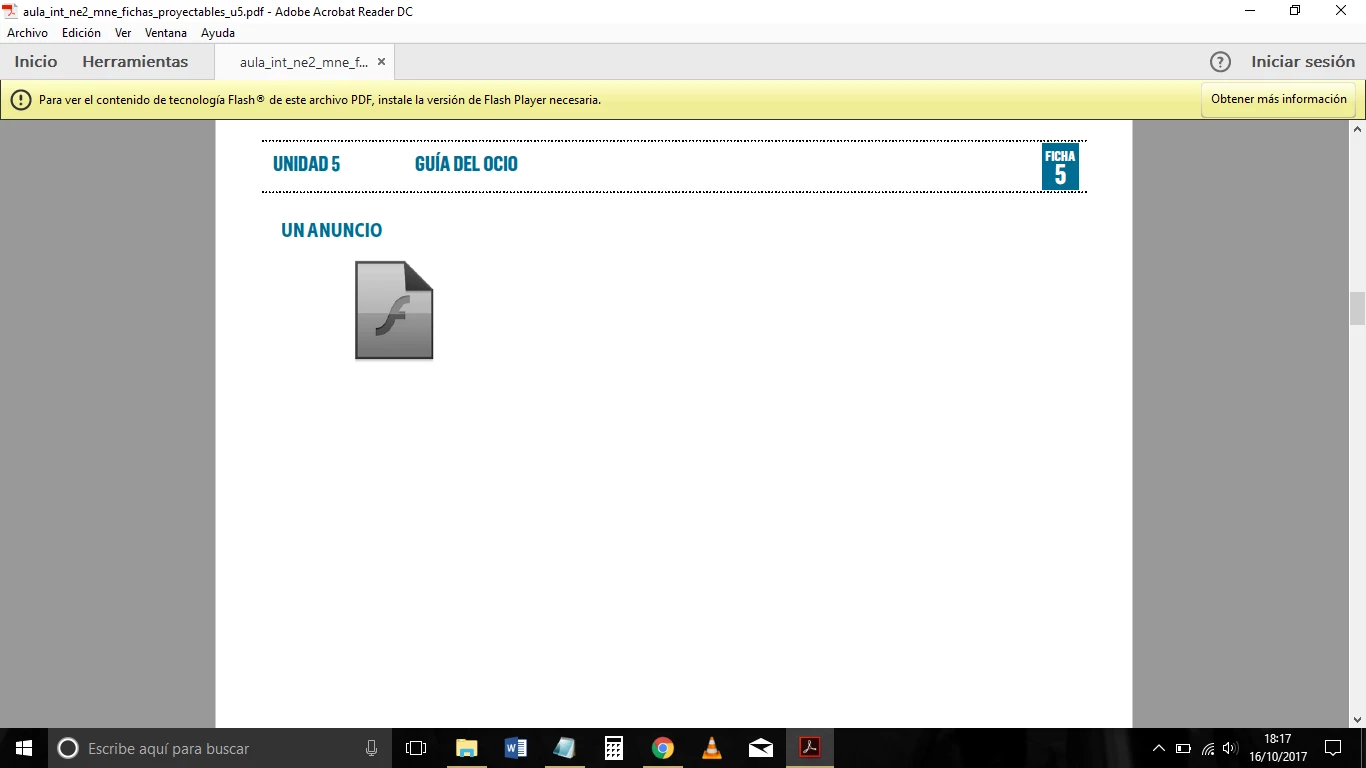
Thank you in advance for your help!

    This topic has been closed for replies.
    Correct answer _maria_

    Dear Maria,

    Thank you so much for your great help!

    Sorry, I could not find time to reply earlier.

    I do not use Firefox, but this is the screenshot you asked for:

    Archivos compartidos - Acrobat.com

    Thank you so much again and best regards!


    Thank you for the screenshot.  Very helpful.

    Based on the screenshot, the plugin used by Acrobat is not installed. The screenshot shows the PPAPI (for Chrome and Chromium-based apps) installed.  Acrobat does not use this version of the Flash Player plugin.  It uses the NPAPI plugin.  Download the NPAPI plugin from Adobe - Adobe Flash Player Download  This link should take you to the correct page to download the NPAPI plugin, regardless of which browser you use.

    Alternatively, go to https://get.adobe.com/flashplayer/otherversions.  In step 1 select the operating system (Windows 10).  In step 2, select 'FP 27 for Firefox - NPAPI'.  Note that there are optional third party offerings on the page.

    1 reply

    _maria_
    Community Manager
    Community Manager
    October 16, 2017

    Acrobat uses the Flash Player NPAPI plugin.  Are you downloading/installing the correct plugin?  See Adobe Flash Player needed for Adobe Acrobat and Adobe Acrobat Reader to download and install the correct NPAPI plugin?

    If possible, can you please upload the PDF docuemnt to Documetn Cloud and private message me the link to it?  See How to share a document .  To send a private message, click on my user-name link and then on the 'Message' button link.  For reference, include a link to this discussion topic.

    Thank you.

    --

    Maria

    Participating Frequently
    October 17, 2017

    Dear Maria,

    Thank you so much for your quick response.

    The first link you added is the same that the pdf document itself suggests to solve the problem, but it does not solve it. I do not understand what you said about the NPAPI plug-in, there were no different options to download flash, so I did not choose anything...

    I tried to see the document in a different laptop (the 3rd one) and it does not work either. It is also windows 10. In the two other laptops I tried I have acrobat reader, in this one I do not, it was trhough Microsoft Edge, but nothing...

    Thank you in advance for your help!

    _maria_
    Community Manager
    Community Manager
    October 17, 2017

    Which Windows 10 build do you have?  1607? 1703?  Please go to Settings > System > About and provide the Edition, Version, and OS Build information.  For example:

    Thank you.