


New Participant
May 17, 2011
Question

Diseable update in flash player 10.3 msi

  • May 17, 2011
  • 5 replies
  • 7789 views

HI,

I did download the original MSI on flash player 10.3.181.14 distribute site: http://www.adobe.com/products/flashplayer/fp_distribution3.html

I open the MSI with Orca to modify the automatic update and check update of flash player. Since I work in a enterprise, I need to control the version of the flash player install on the computers and make sure that flash won't check by itself if any newer version are avalaible and diseable any update possible.

With the previous version, I did go into the property, then ISCHECKFORPRODUCTUPDATES and I changed the value to 0. But when I deployed it with GPO, it does install without problem, but un the panel control of Windows, usser can check for update...
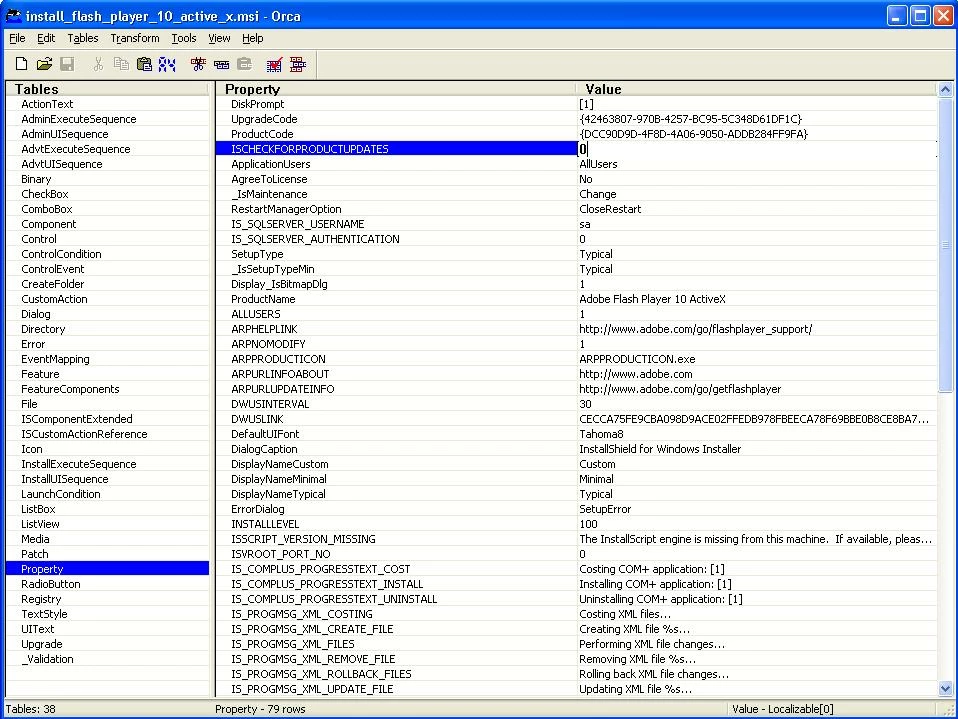
Is there anyway to turn off everything abotu the check update and deactivate the update button ?

Thanks

    This topic has been closed for replies.

    5 replies

    New Participant
    May 18, 2011

    First of all, thanks to everyone who sned tips and information in that thread.

    I got the information that the mms.cfg with AutoUpdateDisable=1 in it and located in c:\Windows\system32\Macromed\Flash (for XP) should work. I'll give it a try and update after it...

    New Participant
    May 18, 2011

    Yep ive included that in my package as well.

    But the Flash Applet in ctrl panel was still set to "automatically check for updates".

    Best of luck though.

    May 18, 2011

    Hi, this is the latest info that I have on hand:

    http://kb2.adobe.com/cps/167/16701594.html

    eidnolb

    New Participant
    May 18, 2011

    Interesting method, but I did search in the location you menion withotu finding the file...

    Anyway, I am really searching to include the diseable upda in the msi itself. Is there any way to do that ?

    Thanks again

    New Participant
    May 18, 2011

    If you open the Flash applet in the control panel , make the changes you want...then close the applet.

    Now the file will be available for you ( make sure hidden files are set to show ).

    As far as changing the .msi to stop the autoupdate, your out of luck as far as I can see. The mms.cfg dosnt seem to affect this release.

    Your best bet is to create a script that will copy over the new settings.sol file to the users directory via active setup.

    D.

    New Participant
    May 18, 2011

    If you change the settings you require in a file called "settings.sol" which is placed in "\Documents and Settings\[USERNAME]\Application Data\Macromedia\Flash Player\macromedia.com\support\flashplayer\sys" it will solve the updating issue.

    now i just have to script this into the transform and bobs me unlce!

    New Participant
    May 17, 2011

    Same problem here.

    Is there a way to disable the control panel applet for users via a property change? or maybe an entry into the mms.cfg file? ( which seems to not actually do anything in this version anyway ).

    D.