


Participant
September 12, 2016
Answered

Fake Flash Install

  • September 12, 2016
  • 7 replies
  • 60619 views

So I was prompted the other day to update Flash player. Everything looked just as it normally does so I continued to download and install the update to flash, however, after downloaded in noticed something that cause me concern. It had to do with the URL: https://get3.adobe.com/flashplayer/update/ppapiosx/

The little "3" after "get" didn't look familiar. What I need to know is if this is a legit link? If not I need to search for this rouge app and delete it, if at all possible Here is an image of the file in question.
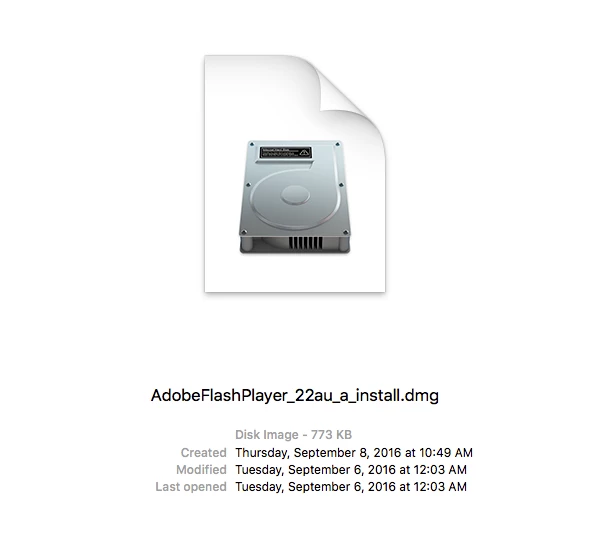
.

This topic has been closed for replies.
Correct answer _maria_

@herrendez

Yes, that is a legitimate URL.  Thanks for checking before installing.

--

Maria

7 replies

gener7
Community Expert
Community Expert
August 14, 2020

What I do is to go into my Mac System Preferences and have Adobe automatically install updates. That way the decision to install is not up to me, and there's no chance of getting tricked into downloading malware.


Participant
August 13, 2020

@maria__1

Thanks for answering back then,

--

Jouan

Participant
September 24, 2017

Can anyone tell e if this is a legitimate download?

http://upgradeinstall24.ultimatecentral2updating

(Link partially removed by moderator)

gener7
Community Expert
Community Expert
September 24, 2017

As said before, if the link is not exactly adobe.com, don't go near it.

This is the only valid link: Adobe Flash Player Install for all versions

November 2, 2016

I received a pop-up message today which asked me to update my flash player.

When I downloaded the files, I suspected this may be a phishing file and had a slightly different file name than that on the Adobe site. The file on the right side is from the Adobe web site and has a has a create date of June 21, 2016 and a file size of 2.4 MB. The file on the left is from the pop-up and is much smaller (0.77 MB) and has a create date of 9-12-2016.

Assuming the install program from the Adobe website is correct, but looking for confirmation and advice to block this realistic looking pop-up.

markl11848571

_maria_
Community Manager
Community Manager
November 3, 2016

Hi markl11848571 ,

Based on the info provided it's possible both are legit, but the June 21 date is a odd. The info from the screenshot on the left seems to be the info from the DMG file, whereas the info from the screenshot on the right seems to be the info from the .app file. Please do the following:

  • Mound the DMG file for each file
  • Open Terminal (/Applications/Utilities/Terminal.app
  • At the prompt type: codesign -vvd then drag and drop the APP from the mounted DMG onto the Terminal app.  It'll look something like: codesign -vvd /Volumes/Adobe\ Flash\ Player\ Installer/Install\ Adobe\ Flash\ Player.app
  • Hit Enter
  • Copy and paste the results for both files in your reply

--

Maria

Participating Frequently
March 1, 2017

Maria, I got a Flash Out-of-date pop-up notice.  Looked like it came from Adobe.  Downloaded.  Pfish crap.  MacCleaner piggy-backed.  Totally annoying.  Now I need to clean my Mac of Mac Cleaner...  I will kill that company...

-- Martin

Digital Creative Director

TFF3
Participant
September 17, 2016

I received a message  today from a legit site I use daily that my Flash Player needed an update.  I thought I  was updating my Flash Player only to find a obnoxious and aggressive  sell ad locking my screen. It was for an offshore scam operation called "Advanced Mac Cleaner". Shut down and powered back up.

I had not heard of this particular software or seen it before. The Flash icon appeared to be legit.  I then found both a "Flash" installer app with today's date as well as the Advanced Mac  bearing  today's date. I trashed both.

Is it possible for these scammers to piggyback on a legit Flash Player install?  Or do they just copy the Flash Player icon? Does Adobe take any actions to disrupt their operation? Is there an Adobe contact to report such?

_maria_
Community Manager
Community Manager
November 3, 2016

Hi TFF3

It is absolutely possible for scammers to piggyback on legit Flash Player installers, and unfortunately they do.  Thanks to your sharp eye you didn't fall prey to installing some unwanted program on your system.  Adobe does take action to disrupt them.  If you have the URL from where you downloaded the fake installer from you can either private message it to me or send it directly to phishing@adobe.com (see Notifying Adobe of Security Issues​).

--

Maria

Participant
December 8, 2020

im guessing thats part of the reason flash it being discontinued...
we're all gonna miss you flash and thank got that people are making huge databanks of old games so they can be preserved.

herrendezAuthor
Participant
September 12, 2016

This eases my mind. Thank you so much!

_maria_
Community Manager
_maria_Community ManagerCorrect answer
Community Manager
September 12, 2016

@herrendez

Yes, that is a legitimate URL.  Thanks for checking before installing.

--

Maria