


zhao jiemin
Inspiring
September 17, 2018
Answered

Hello, I am a Chinese user and cannot install the FlashPlayer plugin from flash.cn

  • September 17, 2018
  • 2 replies
  • 2060 views

I reinstalled the system, then opened flash.cn with IE8, download and install the prompt as follows.
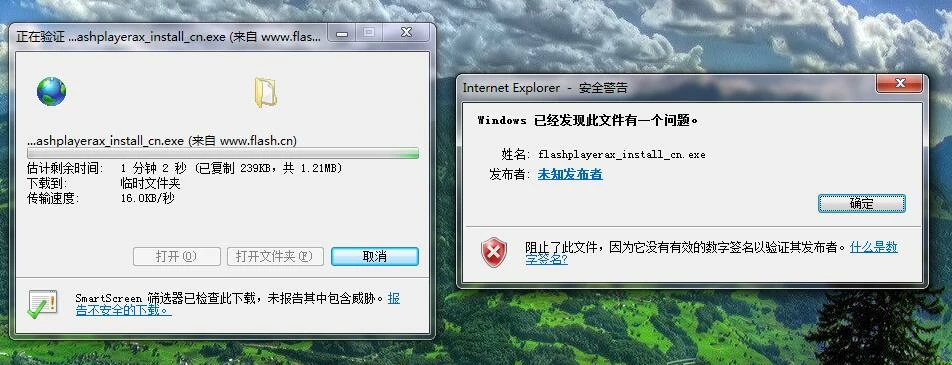
Then after I opened the software, I always prompted the installation to fail.

I tried to uninstall and reinstall, but it also doesn't work.
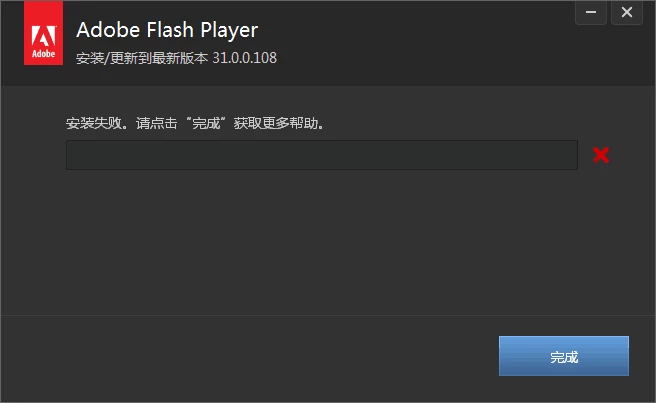
The system is Windows 7 64-bit. Browser IE8.

    This topic has been closed for replies.
    Correct answer chris.campbell

    Please try help@flash.cn

    2 replies

    jeromiec83223024
    Community Manager
    Community Manager
    September 17, 2018

    You can get support by emailing support@flash.cn

    zhao jiemin
    Inspiring
    September 18, 2018

    support@flash.cn

    Mail alert, this address does not exist.

    ridhij4208356012135538
    Adobe Employee
    Adobe Employee
    September 17, 2018

    Hi,

    Can you share the files present at C:\Users\Administrator\AppData\Local\Temp\Adobe_CDMLogs location. To share the files, you can refer to How to share a file using Adobe Document Cloud . Post a link to the uploaded files here.

    Thanks!

    zhao jiemin
    Inspiring
    September 18, 2018

    I can't use it Adobe Document Cloud 。。

    I uploaded the file to Google Drive.

    https://drive.google.com/open?id=12uFiOVBlhXKO5nYAY-XTqDMgo0b0wH_R

    chris.campbell
    Community Manager
    chris.campbellCommunity ManagerCorrect answer
    Community Manager
    September 18, 2018

    Please try help@flash.cn