That does not look to ME like a valid Adobe link
-first, it is http not https
-second I have never heard of roboframework.com
The links I found via Google are valid
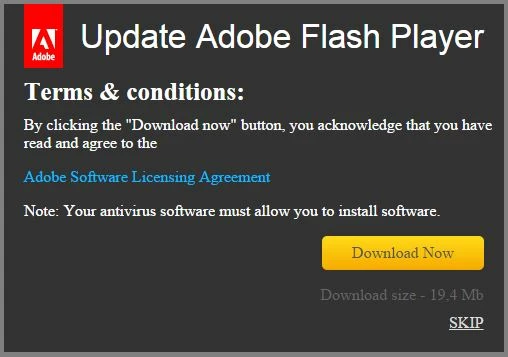
Yeah, that looks like a fake popup. Adobe would never use Times New Roman in a dialog. It's all sans-serif around here. 
Seriously though, don't believe popups or links in email. Always manually navigate to the developer's site and download software there.
For Flash Player, you can go to http://get.adobe.com/flashplayer to get an authentic installer.
For Google Chrome on all platforms, and Internet Explorer and Edge on Windows 8 and higher, Flash Player is a built-in component of the browser, so there's nothing separate to install or update. If a website is telling you that Flash isn't installed on those targets, most of the time it's because the website's logic for detecting Flash is flawed, or it's a malicious actor trying to trick you into downloading malware (and in some instances, getting you to pay them for the privilege first...).
Please do yourself a favor and set Flash Player to automatically update. Keeping Flash, your browser and your operating system automatically updated is your best line of defense against malware in 2015. The occasional inconvenience incurred when things break is a small price to pay in comparison with the pain of identity theft and fraud. The thread landscape has change, and the philosophies behind avoiding updates are really hard to support at this point.



 AdChoices