


Participant
January 21, 2020
Answered

I received a sudden Adobe flash player update. Is it a phishing attempt or something legit?

  • January 21, 2020
  • 2 replies
  • 1896 views

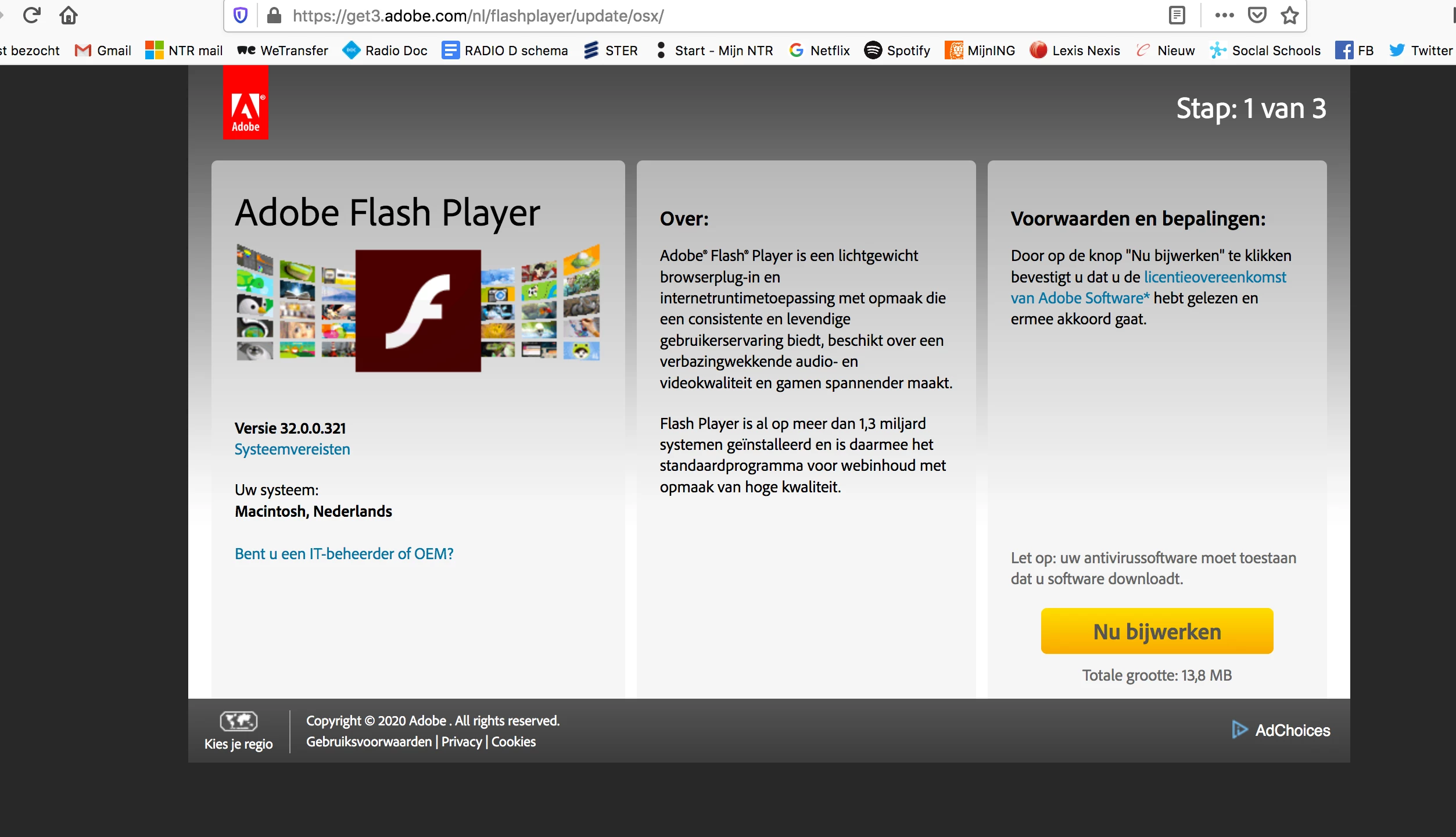
Hi everyone, I just received an update for Adobe Flash Player, but I am unsure whether to continue with the download in case of malware. Here is a screen picture of the page. How do I know if this message is legit or to be considered a phishing attempt? The page is written in Dutch, but the URL should be easy to check for someone with more Adobe-knowledge than me. Thanks! Jair
This topic has been closed for replies.
Correct answer _maria_

That does look like the legit Flash Player update page, launched from an Update Notification.  You can also confirm the domain is legit by clicking in the lock icon in the address field and confirming the certificate matches the domain in the URL.


However, if it doubt, it's best to just go to https://get.adobe.com/flashplayer to download Flash

2 replies

_maria_
Community Manager
_maria_Community ManagerCorrect answer
Community Manager
January 21, 2020

That does look like the legit Flash Player update page, launched from an Update Notification.  You can also confirm the domain is legit by clicking in the lock icon in the address field and confirming the certificate matches the domain in the URL.


However, if it doubt, it's best to just go to https://get.adobe.com/flashplayer to download Flash

Legend
January 21, 2020

There are constant attempts to attack with fake Flash updates. This looks legit, but I would not trust it for a second. Close the bowser, reopen, Go to https://get.adobe.com/flash.


If that is how you got to that page it's fine. But if a web page ever tells you that you need an update, don't trust it.

Jair2Author
Participant
January 21, 2020

Thanks! I'll follow your advice.


Jair