Hi Chris,
I just tried installing the Flash Player 10.3, then copying those Flash plugin files that you and Pat recommended to the Firefox Portable plugins folder and it still doesn't work.
And I did close and re-open the Firefox Portable browser after copying those files to its plugins folder.
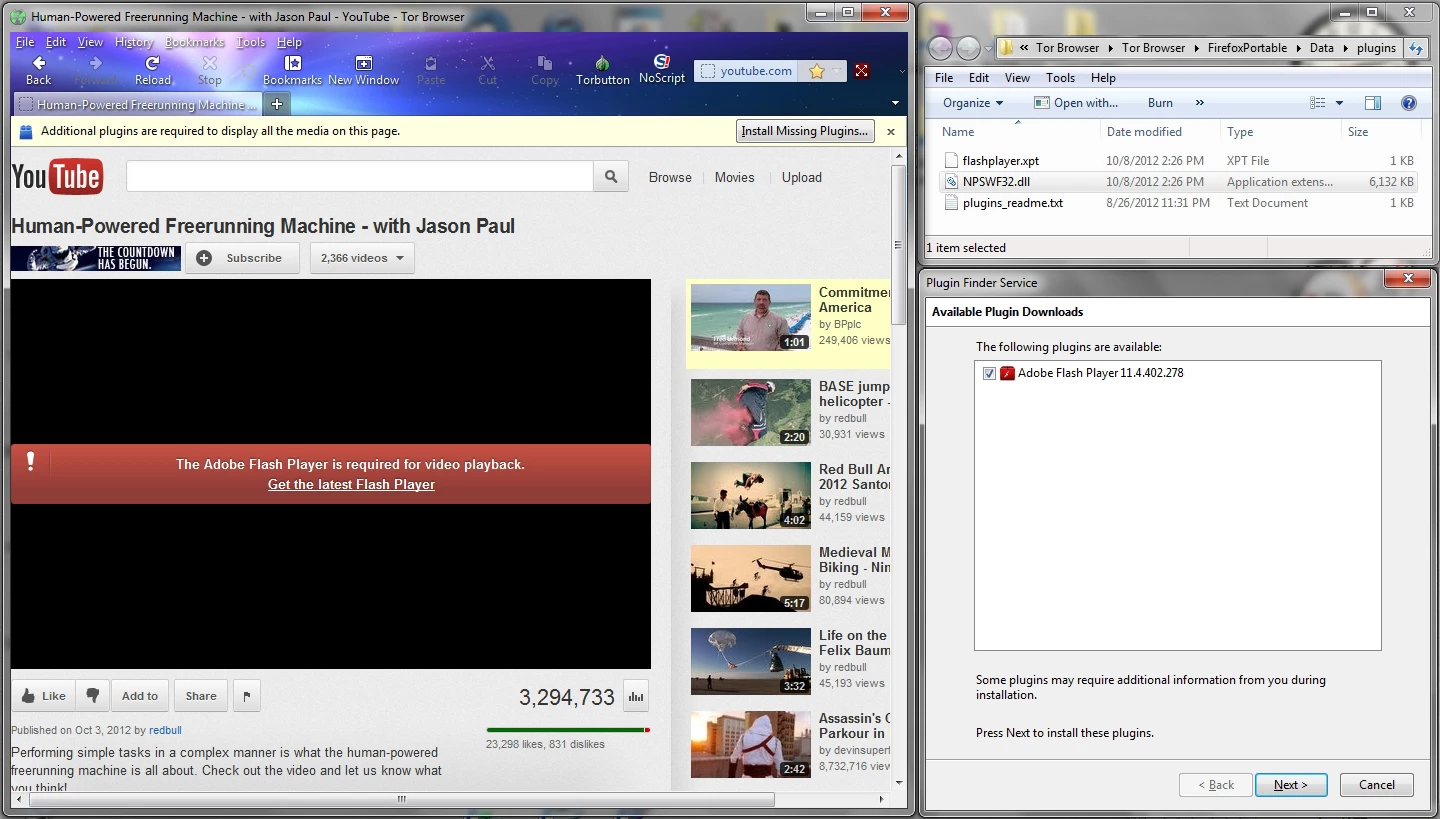
See the screenshot below showing the Tor-Firefox ESR 10.0.7 Portable browser requesting the Flash Player with the Flash Player download panel that comes from clicking the "Install Missing Plugins" button at the top of the browser page, along with the Firefox Portable plugins folder window showing the plugins that are installed.
How are you getting it to work?... is there some step or minor thing that you might be leaving out of your instructions? Now I've tried it both by copying in the Flash 11.4 plugin files and by using the Flash 10.3 plugin files as you instructed but it still isn't working.
This Flash Player 10.3 that I've now installed on this computer does work fine in my other, normally installed Firefox browser, but it doesn't require that I copy the Flash plugin files to a plugins folder of its own, or course.
PS: Where do I find the matching ActiveX installer for this 10.3 version Flash plugin? When I unistalled my Flash 11.2 plugin before installing the 10.3 that you instructed, I also uninstalled my ActiveX plugin because in the installer folder for the 11.2 Flash plugin there is also a seperate installer for the Adobe ActiveX plugin, so I thought the versions need to match for both plugins... but there is no ActiveX installer that comes with this version 10.3 Flash plugin installer. I tried installing my 11.2 ActiveX plugin via the installer that came with the 11.2 Flash plugin installer package, but it won't install now and it gives me an error message that says that it needs to install the MOST RECENT version of the ActiveX plugin installer.
But when I do a search for ActiveX installers on the Adobe site, I can only find ActiveX DEBUGGER installers, which isn't the same thing, I don't believe... the Adobe site doesn't show any plain ActiveX plugin installers in a search, and my 11.2 version won't install now... I get the error message telling me that it wants the most recent version of the ActiveX plugin.
What exactly does the ActiveX plugin do and what will it affect if I don't have it installed?... I can see that it is now missing in the Programs list in my Control Panel, whereas it showed up as a seperate app previously.
Thanks,
digiday
I ran into the same problem with the version of Firefox portable I tried. I ended up ignoring the folder (with the text file) that they provided and created my own "plugins" folder alongside the firefox executable.
As for why I went with 10.3 over 11.4, that was mainly because we added protected mode in Flash Player 11.3. While this might work (it didn't with my first attempt), it adds a layer of complexity that I didn't want to deal with. If you need some of the newer features of 11.x, then you'll have to play around with this to see if you can get this working. One thing to try would be to modify the mms.cfg by disabling protected mode, however, I don't know if this file can be accessed outside of your windows\system32\macromed\flash folder.
You can find all versions of 10.3 here: Where can I find direct downloads of Flash Player 10.3 for Windows or Macintosh?



 AdChoices