April 3, 2019
Answered

Lego Digital Designer gives error that flash player is not installed

  • April 3, 2019
  • 2 replies
  • 20168 views

I am running Windows 10, I use Chrome as my browser.

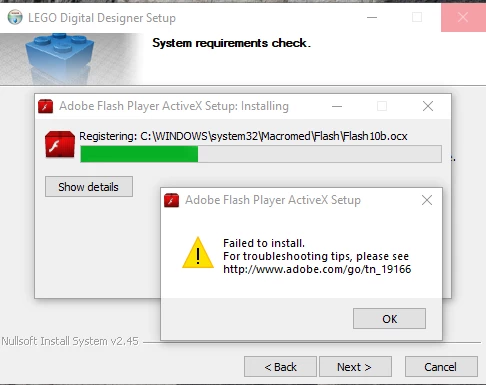
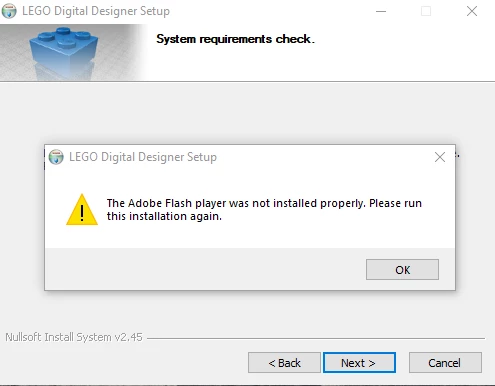
I am trying to install a LEGO program on my PC. Every time the installation starts it says that Adobe Flash is either not installed or is out of date and it needs to install it. Then it fails to install.

Here are the messages that I get:
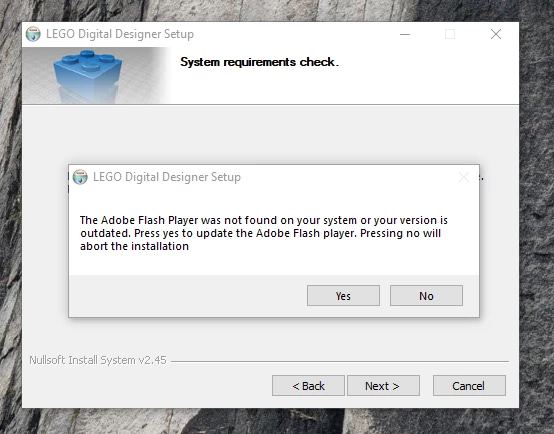
The LEGO support people said "The Adobe Flash version you have installed is for 3rd party browsers only, like Chrome, Opera, and other Chromium-based browsers. You need to install the main version from the Adobe website."

I have downloaded and installed flash player and still get the above errors.
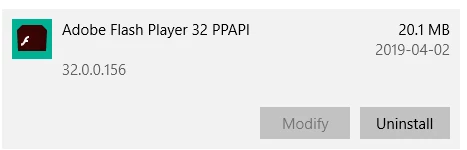
what else do I need to do? The help chat has been unresponsive on the Adobe help center.

[moderator: edited title for clarity]

This topic has been closed for replies.
Correct answer _maria_

This is a duplicate of Flash10b stopping Lego Digital Designer 4.3.11 installer

Please see my reply to there.

Glad to provide further information, however, this is a Lego problem.  They need to fix their installer to not to attempt to install Flash Player ActiveX Control on Windows 8 and above as Microsoft embeds Flash Player ActiveX Control in IE and Edge (Windows 10) and all updates are released by Microsoft.  Due to this it's a required system component and Microsoft locks the file permissions so that it cannot be uninstalled.   Additionally, they are including a Flash Player version that was released 10 years ago in their LDD installer.

2 replies

New Participant
May 9, 2019

I observed same behavior you reported on Windows 10 Pro Version 1809 OS build 17763.475.

Here is my workaround:

1. Start LDD installer, proceed until it Adobe Flash Player warning (don't press Yes yet)

2. Open this folder: %TEMP%\WZSE0.TMP\

3. Delete this file: install_flash_player_active_x.exe

4. Find OpenGLChecker.exe and rename it as: install_flash_player_active_x.exe

5. Click Yes and, voila, Flash player installer skipped!

New Participant
June 15, 2019

I have the exact same problem, too and I'm very happy about someone answering the question, but I didn't get your solution: where can I find "OpenGLChecker.exe"? Why would it be installed anyway?

New Participant
July 6, 2019

I had the same problem and just solved it using the above workaround. You need to unzip the setup file you download from LDD (setupldd-pc-4_3_11.exe). It contains the above mentioned openglchecker and install flash files. Then double click the LDD setup file and follow as above.

I hope that helps!

_maria_
Community Manager
_maria_Community ManagerCorrect answer
Community Manager
April 3, 2019

This is a duplicate of Flash10b stopping Lego Digital Designer 4.3.11 installer

Please see my reply to there.

Glad to provide further information, however, this is a Lego problem.  They need to fix their installer to not to attempt to install Flash Player ActiveX Control on Windows 8 and above as Microsoft embeds Flash Player ActiveX Control in IE and Edge (Windows 10) and all updates are released by Microsoft.  Due to this it's a required system component and Microsoft locks the file permissions so that it cannot be uninstalled.   Additionally, they are including a Flash Player version that was released 10 years ago in their LDD installer.