Participating Frequently
December 13, 2016
Question

problem download Flash Player to chrome

  • December 13, 2016
  • 1 reply
  • 26279 views

windows 10

google chrome and all the other internet apps (chrome is my favorite browser)

i had flash and every thing was ok but one day flash didn't work so i restart my PC and its still not worked i tried to download it again straight without erase flash from my computer and it done error "installation failed. click finish to further a..." so i thought it will work if i will uninstall the flash player from my PC so i uninstalled flash compleatly from the control panel (everything named with adobe flash) and tried again : the same thing "installation failed. click finish to further a..." it was a month ago and i try asking for help from other sites but no one really helped me and even now im stuck at the same thing and i really need the flash player . if i will go to chrome plugins it will show me this (after i uninstalled flash) :
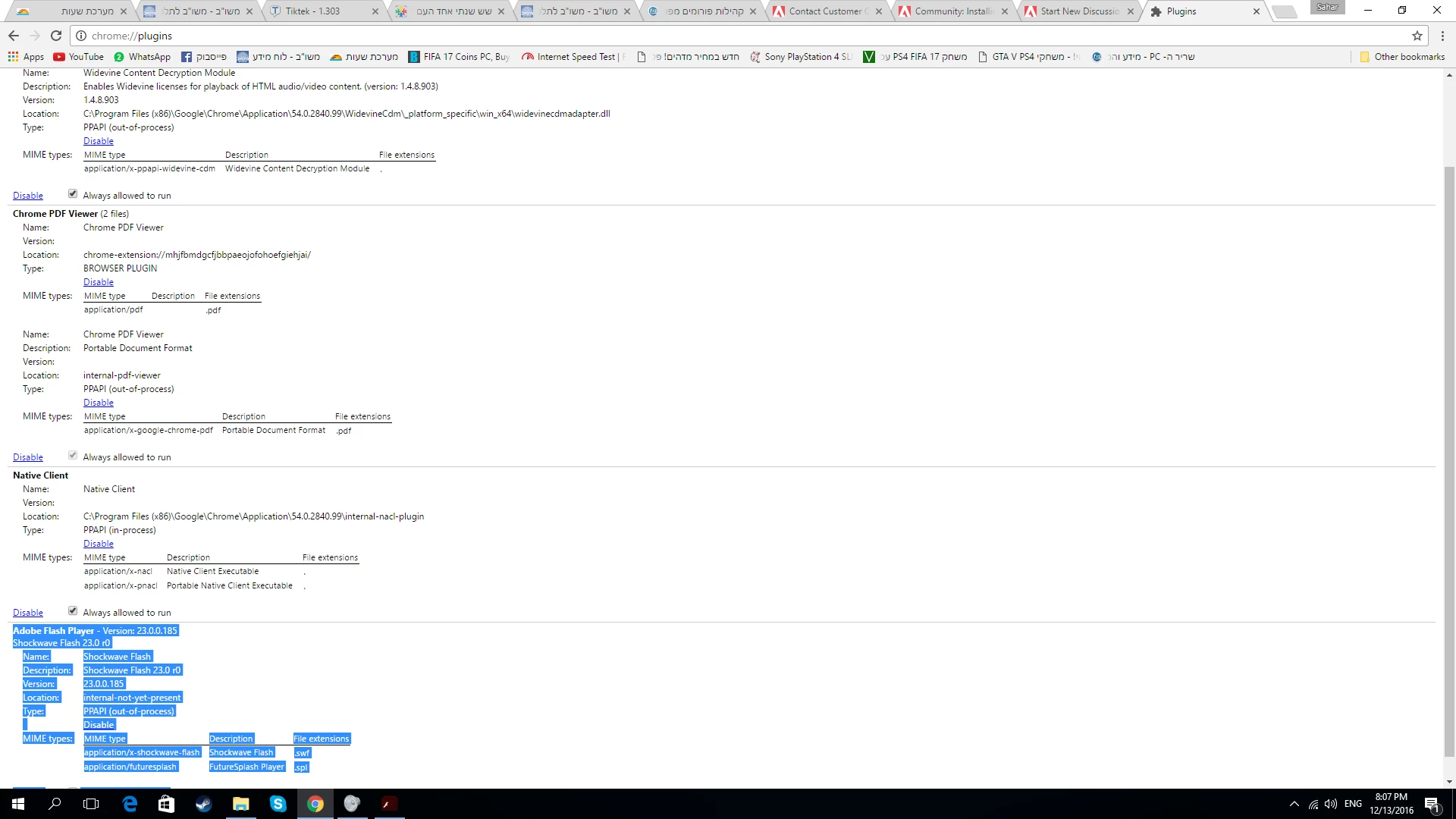
Adobe Flash Player - Version: 23.0.0.185

Shockwave Flash 23.0 r0

Name:Shockwave Flash

Description:Shockwave Flash 23.0 r0

Version:23.0.0.185

Location:internal-not-yet-present

Type:PPAPI (out-of-process)

Disable

MIME types:
MIME typeDescriptionFile extensions
application/x-shockwave-flashShockwave Flash
.swf
application/futuresplashFutureSplash Player
.spl

what can i do?????

Sahar.

This topic has been closed for replies.

1 reply

_maria_
Community Manager
Community Manager
December 13, 2016

Please try the following:

  • Launch Chrome
  • Navigate to chrome://components
  • Locate the Adobe Flash Player item
  • Click Check for updates button
sahar3004Author
Participating Frequently
December 13, 2016

it shows me :

Adobe Flash Player - Version: 0.0.0.0

Status - Updater started

and after 1 second its doing :

Adobe Flash Player - Version: 0.0.0.0

Status - Component not updated

what to do?

_maria_
Community Manager
Community Manager
December 20, 2016

this is the screenshot you need?


Yes,  Thank you.

Are you actually using a proxy server?   You have the option selected but there is no Address listed.  And it's odd that the Address and Port fields in your screenshot are greyed out, indicating they are disabled.  When I select this option in my LAN Settings the Address and Port fields are enabled.


Can you please un-check the 'Use proxy server for your LAN (These settings will not apply to dial-up or VPN connections' check-box and try Chrome's Component Updater again?  The Local Area Network (LAN) Settings window should have nothing selected, as follows:

If this works, I will inform our Google contact that the Proxy server settings is interfering with the Component Updater.

Thank you.

--

Maria


