


March 16, 2014
Answered

problem: you either have javascript turned off or an old version of Macromedia's Flash Player

  • March 16, 2014
  • 1 reply
  • 1831 views

have a problem with flash player when i log into my websites http://www.technologyprof.com/ and http://www.5od-fekra.com/ with mozilla firefox a pop-up shows you either have javascript turned off or an old version of Macromedia's Flash Player. Get the latest flash player.. however it's up to date and i tried to reinstall it but in vain !! i'm using windows 8.1 any help would be appreciated!! thanks
This topic has been closed for replies.
Correct answer C_F_McBlob

In the address bar type "about:config"

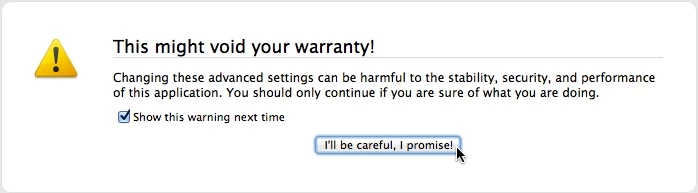
You'll see a warning:

Click "I'll be careful, I promise!" and open the configuration page.

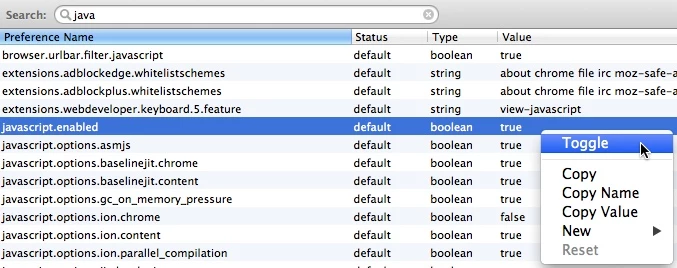
Type "java" in the search bar.

Toggle Javascript Enabled to "True"

1 reply

C_F_McBlob
C_F_McBlobCorrect answer
Inspiring
March 16, 2014

In the address bar type "about:config"

You'll see a warning:

Click "I'll be careful, I promise!" and open the configuration page.

Type "java" in the search bar.

Toggle Javascript Enabled to "True"

March 17, 2014

thanks so much,

this solved the problem