


Known Participant
April 29, 2017
Answered

"Couldn't Load Plugin": New Beta 26.0.0.89 PPAPI does not work in Chrome, Windows XP

  • April 29, 2017
  • 30 replies
  • 15317 views

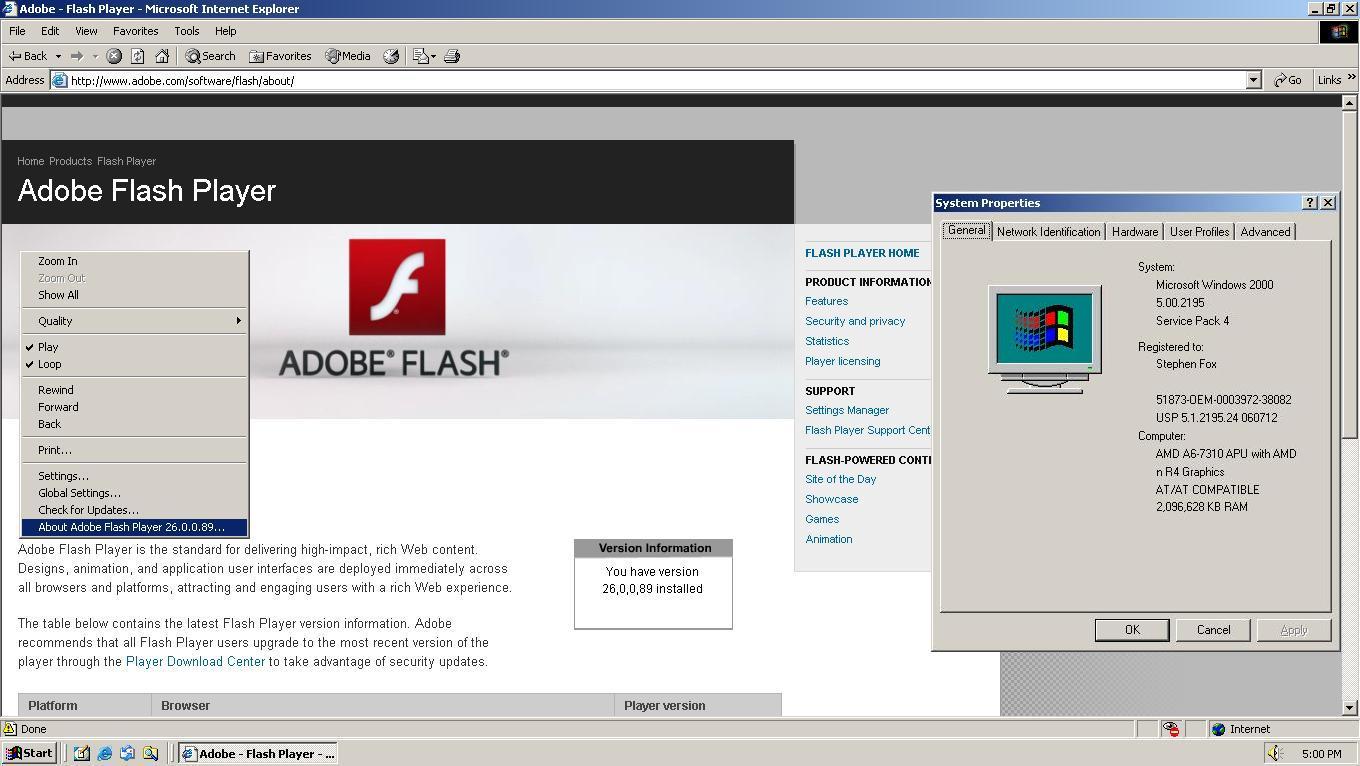
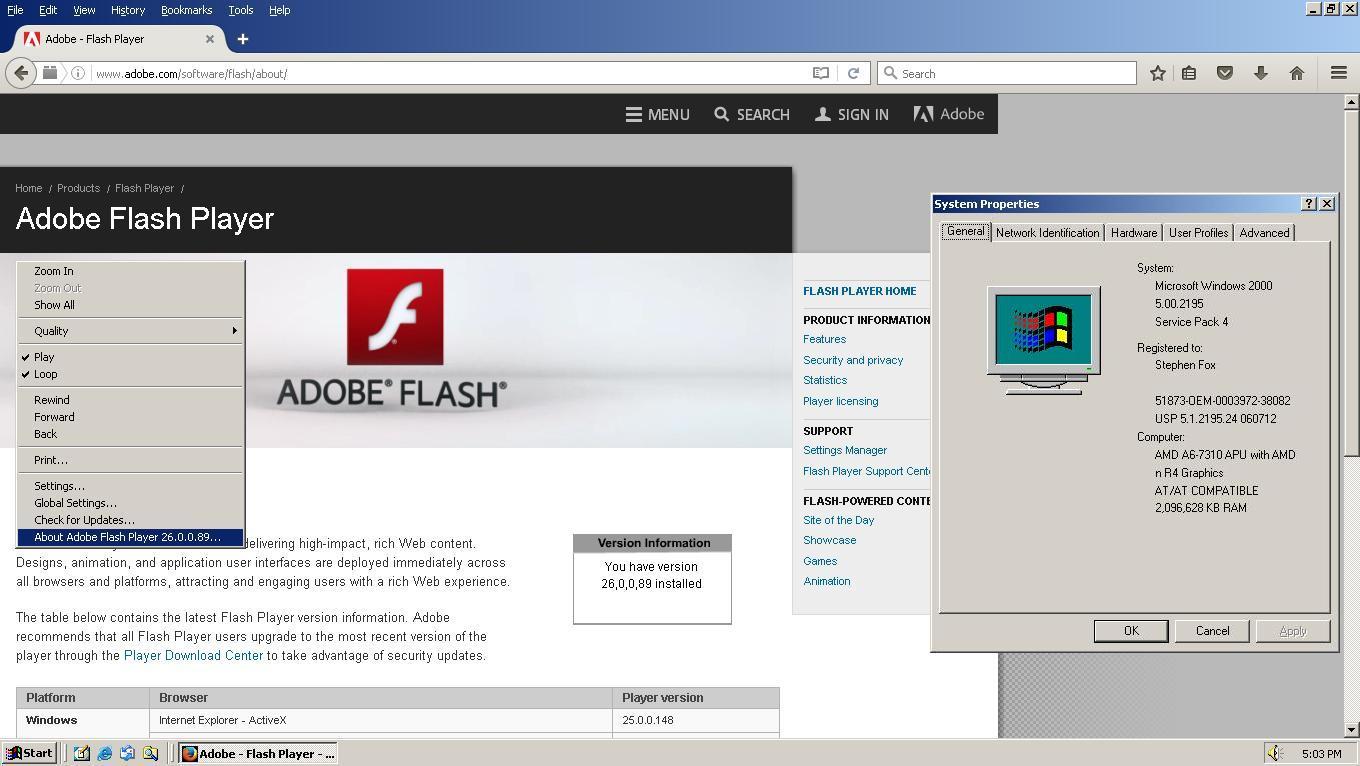
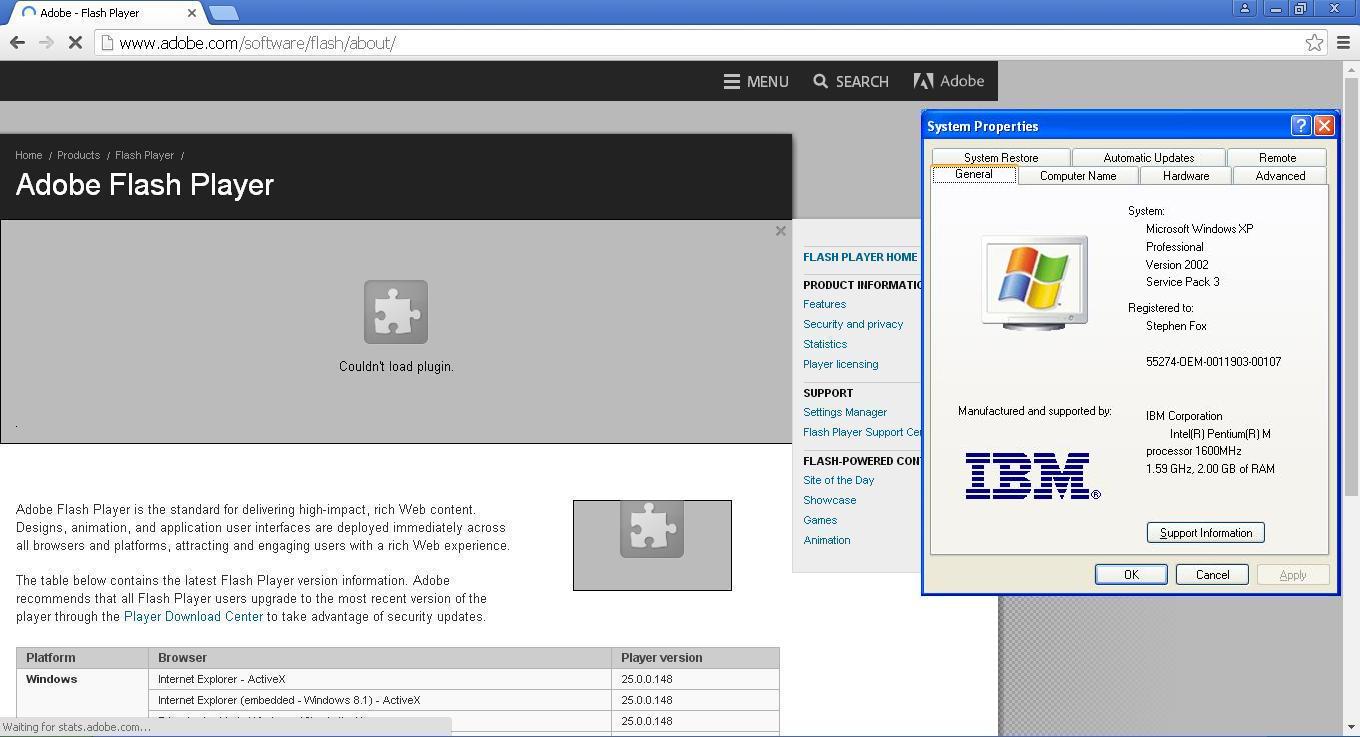
The new beta 26.0.0.89 released on 4/27 does not work in Chrome and Windows XP. All previous versions did.

Windows XP is still a supported operating system. Also, the normal Internet Explorer and Firefox plugins work correctly, both on Windows 2000 and XP. It's only the Chrome PPAPI that does not. Available from this page: Download Adobe Flash Player 26 Beta for Desktops - Adobe Labs

Direct link on that page is: https://fpdownload.macromedia.com/pub/labs/flashruntimes/flashplayer/install_flash_player_ppapi.exe
This topic has been closed for replies.
Correct answer _maria_

Hi sdfox7

This issue has been fixed in today's beta release, 26.0.0.102, available at Download Adobe Flash Player 26 Beta for Desktops - Adobe Labs .

--

Maria

30 replies

sdfox7Author
Known Participant
November 22, 2018

I am pleased to announce that I have tested the first beta for the next major release of Adobe Flash Player 32.

Beta channel for Adobe Flash Player was updated to 32.0.0.93 on November 21, and is confirmed working on Windows XP.

https://labs.adobe.com/downloads/flashplayer.html

Mozilla Firefox (NPAPI) and Google Chrome 44 and older:
https://fpdownload.macromedia.com/pub/labs/flashruntimes/flashplayer/install_flash_player.exe

Internet Explorer:
https://fpdownload.macromedia.com/pub/labs/flashruntimes/flashplayer/install_flash_player_ax.exe

Google Chrome 45 and newer:
https://fpdownload.macromedia.com/pub/labs/flashruntimes/flashplayer/install_flash_player_ppapi.exe

Uninstaller:
https://fpdownload.macromedia.com/pub/labs/flashruntimes/flashplayer/uninstall_flash_player.exe

fpbie32x93.jpg

fpbmf32x93.jpg

fpbgc32x93.jpg

sdfox7Author
Known Participant
August 15, 2018

I am pleased to announce that I have tested the first beta for the next major release of Adobe Flash Player 31 (31.0.0.89). It is tested and working on Windows XP with Internet Explorer 8, Google Chrome 49, and Mozilla Firefox 52.9.0 ESR.

It was released on August 8, 2018: http://labs.adobe.com/downloads/flashplayer.html

Internet Explorer ActiveX:

https://fpdownload.macromedia.com/pub/labs/flashruntimes/flashplayer/install_flash_player_ax.exe

Mozilla Firefox NPAPI, and NPAPI for Google Chrome 44 and older:

https://fpdownload.macromedia.com/pub/labs/flashruntimes/flashplayer/install_flash_player.exe

Google Chrome 45 to 49 PPAPI:

https://fpdownload.macromedia.com/pub/labs/flashruntimes/flashplayer/install_flash_player_ppapi.exe

Old version uninstaller:

https://fpdownload.macromedia.com/pub/labs/flashruntimes/flashplayer/uninstall_flash_player.exe

fpbie31x.bmp

fpbgc31x.bmp

fpbmf31x.bmp

sdfox7Author
Known Participant
May 12, 2018

I am pleased to announce that I have tested the first beta for the next major release of Adobe Flash Player 30 (30.0.0.85). It is tested and working on Windows XP with Internet Explorer 8, Google Chrome 49, and Mozilla Firefox 52.8.0 ESR.

It was released Wednesday, May 9, 2018: http://labs.adobe.com/downloads/flashplayer.html


Internet Explorer ActiveX:

https://fpdownload.macromedia.com/pub/labs/flashruntimes/flashplayer/install_flash_player_ax.exe


Mozilla Firefox NPAPI, and NPAPI for Google Chrome 44 and older:

https://fpdownload.macromedia.com/pub/labs/flashruntimes/flashplayer/install_flash_player.exe


Google Chrome 45 to 49 PPAPI:

https://fpdownload.macromedia.com/pub/labs/flashruntimes/flashplayer/install_flash_player_ppapi.exe


Old version uninstaller:

https://fpdownload.macromedia.com/pub/labs/flashruntimes/flashplayer/uninstall_flash_player.exe

fpbgc30x85.bmp

fpbie30x85.bmp

fpbmf30x85.bmp

sdfox7Author
Known Participant
February 8, 2018

I am pleased to announce that I have tested the first beta for the next major release of Adobe Flash Player 29. It is tested and working on Windows XP with Internet Explorer 8, Google Chrome 49, and Mozilla Firefox 52.6.0 ESR.

It was released yesterday, February 7, 2018: http://labs.adobe.com/downloads/flashplayer.html

Internet Explorer ActiveX:

https://fpdownload.macromedia.com/pub/labs/flashruntimes/flashplayer/install_flash_player_ax.exe

Mozilla Firefox NPAPI, and NPAPI for Google Chrome 44 and older:

https://fpdownload.macromedia.com/pub/labs/flashruntimes/flashplayer/install_flash_player.exe

Google Chrome 45 to 49 PPAPI:

https://fpdownload.macromedia.com/pub/labs/flashruntimes/flashplayer/install_flash_player_ppapi.exe

Old version uninstaller:

https://fpdownload.macromedia.com/pub/labs/flashruntimes/flashplayer/uninstall_flash_player.exe

fpbgc29x96.jpg

fpbie29x96.jpg

fpbmf29x96.jpg

sdfox7Author
Known Participant
November 9, 2017

I am pleased to announce that I have tested the first beta for the next major release of Adobe Flash Player 28. It is tested and working on Windows XP with Internet Explorer 8, Google Chrome 49, and Mozilla Firefox 52.4.0 ESR.

It was released today, November 9, 2017: http://labs.adobe.com/downloads/flashplayer.html

Internet Explorer ActiveX:

https://fpdownload.macromedia.com/pub/labs/flashruntimes/flashplayer/install_flash_player_ax.exe

Mozilla Firefox NPAPI, and NPAPI for Google Chrome 44 and older:

https://fpdownload.macromedia.com/pub/labs/flashruntimes/flashplayer/install_flash_player.exe

Google Chrome 45 to 49 PPAPI:

https://fpdownload.macromedia.com/pub/labs/flashruntimes/flashplayer/install_flash_player_ppapi.exe

Old version uninstaller:

https://fpdownload.macromedia.com/pub/labs/flashruntimes/flashplayer/uninstall_flash_player.exe

fpbgc28x105.jpg

fpbie28x105.jpg

fpbmf28x105.jpg

sdfox7Author
Known Participant
September 22, 2017

Beta channel was updated to 27.0.0.151 on September 21, and is confirmed working with Google Chrome on Windows XP.

Chrome 45 and newer PPAPI:

https://fpdownload.macromedia.com/pub/labs/flashruntimes/flashplayer/install_flash_player_ppapi.exe

Chrome 44 and older NPAPI:

https://fpdownload.macromedia.com/pub/labs/flashruntimes/flashplayer/install_flash_player.exe

fpbgc27x151.jpg

xpmode.jpg

sdfox7Author
Known Participant
August 28, 2017

Beta channel was updated to 27.0.0.117 on August 23, and is confirmed working with Google Chrome on Windows XP.

Chrome 45 and newer PPAPI:

https://fpdownload.macromedia.com/pub/labs/flashruntimes/flashplayer/install_flash_player_ppapi.exe

Chrome 44 and older NPAPI:

https://fpdownload.macromedia.com/pub/labs/flashruntimes/flashplayer/install_flash_player.exe

sdfox7Author
Known Participant
August 3, 2017

I am pleased to announce that I have tested the first beta for the next major release of Adobe Flash Player 27. It is tested and working on Windows XP with Internet Explorer 8, Google Chrome 49, and Mozilla Firefox 52.2.1 ESR.

It was released yesterday, August 2, 2017: http://labs.adobe.com/downloads/flashplayer.html

fpbie27x96.jpg

fpbgc27x96.jpg

fpbff27x96.jpg

dh104
Inspiring
August 4, 2017

I hope this question doesn't add confusion, but I have to put this out there because it ensued when the discussions started on ActiveX, NPAPI, and PPAPI static links, and offline installers at the bottom of tech notes versus PDC/Version directory files.


The discussion in this thread now seems to have swayed from the title. The thread started about the question on the new Beta Plug-In PPAPI not working in Chrome, Windows XP.

Why is the Adobe Labs page to update Beta Flash Player referenced? I'd like to update to Beta Flash Player 27 with Google Chrome, Windows XP, but the various Beta installers for Windows, Mac and Linux OS’s are available for Flash Player using Opera and Chromium browsers, not Google Chrome.


Even though Chrome is based on Chromium, they’re two different browsers. Chromium contains the same sync features found in Chrome because Google released the Chromium source code, but Google adds closed-source bits to their browser and sandboxed Pepper (PPAPI) Flash plug-ins.

If licensed codecs for proprietary media formats in Chrome are lacking in Chromium, then is this thread discussing different browsers now other than Google Chrome?

sdfox7Author
Known Participant
August 4, 2017

djh104

You wrote:

"The discussion in this thread now seems to have swayed from the title. The thread started about the question on the new Beta Plug-In PPAPI not working in Chrome, Windows XP. Why is the Adobe Labs page to update Beta Flash Player referenced? I'd like to update to Beta Flash Player 27 with Google Chrome, Windows XP, but the various Beta installers for Windows, Mac and Linux OS’s are available for Flash Player using Opera and Chromium browsers, not Google Chrome."

There should not be any confusion about the intent of my original post. The purpose of my original post was about the new beta PPAPI plug in not working on Chrome. However, this is no longer the case, the beta PPAPI does indeed work on Chrome and XP, and naturally, anyone visiting this page should have the most current and up to date information. Hence the reason for updating it.

"Why is the Adobe Labs page to update Beta Flash Player referenced?"

This is the location where the original problem link existed.

"I'd like to update to Beta Flash Player 27 with Google Chrome, Windows XP, but the various Beta installers for Windows, Mac and Linux OS’s are available for Flash Player using Opera and Chromium browsers, not Google Chrome."

Opera and Chromium use the same PPAPI plug in as Chrome, unless you are using Chrome older than version 45, in which case you would use the NPAPI plug in, not the PPAPI plug in. So the file is the same as the one for Firefox and Netscape. Firefox grew out of Netscape when AOL bought Netscape in 1998, and Netscape 6 and later were Mozilla based.

sdfox7Author
Known Participant
July 14, 2017

Beta channel has been updated to 26.0.0.138, and is confirmed working with Google Chrome on Windows XP.

Chrome 45 and newer PPAPI:

https://fpdownload.macromedia.com/pub/labs/flashruntimes/flashplayer/install_flash_player_ppapi.exe

Chrome 44 and older NPAPI:

https://fpdownload.macromedia.com/pub/labs/flashruntimes/flashplayer/install_flash_player.exe

fpbgc26x138.jpg

sdfox7Author
Known Participant
June 22, 2017

Beta channel has been updated to 26.0.0.133, and is confirmed working with Google Chrome on Windows XP.

Chrome 45 and newer PPAPI:

https://fpdownload.macromedia.com/pub/labs/flashruntimes/flashplayer/install_flash_player_ppapi.exe

Chrome 44 and older NPAPI:

https://fpdownload.macromedia.com/pub/labs/flashruntimes/flashplayer/install_flash_player.exe

fpbgc26x133.jpg

dh104
Inspiring
June 23, 2017

Stephen

The downloadable program for the current Adobe Flash Player in your tutorial (step 2) from Adobe's website raises a question that I may have misunderstood. The comment states how to update Flash Player when a version changed.

(to substitute the version number in the URL for the current one).

First, I have to ask, I don't see how you can substitute a new version in the URL when running a program from the Adobe website?

Secondly, what difference is there between the tutorial step 2, and the .exe program for beta update from 26.0.0.131 to  26.0.0.133 ?

I copied the links for reference :

http://fpdownload.adobe.com/get/flashplayer/pdc/26.0.0.131/install_flash_player.exe      (from Step 2  - Chrome 45 to 49 PPAPI)

https://fpdownload.macromedia.com/pub/labs/flashruntimes/flashplayer/install_flash_player_ ppapi.exe  (Chrome 45 and newer PPAPI)

_maria_
Community Manager
Community Manager
June 23, 2017

@djh104

The offline installers are posted at the bottom of the Installation problems | Flash Player | Windows 7 and earlier page in the 'Still having problems' section.  You should use this page to obtain the offline installers, as opposed to links that change with each release.

Hi sdfox7

For the same reason, it's best to point users to the help page, not post direct links, especially links that change regularly.  This is why we always post links to the help pages, not direct links themselves.

Thank you.

--

Maria