


Participant
July 16, 2010
Answered

Red Line in middle of screen on Flash Video for Firefox

  • July 16, 2010
  • 2 replies
  • 9093 views

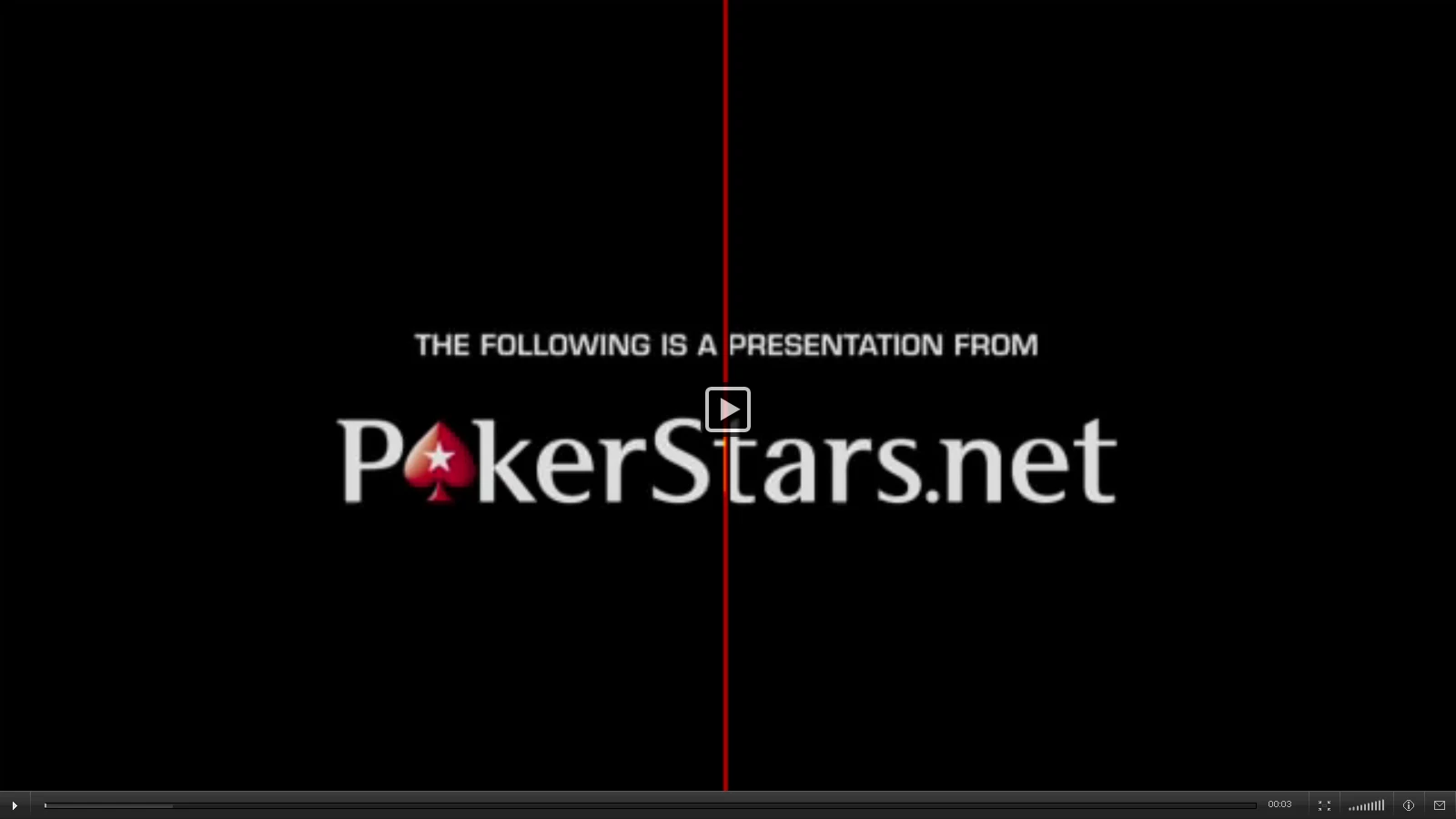
I have an issue where there is a bright red line vertically down the screen whenever I try to view a flash video. It is exactly in the center and is there whether I use full screen or not. I have a brand new computer so I don't have previous versions of Firefox or Flash Player. I am currently using Windows 7 (64 bit), Firefox 3.6.6, and Flash Player 10.1.

I have seen plenty of other issues talking about crashes and bad loads, etc., but I do not have any of those issues. Other than the red line, everything seems to play properly. I have tried uninstalling and reinstalling both Firefox and Flash, but no effect. I can view videos without any trouble through IE, so the problem seems to be with Firefox/Flash.

Any help/assistance would be much appreciated.

Thanks

Below is a screen shot of what it looks like.
    This topic has been closed for replies.
    Correct answer

    This from the Adobe bug tracking system:

    http://bugs.adobe.com/jira/browse/FP-4527

    Qingyan zhu added a comment - 05/17/10 12:53 AM
    Thanks for your report for flash player.

    Seems this is feature of ATI. refer to http://www.neoseeker.com/Articles/Hardware/Features/ati_9.11/2.html

    Please disable Avivo demo mode and test it again.

    Worth commenting on the defect...

    2 replies

    Correct answer
    July 16, 2010

    This from the Adobe bug tracking system:

    http://bugs.adobe.com/jira/browse/FP-4527

    Qingyan zhu added a comment - 05/17/10 12:53 AM
    Thanks for your report for flash player.

    Seems this is feature of ATI. refer to http://www.neoseeker.com/Articles/Hardware/Features/ati_9.11/2.html

    Please disable Avivo demo mode and test it again.

    Worth commenting on the defect...

    Participant
    July 19, 2010

    Sweet! Thanks.

    Disabling the demo worked.

    pwillener
    Legend
    July 16, 2010

    Try to

    • disable hardware acceleration (Flash Player Settings);
    • update the device drivers for your graphics/video/display adapter.