New Participant
October 16, 2017
Answered

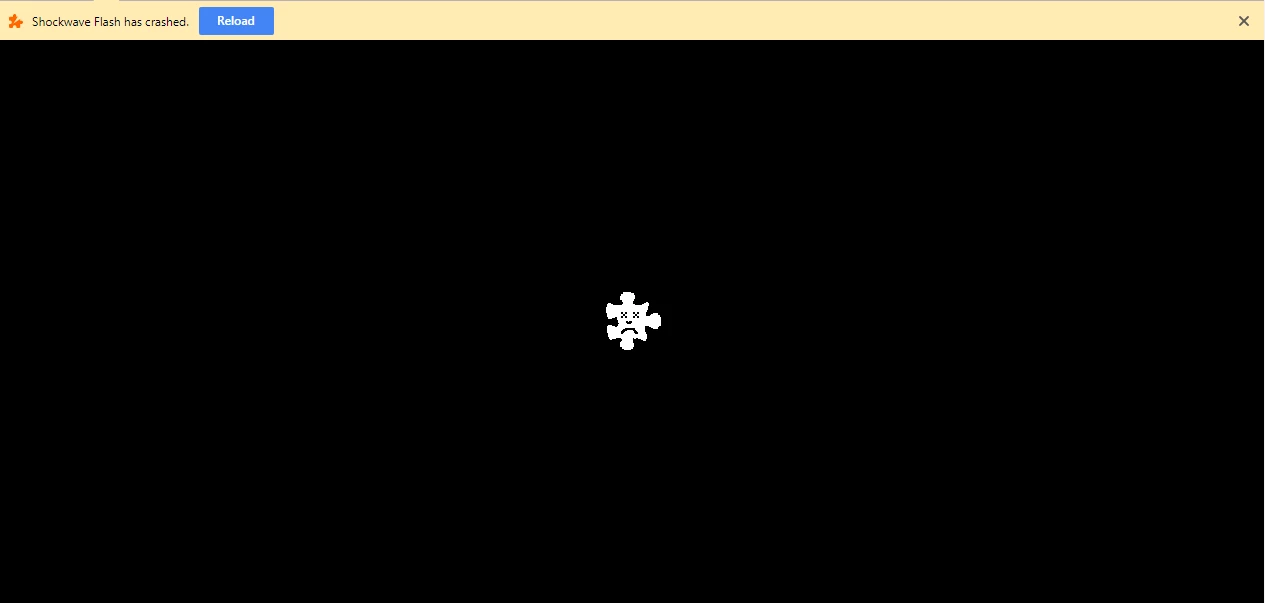
Shockwave Flash has crashed - 27.0.0.170 - VMWare

  • October 16, 2017
  • 8 replies
  • 51974 views

I have a customer base that connected to vCloud Director.  Since the release of 27.0.0.170 we are receiving the Shockwave Flash has crashed.

All browser / All Windows OS (7 & 10)

Reverting to version 27.0.0.159 fixes the issue.

[moderator: Added 'VMWare' to title to aid other users who are having the same issue in finding this topic]

    This topic has been closed for replies.
    Correct answer jeromiec83223024

    Thanks, and sorry for the inconvenience.  We're aware of the issue and are investigating to see if we can provide some relief.

    For background, to address the security issue discovered in the wild that prompted this release [1], we more tightly enforce rules in the initial validation of the SWF bytecode.  For some reason, the SWF that VMWare uses is failing those validation checks.

    This has always been the case, but weren't treating the validation failure as fatal, and would apply some more nuanced heuristics.  We're now aborting immediately at the validation failure to ensure that we're addressing the entire set of possible related issues.

    It's not immediately clear why it happens to be this particular SWF, but it's old, and there's the possibility that a compiler bug or third-party toolchain created some invalid bytecode that wouldn't normally exist in an equivalent SWF compiled from a newer toolchain.

    We're now looking to see if we can be a little more surgical and allow this content to run normally again, now that we've made it through the immediate priority of addressing the vulnerability being abused in the wild.  We'll be happy to update the thread as we have new information about the availability of a fix, etc.  In the meantime, we'd strongly recommend using Flash Player 27.0.0.170 for general browsing, and keeping a dedicated VM or browser with Flash Player 27.0.0.156 for the specific task of accessing this content.

    [1] Adobe Security Bulletin APSB17-32 - https://helpx.adobe.com/security/products/flash-player/apsb17-32.html


    8 replies

    New Participant
    October 31, 2017

    This problem is not solved yet for Internet Explorer...

    It's very important to solve this issue for IE because this is the only browser in which VMware Client Integration Plug-in (CIP) works...

    New Participant
    October 25, 2017

    I installed the latest 27.0.0.183, but the flex application crash in IE11 will reoccur.

    It was fixed in 27.0.0.180 beta.

    Please help me.

    jeromiec83223024
    Community Manager
    Community Manager
    October 25, 2017

    Can you provide a link to your flex application?

    New Participant
    October 26, 2017

    I can not publish the link of my Flex application because it is internal use, but it occurs in Flash Player Help (https://helpx.adobe.com/flash-player.html ). I attached a screenshot.

    divya010193
    Adobe Employee
    Adobe Employee
    October 25, 2017

    Hi,

    27.0.0.183 fixes the crash and is now available.

    Please go to get.adobe.com/flashplayer to download the latest version.

    We can't speak as to when Google (Chrome) or Microsoft (Win 8.x/10 for Edge/IE) would release the update.

    Thanks!

    October 26, 2017

    Just wanted to thank the Adobe staff for jumping on this and getting a beta and general release out in a timely manner.

    jeromiec83223024
    Community Manager
    Community Manager
    October 26, 2017

    Much appreciated, glad we could help!

    bob_down
    New Participant
    October 19, 2017

    Because of vulnerabilities in previous versions we had been setting our clients to auto-update automatically. This just goes to show that trying to be proactive isn't always the best option. We lost access to our VCentre, thank fully we had a RemoteApp that is a sterile environment. Damned if you do, damned if you don't.

    New Participant
    October 19, 2017

    I have MS Windows 10 Pro.

    When i try to install Adobe Flash Player 27.0.0.180 (beta) for Internet Explorer (Active X) i get the error:

    It's about i have last version of Adobe Flash Player in my IE...

    _maria_
    Community Manager
    Community Manager
    October 19, 2017

    Microsoft embeds Flash Player in IE and Edge on Windows 10, as such, the standalone installer does not work, and all Flash Player updates for IE/Edge are released by Microsoft via Windows Update.  You'll need to use a different browser until this fix is in the release channel and Microsoft releases the update.

    New Participant
    October 19, 2017

    Thanks for answer, m_vargas.

    But for what this distributive is made?

    mg40
    New Participant
    October 19, 2017

    does it also fix the same problem with vmware vcenter flash client?

    tfencl
    New Participant
    October 19, 2017

    I can confirm, beta version 27.0.0.180 fixed this problem for vCenter web client in Chrome. (Windows 7)

    upn0rthAuthor
    New Participant
    October 18, 2017

    I can confirm that 27.0.0.180 allows access to vCloud.  The install was downloaded from Adobe Flash Player 27 Beta page.

    Download Adobe Flash Player 27 Beta for Desktops - Adobe Labs

    October 18, 2017

    Interesting. Its release notes state:

    Known Issues

    Oct 17, 2017

    Flash Player Flashplayer quits unexpectedly when logging into VCD (Virtual Cloud) Portal(FP-4198649)

    _maria_
    Community Manager
    Community Manager
    October 18, 2017

    27.0.0.180 fixes the vCloud/vSphere crash and is now available from the labs page link, posted in comment #11

    jeromiec83223024
    Community Manager
    jeromiec83223024Community ManagerCorrect answer
    Community Manager
    October 16, 2017

    Thanks, and sorry for the inconvenience.  We're aware of the issue and are investigating to see if we can provide some relief.

    For background, to address the security issue discovered in the wild that prompted this release [1], we more tightly enforce rules in the initial validation of the SWF bytecode.  For some reason, the SWF that VMWare uses is failing those validation checks.

    This has always been the case, but weren't treating the validation failure as fatal, and would apply some more nuanced heuristics.  We're now aborting immediately at the validation failure to ensure that we're addressing the entire set of possible related issues.

    It's not immediately clear why it happens to be this particular SWF, but it's old, and there's the possibility that a compiler bug or third-party toolchain created some invalid bytecode that wouldn't normally exist in an equivalent SWF compiled from a newer toolchain.

    We're now looking to see if we can be a little more surgical and allow this content to run normally again, now that we've made it through the immediate priority of addressing the vulnerability being abused in the wild.  We'll be happy to update the thread as we have new information about the availability of a fix, etc.  In the meantime, we'd strongly recommend using Flash Player 27.0.0.170 for general browsing, and keeping a dedicated VM or browser with Flash Player 27.0.0.156 for the specific task of accessing this content.

    [1] Adobe Security Bulletin APSB17-32 - https://helpx.adobe.com/security/products/flash-player/apsb17-32.html

    upn0rthAuthor
    New Participant
    October 16, 2017

    Thank you very much.  Is there a timeline for an updated release that handles the validation for VMWare?

    jeromiec83223024
    Community Manager
    Community Manager
    October 16, 2017

    Without a fix committed and tested, any guess I gave you about when the patch would land wouldn't be very meaningful.  The target would be to drop something as soon as possible in a beta as pain relief and shoot for November's patch Tuesday as the mainstream release vehicle, but the most important thing is that we maintain the integrity of the mitigation we've deployed for the security issue.