Participating Frequently
August 1, 2023
Answered

Link to external document in PC

  • August 1, 2023
  • 3 replies
  • 1068 views

Hello,

I am trying to do a link to external document, that is not in the book structure.

I am able to do a link to website, but I am not able to open pdf or html file, that is saved in my PC.

Let´s say that I want to do two links (italic blue text), that can be found by the path below on the photo.
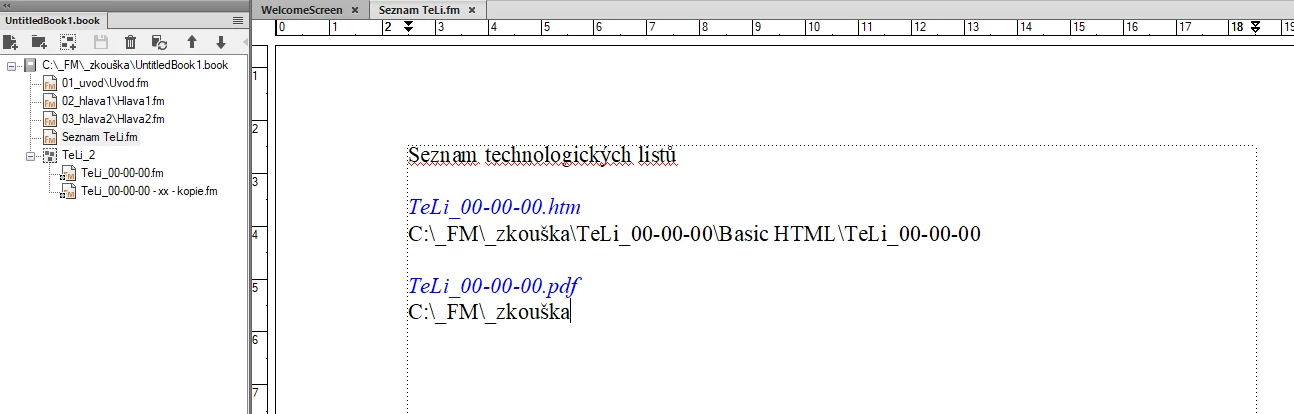
 

How could I do that please?

And is there some way how to insert a relative path to a document just in case, that the other user save the destinated files to a different folder?


Thank you very much.


Adam
 

    This topic has been closed for replies.
    Correct answer FrameMaker-dk

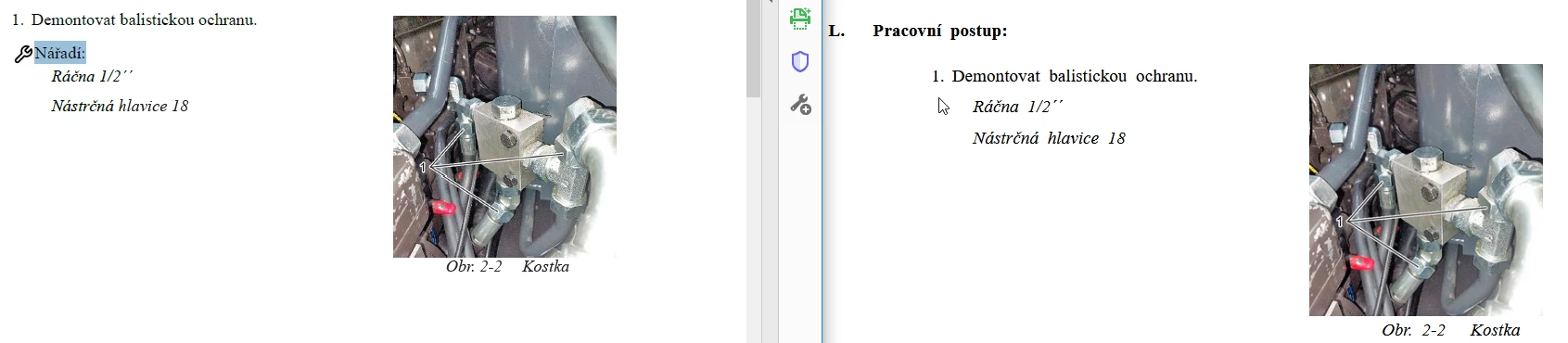
    OK thank you. But I have one little problem with publishing to HTML. The published document doesn´t contain the pictures and text from reference pages, that are connected to paragraph style.

    Do you have some advice?


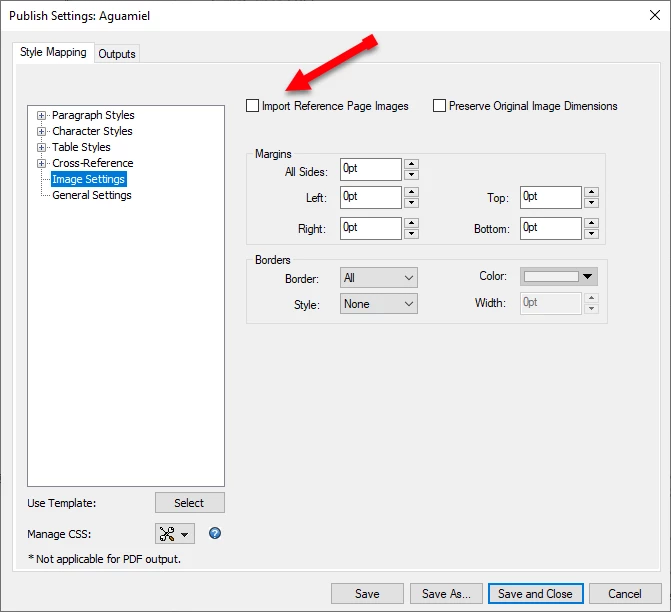
    In the Publish panel under the output settings for images there is this checkbox:

    It makes sure that images referenced in Frame Above and Below will be included. The css FrameMaker generates to visualize this could be better, though.

    3 replies

    K.Daube
    Community Expert
    Community Expert
    August 2, 2023

    IMHO the hypertext marker should have this syntax:

    message openfile path

    for example


    message openfile C:/FM/_zkouška/TeLi_00-00-0O/Basic HTML/TeLi_00-00-00


    Please note that backslashes need to be replaced by forward slashes or escaped. Blanks are of no harm:


    message openfile G:/Filetypes, special files/Dir name with blanks/FM with blanks.pdf
    message openfile G:\\Filetypes, special files\\Dir name with blanks\\FM with blanks.pdf


    Edit 2023-08-02 12:43

    You will have no problem to access a PDF, but other file types may create a security problem. See my post (at the end) in

    https://community.adobe.com/t5/acrobat-reader-discussions/this-file-is-set-to-be-launched-by-the-pdf-file-this-is-currently-disallowed-by-you-system-administ/td-p/3026735

    Participating Frequently
    August 1, 2023

    When I have the linked PDF (TeLi_00-00-00.pdf) in the same folder as final book PDF (UntitledBook1.pdf), then the link works.


    But I guess that the solution of @Matt-Tech Comm Tools also solves the problem with different absolute path to document when e.g. the customer saves the PDF files in his PC to the different folder. https://community.adobe.com/t5/framemaker-discussions/link-to-external-document-in-pc/m-p/13979303#M80355

    But unfortunately I do not fully understand how to procceed this in my case. Dear @Matt-Tech Comm Tools could you write me please, what to type in to the marker, to get the functional link please?


    Matt-Tech Comm Tools
    Community Expert
    Community Expert
    August 1, 2023

    Hi A.,

    For the PDF link to work properly, you need to specify the relationship of the primary document to the destination document.

    If your PDFs will be on a user's machine, you'd need to establish that the links are in the same folder, or otherwise "findable" to the primary document.

    If your PDFs are posted to a server, including on the internet, things are easier.

    Which are you doing?

    -Matt

    -Matt Sullivan, FrameMaker Course Creator, Author, Trainer, Consultant
    Jeff_Coatsworth
    Community Expert
    Community Expert
    August 1, 2023

    What sort of output are you creating? The files have to exist someplace where they will be accessible by whoever is trying to use the links. 

    Participating Frequently
    August 1, 2023

    I create PDF final output.

    Dave Creamer of IDEAS
    Community Expert
    Community Expert
    August 3, 2023

    Why not add the external file as an attachment in the PDF? You can adjust your links in Acrobat Pro.

    David Creamer: Community Expert (ACI and ACE 1995-2023)