


- Home
- FrameMaker
- Discussions
- Re: Straight, single quotes problem in HTML5 and ...
- Re: Straight, single quotes problem in HTML5 and ...

Copy link to clipboard
Copied
In my FM2019 document I have the following text:
"An empty string (i.e. N'') is a defined value."
In FM it looks like:

But in the Responsive HTML5 output, the 2 single quotes are not there:

And they are also lost in the chm output:

What can I do to keep them in the generated output?
EDIT:
Even worse, take a look at this FM document:

But not much is left in the chm file:



 1 Correct answer


Kindly use the Update 8 of FrameMaker 2019. This issue is fixed in it. You are directly use the https://supportdownloads.adobe.com/product.jsp?product=22&platform=Windows link to navigate to 'Update8'.
Thanks,
Namita

 16
Replies
16
16
Replies
16



Copy link to clipboard
Copied
What's the HTML code look like in that spot? Are the single quote marks taken right out or are they rendered in such a way that the browser can't show them (btw, have you tried different browsers?)
Copy link to clipboard
Copied
The FM text: An empty string (i.e. N'') is a defined value.
Has the following html source:

The FM text:
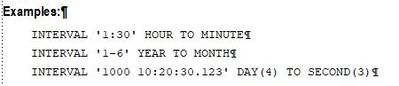
Has the following html source:

Zoomed in:

(Same problem in Firefox, Chrome, Edge and Opera.)
Copy link to clipboard
Copied
So what's that "FM_Data_10" thing? Is it a paragraph tag or character tag?
Copy link to clipboard
Copied
It's a character tag, to use courier new font size 10 for syntax elements in regular text.
I did a test without the character tag:
FM:

HTML output:

HTML source:

Copy link to clipboard
Copied
Ok, are you doing anything special to add the single quote characters?
Have you tried to leave off the character tag and see if that has any impact in the rendering?
What version of FM2019 are you on? Are you all patched up?
Copy link to clipboard
Copied
If you reload my previous reply, you'll find my attempt without the character tag. (I added it some minutes ago.)
The straight, single quote character is a bit tricky to add, because if I just enter that key, I'll automatically get a non-straight, single quote. (Whatever it is called.) Which is perfect in regular text.
However, when writing code samples I need the straight ones. My trick is to copy-and-paste one, either from Notepad, or an already existing one in the FM document.
I'm using FM 19, version 15.0.7.973.
Copy link to clipboard
Copied
Ok, you're short a patch - the 2019.0.8 version came out the end of Jan 2021. But first I would try using the U+0027 Unicode insertion of the single quote (or
| ' |
in HTML).
Maybe @LinSims or @Bob_Niland can help out with this stuff (I don't stray off the default path very much)
Copy link to clipboard
Copied
Entering U+0027 gives me the FM character

which is the same as I get when I press the regular straight quote key in FM.
And "Updates..." says
"No new updates
Adobe FrameMaker (2019 release) 64 bit
Your app is already up to date."
Copy link to clipboard
Copied
I have now learnt to do ctrl+' to get the straight quote character.
I've also edited the MasterPage Character Macros table, where I tried both Replace With ' and ' - but no improvement at all.

Copy link to clipboard
Copied
Alas, not my area of expertise. I do not output to anything but PDF and I've never coded in HTML.
I can see that the FM version is tagged to use Courier New, but your output doesn't look like it's using either Courier or Courier New. Maybe your CSS is overwriting things? Sorry I can't be more (if any) help. The latest versions of FM are, I believe, much better at ensuring this sort of thing works but, again, I don't output to HTML so I don't really know.

Copy link to clipboard
Copied
Some random observations:
What does the output look like as PDF?
Avoid mapping to ', as that is only a legitimate named Entity in XHTML1 (not in HTML4 or 5).
To avoid any risk of SmartQuotes battles with FM, consider implementing all straight quotes as Variable:
Name: U+0027 APOSTROPHE
Def: \u0027
… and if that doesn't survive into HTML5, the problem is later in the workflow.
Copy link to clipboard
Copied
Kindly use the Update 8 of FrameMaker 2019. This issue is fixed in it. You are directly use the https://supportdownloads.adobe.com/product.jsp?product=22&platform=Windows link to navigate to 'Update8'.
Thanks,
Namita
Copy link to clipboard
Copied
15.0.8.979, as suggested, generates the correct output!
Thank you vey much for the download link.
But I think it's strange that my previous version claimed to be "up to date" when I asked it to check for updates.
On my other computer, on which I installed FM last summer, I'm running version 16.0.0. But I can't remember where I found that download link.

Copy link to clipboard
Copied
I just checked, what my FM 2019 (15) says. It correctly said that it is not up-to-date and I should download update 8. Hm.
Also please check for updates in FM 2020 (16)! The current version is update 1 (16.0.1). When FM does not find the update, then download it from the download link.
Copy link to clipboard
Copied
Are there any reasons not to upgrade to FM2020?
Otherwise I'll do that next week, after our product release this week.
Copy link to clipboard
Copied
Of course you should update to FM 2020. I only mentioned FM 2019, because you said that it did not find the download of the update automatically.


Get ready! An upgraded Adobe Community experience is coming in January.
Learn more
 AdChoices