Exit
  • Global community
    • Language:
      • Deutsch
      • English
      • Español
      • Français
      • Português
  • 日本語コミュニティ
  • 한국 커뮤니티
0

Colour picker and colours wrong

New Here ,
Jul 01, 2021 Jul 01, 2021

Hey,

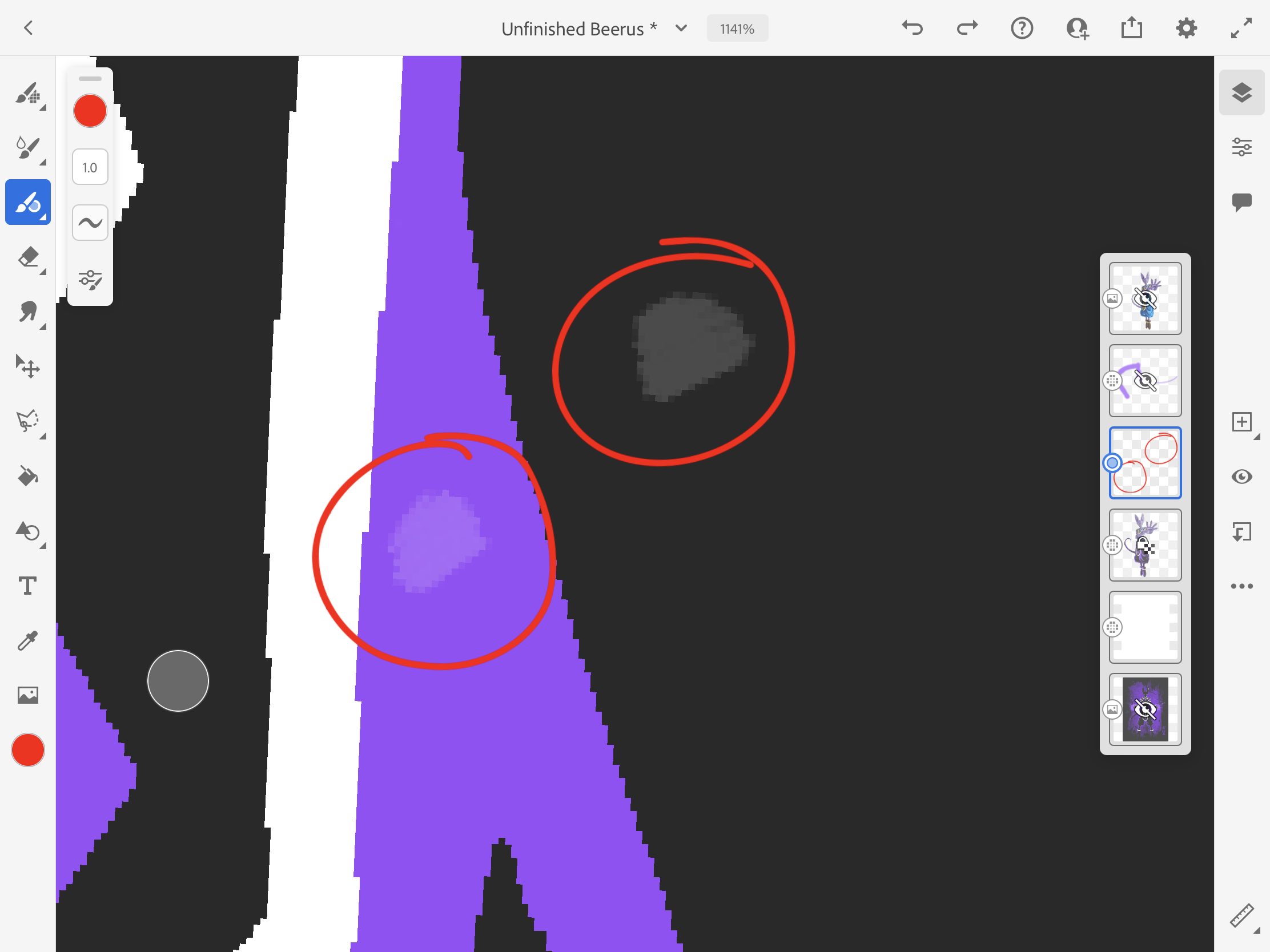
So I got Adobe Fresco a few days ago, and made some art using it. I was recolouring some art today and everything was working fine, until something happened, the app froze and crashed (luckily I saved my work). After I reopened the app and the project, whenever I sample a color using the eye dropper and then draw with it, there is a very noticible difference in brightness.

E.g. I sample black, however, when I draw, the color is grey. I sample purple, when I draw, the color is light purple.

This is shown in the screenshot.


Also, I'm on iPadOS

After some tinkering I found out that unlocking layer transparency stops this from happening. However, I need layer transparency to locked for what I am doing.

TOPICS
Canvas settings , Color , Layers
789
Translate
Report
Community guidelines
Be kind and respectful, give credit to the original source of content, and search for duplicates before posting. Learn more
community guidelines
Community Expert ,
Jul 14, 2021 Jul 14, 2021
LATEST

Has this issue been fixed through any updates or are you still experiencing the same problem?

It's definitely a weird one.

I'd suggest going through the app and sending a bug report.
Settings > App setting > Help > Report a bug


Translate
Report
Community guidelines
Be kind and respectful, give credit to the original source of content, and search for duplicates before posting. Learn more
community guidelines