
September 14, 2014
Answered

How do I install Camera Raw 6 into Photoshop CS4?

  • September 14, 2014
  • 1 reply
  • 1112 views

I have a NIkon D5100 camera and I would like to be able to edit the NEF files created by that camera in Photoshop.

I have a Win 7 - 32 bit computer with Adobe CS4.

I have downloaded and installed Application Manager 8.0_all.exe

I have downloaded the Camera_Raw_6_4_1_updater.zip file.

I unzipped AdobePatchINstaller.exe from the Camera_Raw zip file and when I run it I get the following screen.
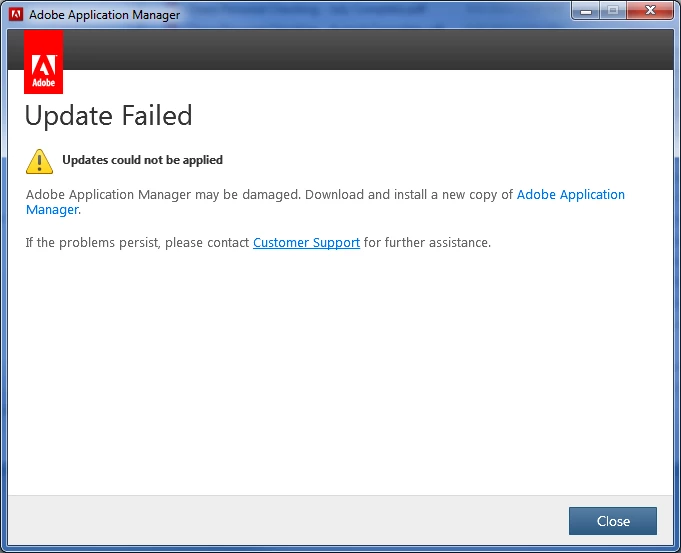
Please help me figure out how to perform a successful installation. Thanks....

This topic has been closed for replies.
Correct answer John Waller

adobela486 wrote:

I have a NIkon D5100 camera and I would like to be able to edit the NEF files created by that camera in Photoshop.

I have a Win 7 - 32 bit computer with Adobe CS4.

No can do, I'm afraid.

See

Camera Raw plug-in | Supported cameras

Camera Raw-compatible Adobe applications

Why doesn’t my version of Photoshop or Lightroom support my camera?

The D5100 was first supported in Camera Raw 6.4 which is only compatible with CS5 and later.

So you'll never be able to edit Raw files from the D5100 in CS4.

Some options:

  1. Buy CS6 (upgrade from CS4 is no longer available), or
  2. Join the Cloud and get PS+LR for $9.99/month, or
  3. Buy Photoshop Elements, or
  4. Free option: download the free Adobe DNG converter, convert all Raw D5100 files to DNG format then edit the DNGs in CS4
    Photoshop Help | Digital Negative (DNG)

1 reply

John Waller
Community Expert
John WallerCommunity ExpertCorrect answer
Community Expert
September 14, 2014

adobela486 wrote:

I have a NIkon D5100 camera and I would like to be able to edit the NEF files created by that camera in Photoshop.

I have a Win 7 - 32 bit computer with Adobe CS4.

No can do, I'm afraid.

See

Camera Raw plug-in | Supported cameras

Camera Raw-compatible Adobe applications

Why doesn’t my version of Photoshop or Lightroom support my camera?

The D5100 was first supported in Camera Raw 6.4 which is only compatible with CS5 and later.

So you'll never be able to edit Raw files from the D5100 in CS4.

Some options:

  1. Buy CS6 (upgrade from CS4 is no longer available), or
  2. Join the Cloud and get PS+LR for $9.99/month, or
  3. Buy Photoshop Elements, or
  4. Free option: download the free Adobe DNG converter, convert all Raw D5100 files to DNG format then edit the DNGs in CS4
    Photoshop Help | Digital Negative (DNG)

September 14, 2014

John,

Thank you for the complete reply. Now the error makes sense.

I just tried the DNG converter option and it works fine. Thanks for leading me to it.

Ted