des97698487
Participating Frequently
October 22, 2015
Answered

Illustrator CC 2015 Download Error

  • October 22, 2015
  • 1 reply
  • 5066 views

Hi there!

After some trouble yesterday (resolved) I reinstalled the complete range of Adobe CC 2015 apps.

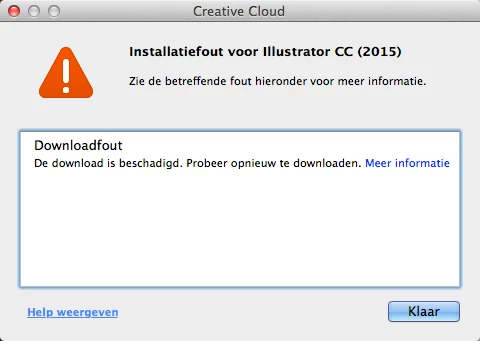
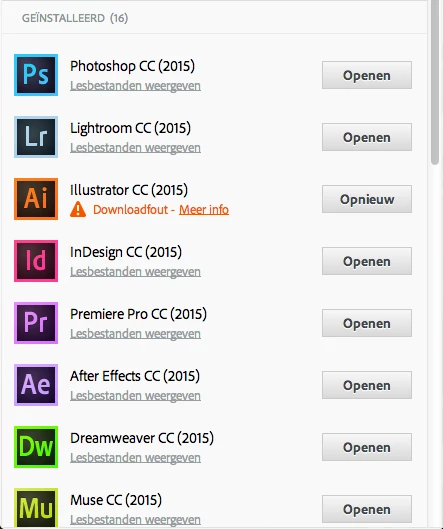
All apps installed without problems, except Adobe Illustrator. See screenshots and error message.

I get a download error. It seems the download is damaged.

When I click on the try again button, I get the same result. It stops at 0% installation progress.

Now I wonder where I can find the damaged download on my Mac, so I can delete it and start over.

I have no idea where this file is stored. Who can help me with that?
Exit Code: 126

-------------------------------------- Summary --------------------------------------

- 2 fatal error(s), 0 error(s), 2 warnings(s)

FATAL: Fatal Error '126' occurred while download

FATAL: Error occurred in download of package (Name: AdobeIllustrator19-Core Version: 19.1.0.29). Error code: '126'

WARN: Invalid arguments to utilDecodeBase64Data.

WARN: Invalid arguments to utilDecodeBase64Data.

-------------------------------------------------------------------------------------

The summary above pops up when I click on the more info link.

Any help is appreciated. Thank you in advance.

This topic has been closed for replies.
Correct answer Govardhan.V

Still same??

1) Right click on the Finder icon on dock and select "Go-To Folder" option.
2) You will get a text box, type-in below mentioned command and then hit 'Return' key.

/etc

3) It will open the etc folder, please look for file named "hosts" and copy the same to Desktop screen.

4)Double click on Hosts file , it will open it with TextEdit,

Check whether you can see any Adobe related entries inside Hosts file like 127.0.0.1 activate.adobe.com.......etc??


No Adobe related entries in Hosts file ??


You may try downloading from direct link once and check :


Adobe CC 2015 Direct Download Links: Creative Cloud 2015 Release | ProDesignTools

1 reply

des97698487
Participating Frequently
October 22, 2015

By the way, my OS is Mavericks (10.9.5).

Govardhan.V
Participating Frequently
October 22, 2015

Launch Activity Monitor and Force Quit all Adobe related processes like Creative Cloud , CoreSync....etc


(Applications >Utilities > Activity Monitor)


Step 1)

1) Right click on Finder icon and  select "Go-To" Folder option.
2) You will get a text box, please type-in exactly below command and then hit return.

/tmp

3)It will open tmp folder.
  4)Delete all contents present inside tmp folder.

Step 2)


Turn OFF firewall if is ON.


Step 3)

1)Please click on Apple menu icon and select System Preferences, and then click Network.
  2)Choose the network that is currently connected to internet that can be Ethernet or Airport(Wireless).
  3)Then click on Advanced button and click Proxies Tab.
  4)Under 'Select a Proxy server to Configure' Uncheck all the proxy check boxes, then uncheck 'Use Passive FTP Mode (PASV)'.
  5)Then click on Apply Now button.

Run Adobe Cleaner tool and if present remove Adobe Illustrator only :

http://download.macromedia.com/SupportTools/Cleaner/mac/AdobeCreativeCloudCleanerTool.dmg

Then try to install Illustrator CC 2015 again .