Participant
February 11, 2020
Question

Import YouTube SRT in Premiere Pro 2020

  • February 11, 2020
  • 1 reply
  • 990 views

Hello mate whassup? could you help me with this?
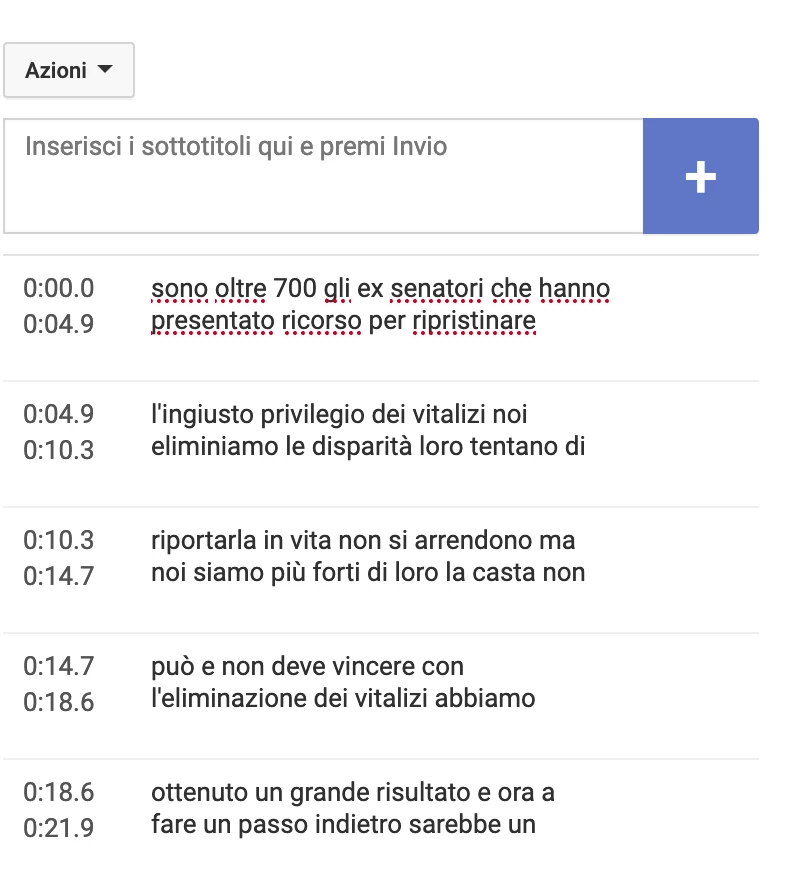
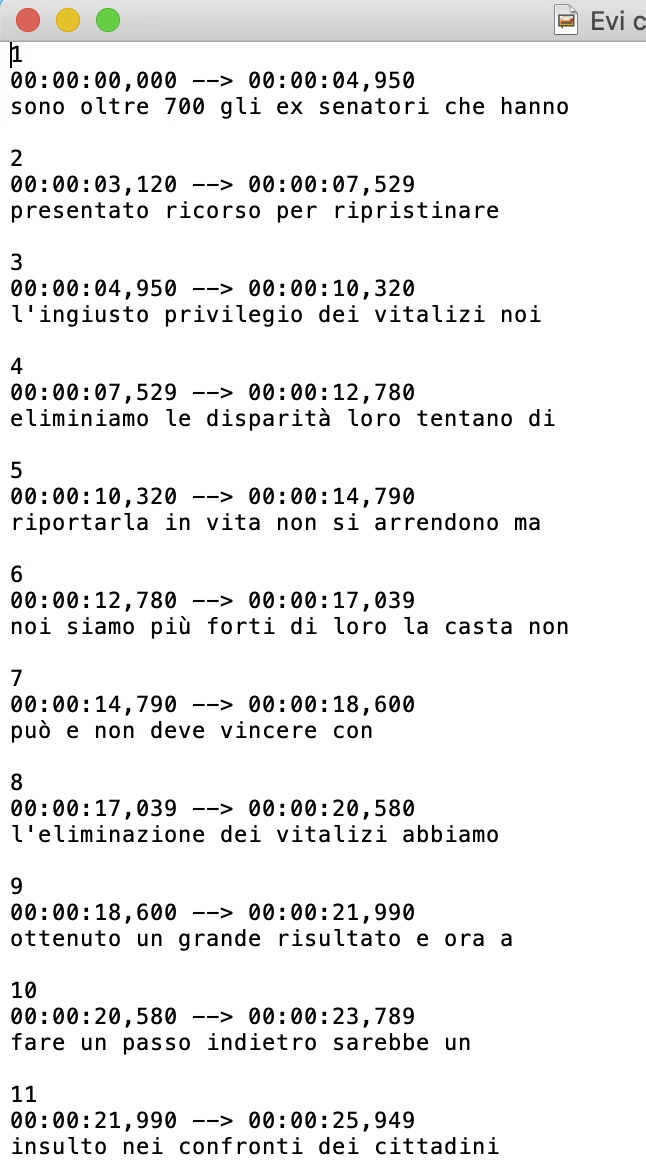
1. Download SRT file from Youtube
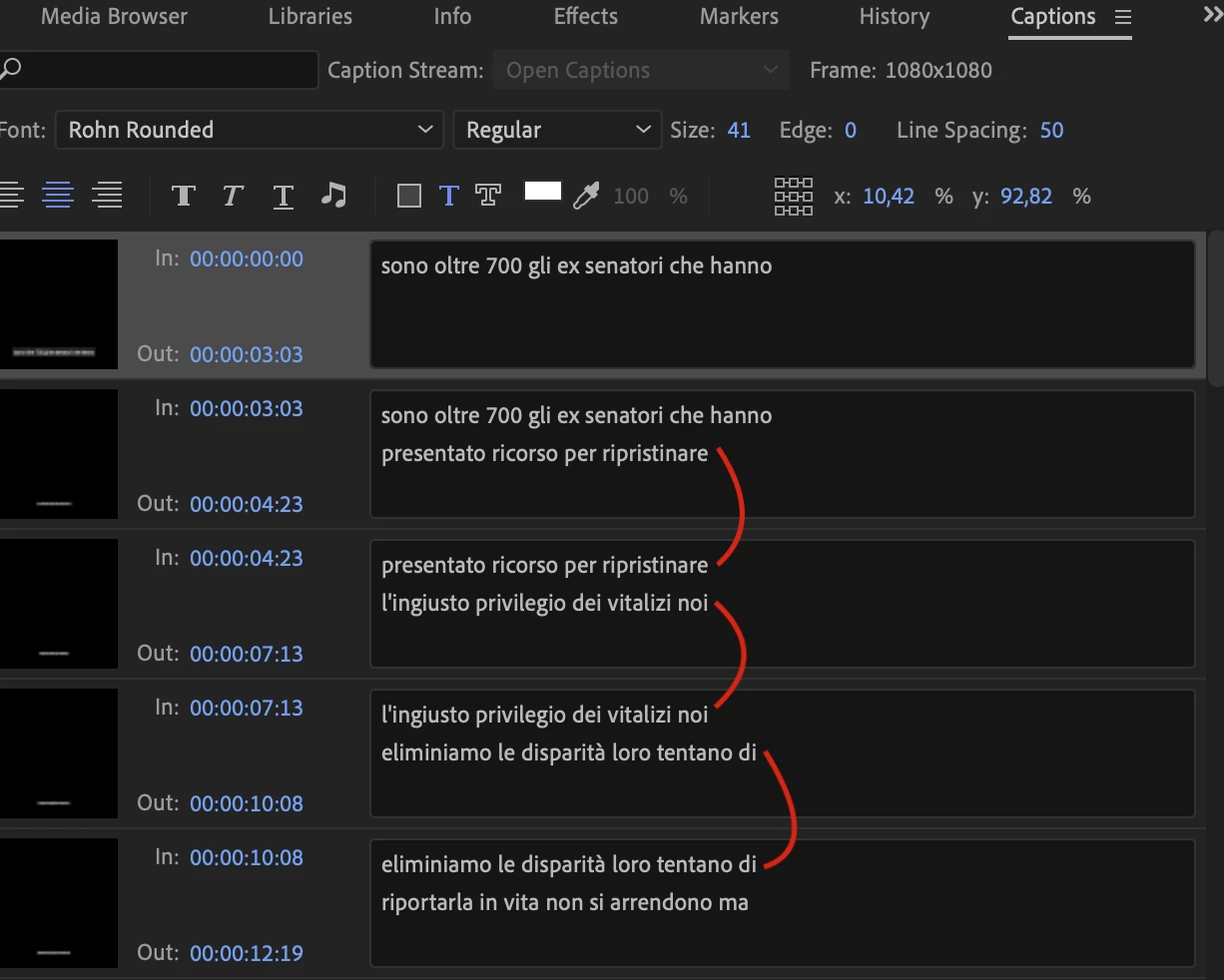
2 Import the SRT File Into PP2020
and the resoult is that is: the caption is double the last phrase on the next strart.
 

Thanks for your help


[Moving from generic Start/Help forum to the specific Program forum... Mod]
[To find a forum for your program please start at https://community.adobe.com/]

This topic has been closed for replies.

1 reply

Stan Jones
Community Expert
Community Expert
February 12, 2020

I can't find my notes on this. I use SubtitleEdit to modify the .srt so one line occurs only once. 


Stan

PolloAuthor
Participant
February 12, 2020

Thanks a lot Stan,

I found the solution after try and try and try and try different thoght in my "solving bugs modality"! 🙂


In Youtube subtitle menu settings I've changed the first TC out  to cut the time between the first and the second subtitle.
Rexport the srt, reload in pp2020 and BOOM it's working!


I hope is going to be useful.


See yha! 🙂