timbee77
Participant
December 1, 2018
Answered

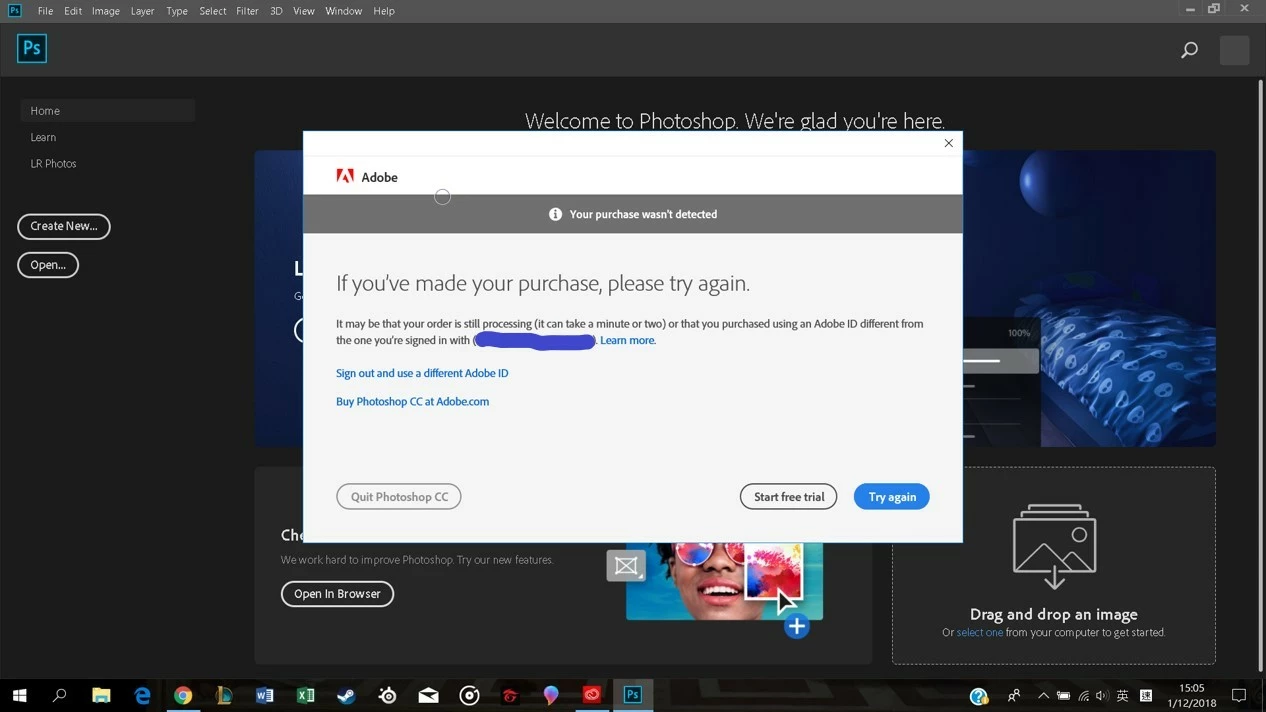
It keeps showing that my purchase wasn't detected.
  • December 1, 2018
  • 3 replies
  • 11778 views

What should I do? I have paid for the plan a week ago but I am still not able to use any of the applications.

This topic has been closed for replies.
Correct answer kglad

any chance of know when the issue could be fixed for users in Hong Kong?

meanwhile, what is the list of 2018 apps exactly? I am seeing some apps are working but some are not.


i do not know when adobe expects the problem to be fixed.

previous versions are revealed in the apps tab by clicking the arrow abutting the open/install button after clicking preferences>cc>tick show older apps.

3 replies

Participant
December 13, 2018

This issue has been lasting for a month already.

I am really not sure when it is going to be fixed.

Participant
December 14, 2018

My CC app works now and shows install instead of buy now / try, am installing the apps. Am also using Lightroom full version.

Participant
December 7, 2018

this issue seems to be affecting users in Hong Kong according to the information from technical supports.

kglad
Community Expert
Community Expert
December 7, 2018

hong kong users are seeing an adobe-side problem.  they should use 2018 apps and/or wait for an adobe fix.

Participant
December 8, 2018

any chance of know when the issue could be fixed for users in Hong Kong?

meanwhile, what is the list of 2018 apps exactly? I am seeing some apps are working but some are not.

kglad
Community Expert
Community Expert
December 1, 2018

check your account to verify your subscription is what you expect and to verify your adobe id (used in the next step), https://accounts.adobe.com/

if your account shows

a. your subscription is active,

1.  sign out and then back in to your cc desktop application using the same adobe id above to verify your subscription:  http://helpx.adobe.com/creative-cloud/kb/sign-in-out-creative-cloud-desktop-app.html

2.  if that fails, https://helpx.adobe.com/manage-account/kb/stop-creative-cloud-trial-mode-after-purchase.html

3.  if that fails, https://helpx.adobe.com/creative-cloud/kb/cc-reverts-to-trial.html

4.  if that fails, using a browser that allows popups and cookies,  contact adobe support during pst business hours by clicking here and, when available, click 'chat', http://helpx.adobe.com/x-productkb/global/service-ccm.html

if your account shows

b. you have no subscription and you're paying for one

1. using a browser that allows popups and cookies,  contact adobe support during pst business hours by clicking here and, when available, click 'chat', http://helpx.adobe.com/x-productkb/global/service-ccm.html

[moved from Downloading, Installing, Setting Up to Adobe Creative Cloud]