Participant
February 20, 2020
Question

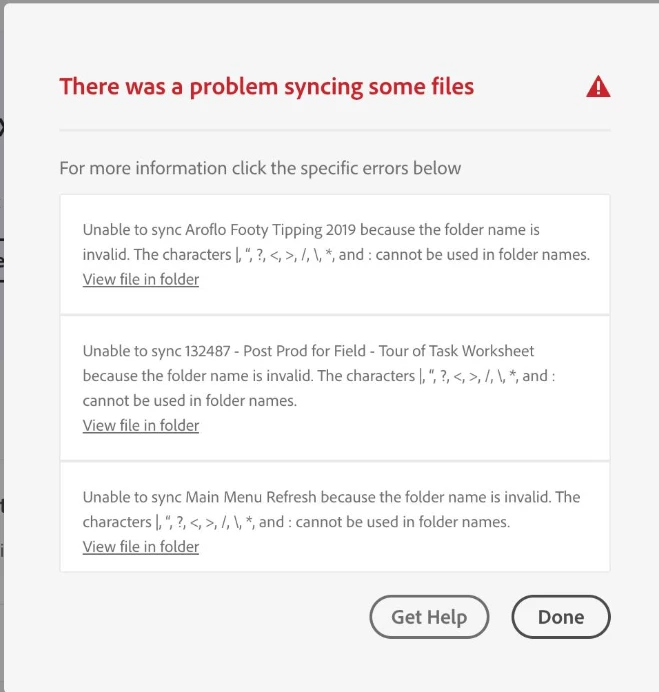
Unable to sync because the folder name is invalid.

  • February 20, 2020
  • 2 replies
  • 1312 views

The characters |,", ?, <, >, /, \, *, and : cannot be used in folder names.

However looking at the folder, it doesn't appear any of these characters are being used?


I've had this happen for a few folders.


Any ideas ?
 

This topic has been closed for replies.

2 replies

silk-m
Community Expert
Community Expert
February 28, 2020

Hi,

I use Cleative Cloud Files Folder for external storage on macOS 10.15.3, but I can use it without any problem.
You can use a space in the folder name, but be careful if there is a space at the end, because you will not be able to sync.
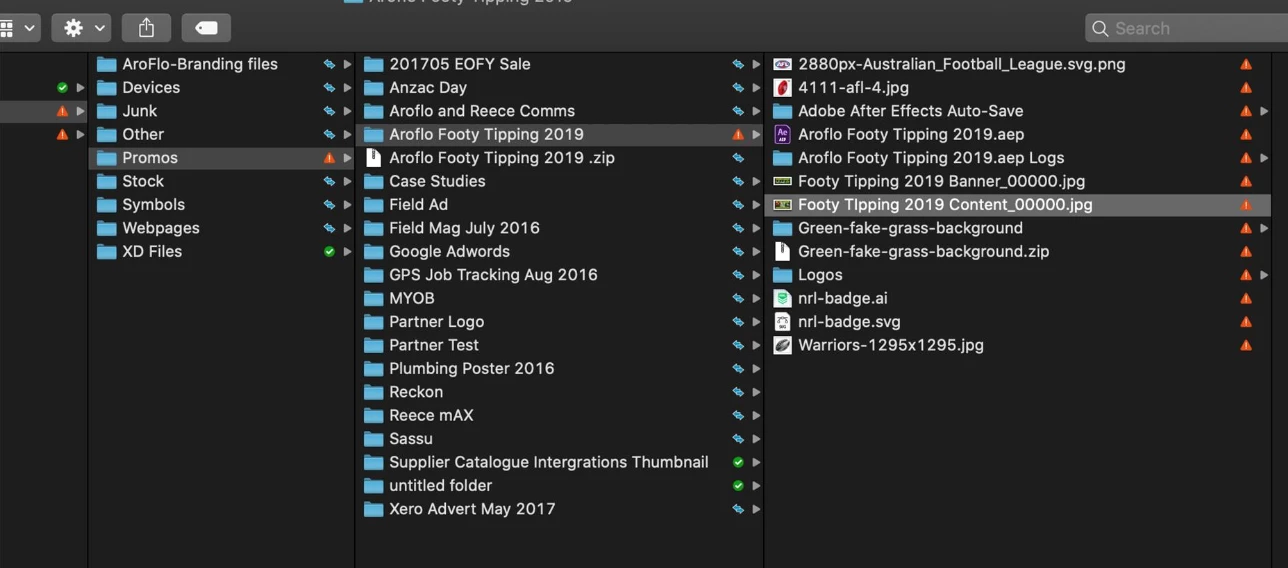
In this screenshot, there are two "Aroflo Frooty Tipping 2019" folders, but the folder below has a space at the end.

In your screenshot, note that the compressed file name is "Aroflo Frooty Tipping 2019 .Zip".


The article states that the last space is fine for Macs.
In the case of external storage, the situation is different and problems may arise.

https://helpx.adobe.com/creative-cloud/kb/arent-my-files-syncing.html#id_96315

Remove trailing characters

--Susumu Iwasaki
Nancy OShea
Community Expert
Community Expert
February 20, 2020

Try renaming your folders without any spaces or special characters. 

On the web, underscores_ and hyphens- are acceptable but not spaces.

     my_folder_name

     my-folder-name


Nancy O'Shea— Product User & Community Expert
martyc81Author
Participant
February 20, 2020

Thanks Nancy, will give that a shot and let you know how it goes.