


- Home
- Illustrator
- Discussions
- Re: Adobe Illustrator Outline View VERY slow!
- Re: Adobe Illustrator Outline View VERY slow!

Copy link to clipboard
Copied
Just bought the new MacBook Pro TouchBar with harddisk and graphics card upgrade, but Illustrator is running slower than on my 2014 MacBook Pro. How can this be? When in outline mode and panning around the document using the hand tool, it's extremely laggy when it should be MORE snappy, no? Anyone else experiencing this? It's extremely frustrating....


 1 Correct answer

I turned off grids and solved the issue.


Explore related tutorials & articles
 139
Replies
139
139
Replies
139


Copy link to clipboard
Copied
Same here: already running the latest versions of Illustrator and Mac OS…

Copy link to clipboard
Copied
same performance with the latest versions.

Copy link to clipboard
Copied
Just updated the OS and Ai no improvement.

Copy link to clipboard
Copied
Thanks for the feedback. Will pass it on to the Engineering team and will check for a possible workaround or a fix, will keep you updated.
Regards,
Om

Copy link to clipboard
Copied
Hi all,
Same issue and similar specs here.
Illustrator is driving me nuts, other CC programs are working fine.
In most simple documents the normal view is fine and the outline view is slow and choppy.
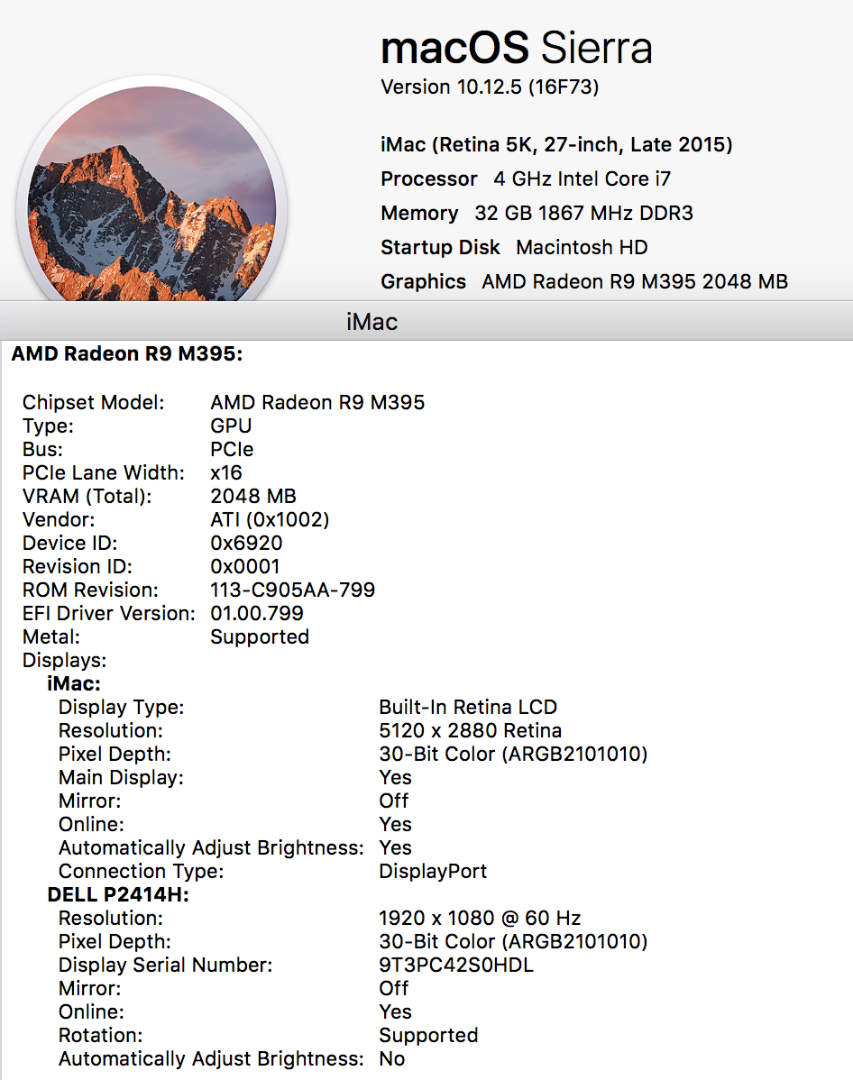
In moderately complex documents -with a few artboard and effects (3D extrude and bevel)- both views are extremely slow and choppy, moving a group of objects is sentenced by a 2 sec lag, moving an artboard or zooming brings in the spinning beach ball.
If found that deactivating GPU performance does help a bit in more complex files (less spinning beach ball) but the general handling is still much slower than on a 2013 iMac with half the horsepower.
OS 10.12.5, issue happening in both Illustrator 21.1.0 and 20.0.0

Copy link to clipboard
Copied
Hi all,
updated Sierra to latest public Beta 10.12.6 > Same performance issues...


Copy link to clipboard
Copied
hpennes-ASK schrieb
Hi all,
updated Sierra to latest public Beta 10.12.6 > Same performance issues...
Did it work better in 10.12.5?
Copy link to clipboard
Copied
No it did not work any better.
Copy link to clipboard
Copied
Unfortunately, nope.
As I mentionned earlier, on this thread or another adobe illustrator thread for the same issues,
the smaller the screen resolution is, the faster Illustrator is running.
On the 27" Ultrafine 5K, the Outline view is almost unusable and the GPU preview is getting so slow as the document gets more loaded with basic shapes and small effects.
However working On the Cintiq 16 Pro (smaller with less pixels displayed) the soft runs faster on Outline and on GPU preview.
By dragging the Illustrator window from Cintiq display to 5k display, everything goes slow again.
Again my setup :
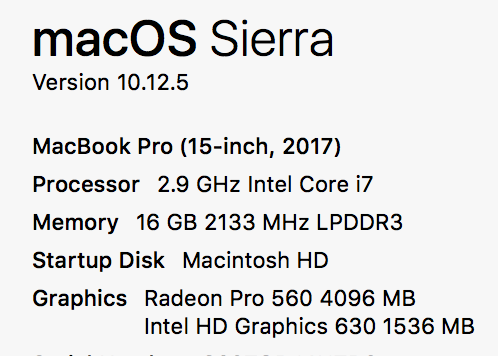
Hardware : MBP 15" w/ touch bar 2016 (I7 2,9, 16 Gb Radeon 460 4Gb 1Tb)
Software : Mac OS Sierra 10.12.6 public beta 2 / Illustrator 21.1
Monitors : Ultrafine 5K & Cintiq PRO 16"
Copy link to clipboard
Copied
I might also add that it's not just Illustrator. Virtually all other Adobe apps are a lot more sluggish and slow on the new MacBook Pro 😕 Is there a thread for that? I mean, it's not just the issue with the Outline Mode in Illustrator... also when doing simple tasks such as creating a new document, the pop-up window for that is kind of slow to launch which just adds to the experience of everything being unresponsive.
Copy link to clipboard
Copied
JOMANI schrieb
I might also add that it's not just Illustrator. Virtually all other Adobe apps are a lot more sluggish and slow on the new MacBook Pro 😕 Is there a thread for that? I mean, it's not just the issue with the Outline Mode in Illustrator... also when doing simple tasks such as creating a new document, the pop-up window for that is kind of slow to launch which just adds to the experience of everything being unresponsive.
You can turn off the new "new document window" in the preferences and use the legacy "new document window".

Copy link to clipboard
Copied
Hello All!
Just found this thread and couldn't be happier that I'm not alone! I'm having the exact same issues. My old iMac had a hard drive failure and I purchased a new iMac at the beginning of the year as a replacement. Here are my specs as I sit now (had 16 GB RAM originally, I just updated to 32)...
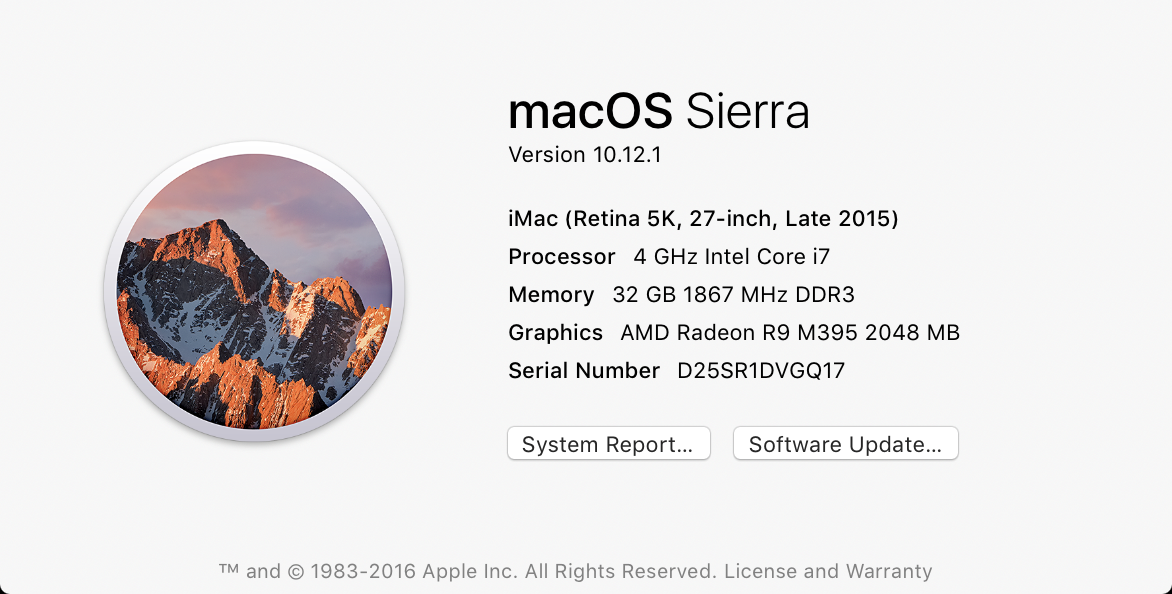
I LOVED my old iMac and spent YEARS working from home on her (yes, her. Her name was Karen... my computer wife, Karen. RIP, Karen). I built my home business with her (... and my actual wife), but her replacement (named Joan, if you were wondering), is absolutely horrendous.
On paper, Joan should be AT LEAST as great as Karen was (if not better). But all of Adobe's apps run awfully on her. If you add a stoke or two to some text, you get the pinwheel for life and don't ever think about trying to look at something in outline view.
I even just (minutes ago) maxed out her RAM thinking that would help and I still have the same issues as everybody else on here.
I saw that they were asking for more input from people, so I wanted to get my two cents in.
ANY help would be fantastic!
-Dan

Copy link to clipboard
Copied
UPDATE: Turning off Pixel preview has got it back to how fast it should be. Outline mode still the same slowness though. Trouble is I need pixel preview on to make sure I've got everything lined up properly as I work on the sites.
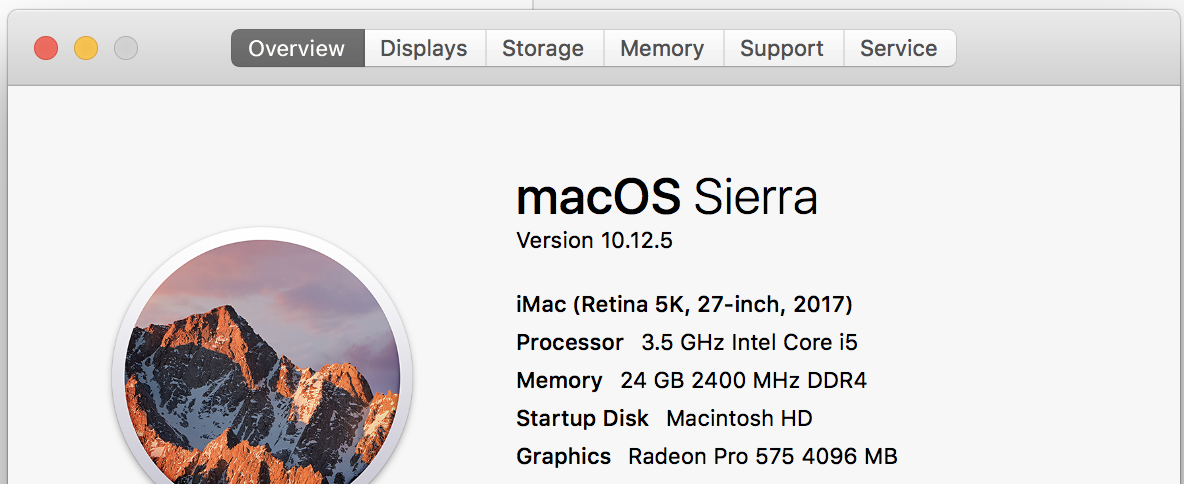
Wow relieved not just me too, upgraded from a 2010 iMac to the new 2017 iMac both running Sierra and Illustrator is super slow scrolling, zooming etc. Same in Outline mode. On the older system Illustrator said there wasn't enough Graphics Memory but it worked fine. Now I'm trying to explain why my work is taking longer to produce but I'm on a much better machine!! Help!
Photoshop is running super quick, panning and zooming are superb.
Note that I'm on the latest OS and Adobe Apps.
My system:

Copy link to clipboard
Copied
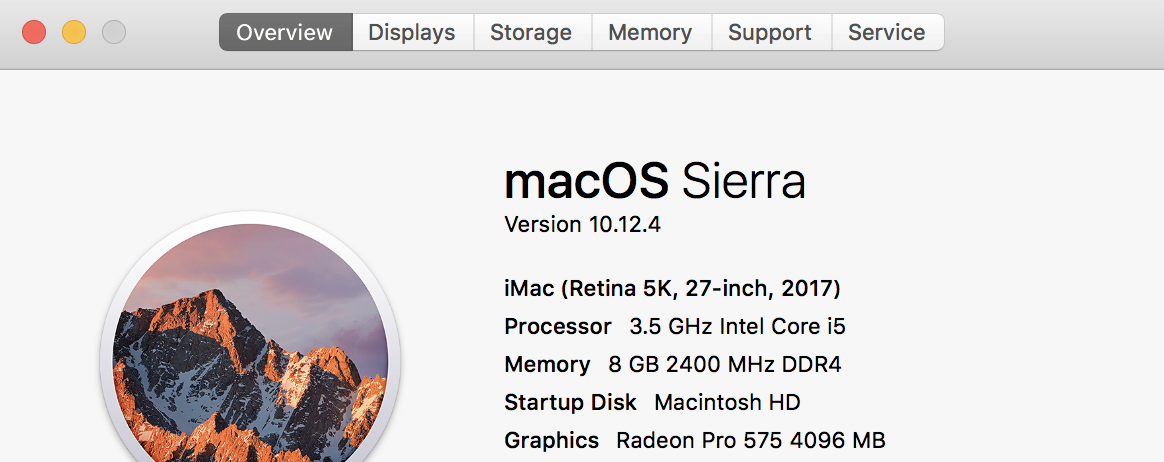
Experiencing the same issue. Has anyone managed to remedy this?

Copy link to clipboard
Copied
This problem has been going on since January and wanted to let you know that what I suspect for the beginning this is a driver issue, with GPU. Rolling back you driver could resolve the issue, the problem is that AMD support for posting mac drivers is not very good.
Below is a post from a PC user having a similar issue that they resolved by rolling back the driver.
https://forums.adobe.com/update-advanced-comment.jspa?id=9698532
ADOBE really needs to contact AMD and Nvidia about this.
Copy link to clipboard
Copied
Hi Mike,
Thanks for the details. This is already a reported issue. I'll go ahead and provide this information as well to the concerned team.
Regards,
Om

Copy link to clipboard
Copied
I'm having similar issues over here too. Scrolling and zooming are really chugging, no matter whether the GPU preview or CPU preview are on, or if it's in outline mode or not. It's actually the same speed in outline mode as when in preview mode.
Copy link to clipboard
Copied
HI Tim,
This thread is about macs that have slow performance in outline mode only. You would best serve yourself and this thread by starting your own post, so we can target and work on your situation in greater detail.
Let us know what you have tried such as resetting your prefs or OOBE, if you are connected to a network, do you save your files with pdf compatible off, etc.
Copy link to clipboard
Copied
Can we finally expect regular performance once High Sierra will be released next week? Will it make a difference? Will outline-view ever be as blazingly fast as GPU-Preview again? The previous six month have been a nightmare running Illustrator CC (and other Adobe apps for that matter)—with issues being even worse running it on a 5K Ultrafine.

Copy link to clipboard
Copied
Happy to see that we're not alone as well. Has there been an update regarding this ? We do have the issue here as well on 2 computers: one Mac Pro with the LG 27 inch 5k Screen and on an iMac 27 inch screen 5k as well.
Copy link to clipboard
Copied
This is really interesting for us as we have just been talking about possibly getting an iMac 5k - if it’s not running smoothly on an iMac or Mac Pro, it’s obviously not just related to the macBook Pro w/tb connected to the LG 5k which, after all, might still be a good display..
Has there been an update to CC today?
High Sierra + today’s update of Adobe CC could be the next thing to try.. though there seem to be some issues with High Sierra + CC..

Copy link to clipboard
Copied
This has been a problem for a while now.
1. Outline mode is extremely slow, I would say almost unusable.
2. Animated Zoom has never been working in outline mode. Which makes a hick-up in the workflow when you switch between outline mode and preview mode.
I have this problem on my new iMac, top specs, High Sierra, Illustrator CC 22.0.0
Same problem on my top spec 2017 MacBook Pro with same setup.
ohmnath – please push this. It should be top prio.
Copy link to clipboard
Copied
Hi all,
Apologies for the inconvenience caused. This is already reported with high priority to the development team. I can assure that we are working on and there should be a fix asap.
Regards,
Om
Copy link to clipboard
Copied
@Om: Please define / narrow down "asap". Thx.
Copy link to clipboard
Copied
Hi Steffen,
I know, this is a long pending issue. Let me try to get a possible time frame on this. Will update accordingly.
Regards,
Om


Find more inspiration, events, and resources on the new Adobe Community
Explore Now
 AdChoices