
Adobe Illustrator strokes
Hi
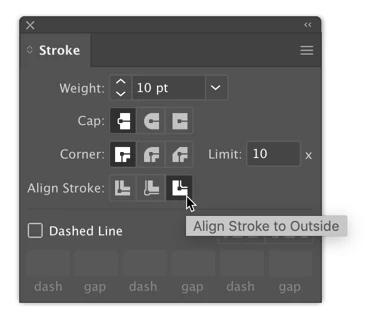
I am having trouble with strokes in Adobe Illustrator. I am trying to make a stroke around a fill of the object so that the stroke actually enlarges the object and doesn't destroy the fill.
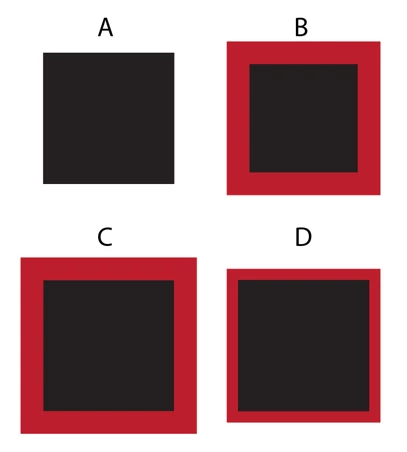
The way I have this now is that the stroke is created inside the object's path which means above its fill and it destroys the shape of the object. I need the fill to remain the same and therefore an object, but a stroke to enlarge the object.
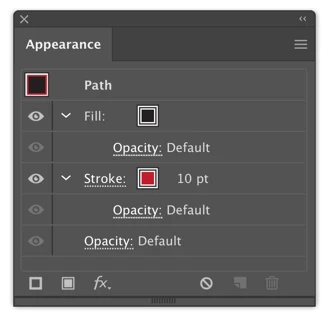
Let's say that I draw a square with a black fill and red stroke, now a stroke appears inside the square and makes it smaller (the black fill), and the size of the square remains the same, but I want to make the red stroke outside the fill so that the object becomes larger in size but the black fill remains the same. Of course all I need is a square than all this won't make any difference, but I have a more complex object to work with so a stroke that appears inside the fill basically destroys the shape of the object.
More in detail I need to make a black object with a white outline stroke and than a cut contour for Roland VersaWorks around everything to make a sticker for a car.
I searched everywhere the Youtube, Google, here on this forums, and I can't find whatever the answer is.
Please I need a solution quickly, my job depends on this.
Thanks in advance
Best Regards
[Misspellings fixed for international translation by moderator]
 AdChoices