


brendal92908106
Participant
November 13, 2020
해결됨

All images and text have suddenly been greyed out / transparent on illustrator??

  • November 13, 2020
  • 1 답변
  • 3460 조회

I've tried everything. Checked if the layers have been locked, checked if it's a display issue. I might have clicked something accidentally on the keyboard that was a shortcut to something. No idea how to get this back to normal colour!!
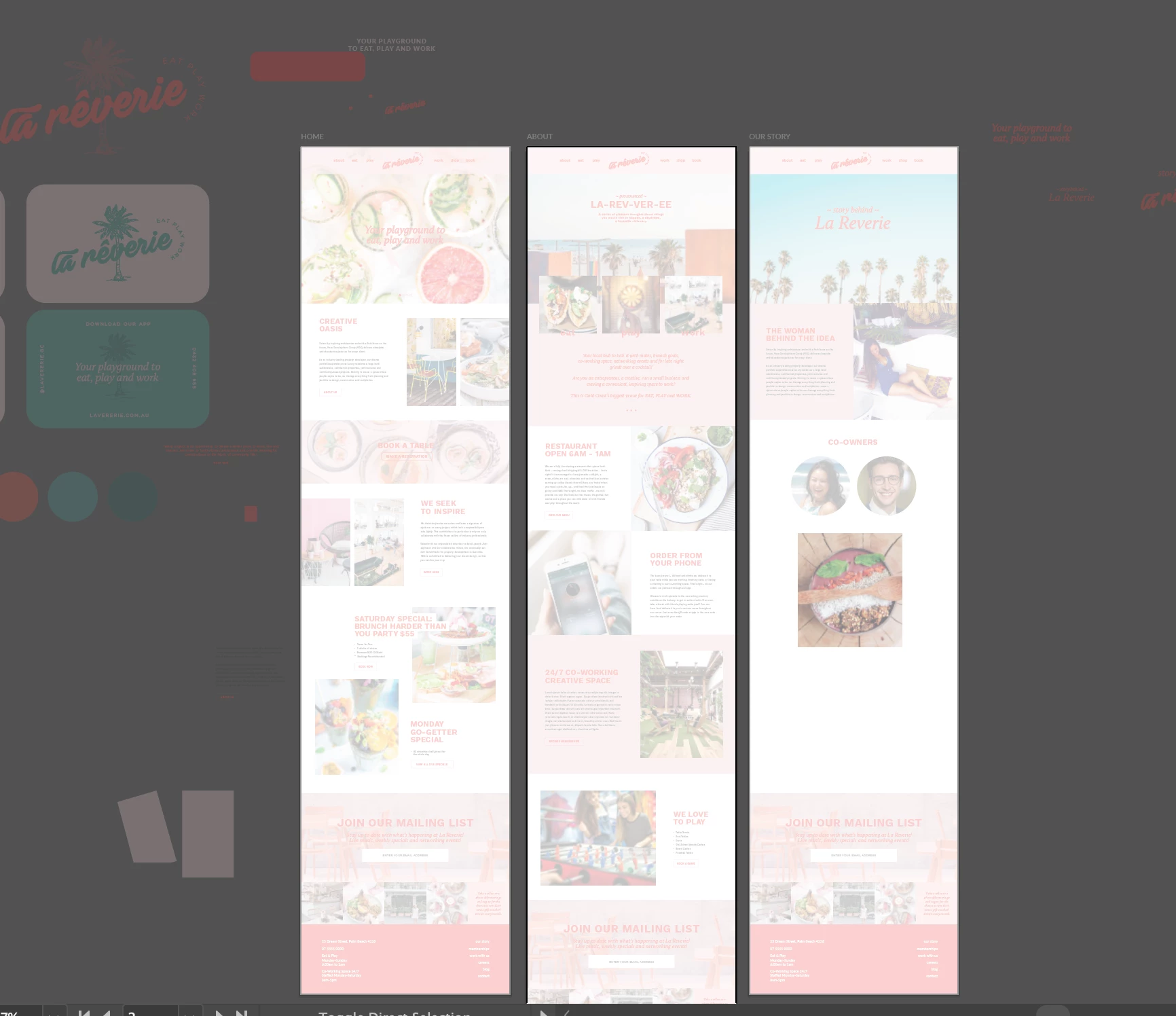
 

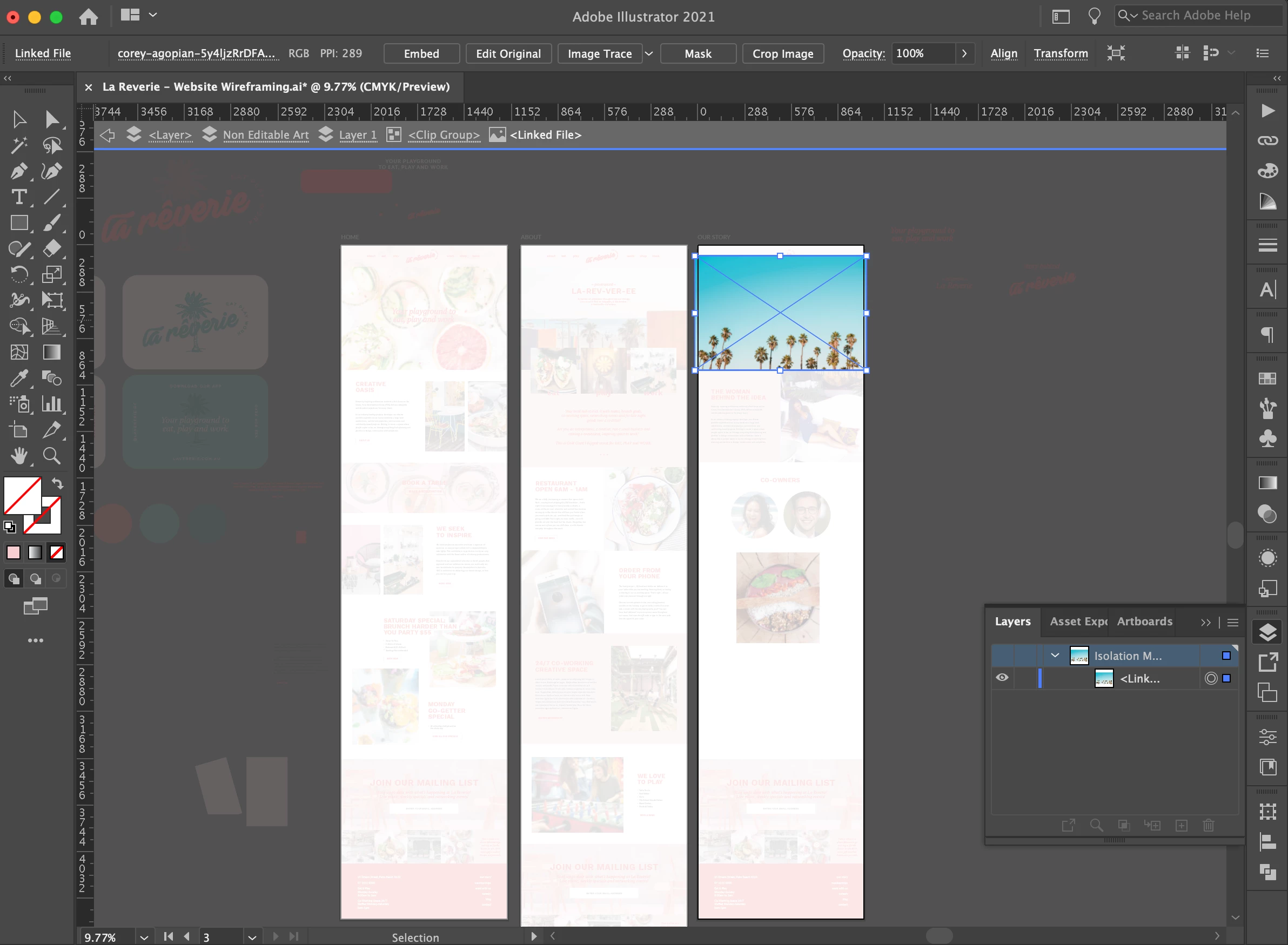
Only when I click into a clip mask, it shows it's actual colour (as shown below). Not even sure what's going on! If someone can give me some suggestions on what I should try / do, that would be hugely appreciated!
 

이 주제는 답변이 닫혔습니다.
최고의 답변: Ton Frederiks

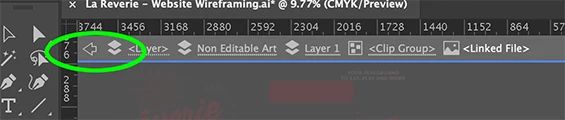
You are in Isolation mode, pressing Escape or using this arrow will get you back to normal mode.

1 답변

Ton Frederiks
Community Expert
Community Expert
November 13, 2020

You are in Isolation mode, pressing Escape or using this arrow will get you back to normal mode.

brendal92908106
Participant
November 19, 2020

Hi there, no that was just because I was clicked on an image. When I'm not clicked on an image, I'm not in isolation mode. 

rickmagley
Participating Frequently
March 27, 2021

I have the same problem. I've used Illustrator for years and I know how to exit isolation mode. This is a bug added with the newest release.