


- Home
- Illustrator
- Discussions
- Re: Automatically change to the selected icon. Scr...
- Re: Automatically change to the selected icon. Scr...

Copy link to clipboard
Copied
Hello friends.
It looks like there are just changing symbols. Is there a script for that?
Once created, I have a script that changes the symbols on the other working surface?




 1 Correct answer
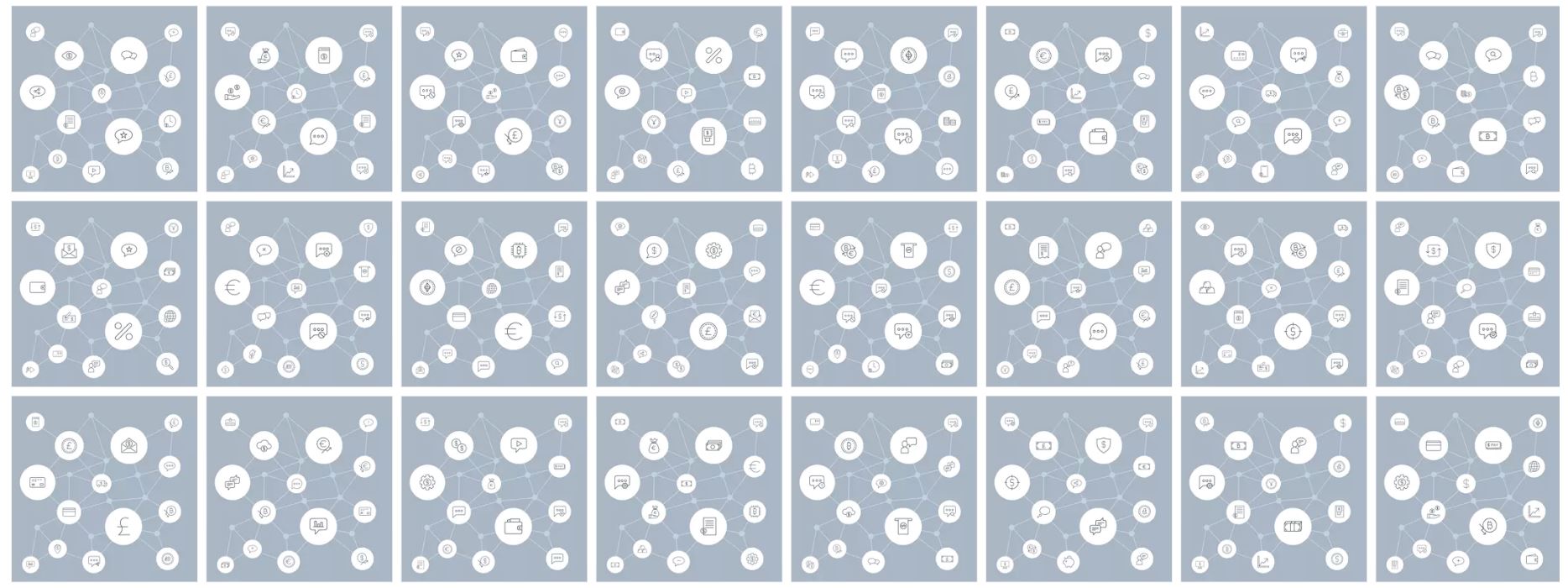
I want to prepare something as you see in the top. Only icons that are different in all shapes. The background is identical. It takes time to change icons individually. How can I change all this directly? Is there a script? Replace selected ones with new ones


Explore related tutorials & articles
 12
Replies
12
12
Replies
12


Copy link to clipboard
Copied
Can you elaborate more, please? I really don't know what your question is. Can you lay out a step by step process of what you need to do?
Copy link to clipboard
Copied
I want to prepare something as you see in the top. Only icons that are different in all shapes. The background is identical. It takes time to change icons individually. How can I change all this directly? Is there a script? Replace selected ones with new ones
Copy link to clipboard
Copied
First and foremost, the answer to your question "is there a script?" is almost always no. Everybody's workflow is a little bit different, so it's quite rare that you'll find something that exactly matches your needs.
However, to get an adequate picture of your needs, i have the following questions. What does the file look like when you open it? What do you want it to look like when the script is finished? Can you share before/after files that include the variable assets? Do the assets need to be created in some way or do they exist in the file or some external library?
The more information you can give us, the better your chance of getting the answer you're looking for.
Here's a great thread about what i think you're trying to do. but i'm only guessing.
Copy link to clipboard
Copied
Converts only 1 symbol on the subject you're looking for, but I want the selected symbols to be converted to more than one different symbol.
Copy link to clipboard
Copied
ok. if you have a specific question about syntax or you'd like help debugging some code, we are all very happy to help. otherwise, please refer to my DM. 😃
Copy link to clipboard
Copied
Beginning
After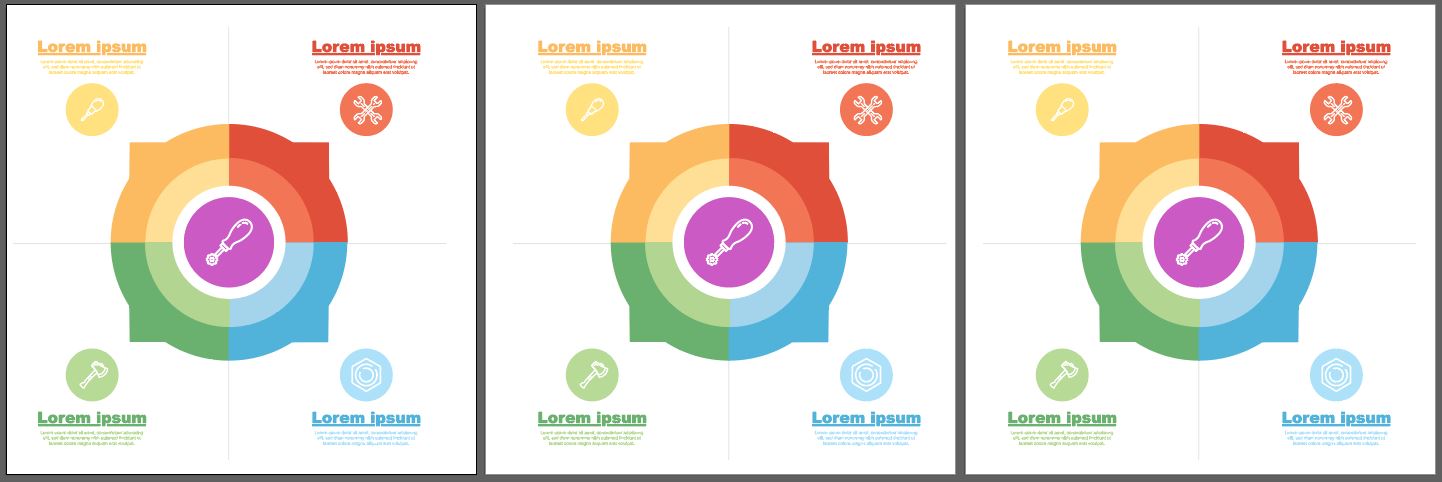

Copy link to clipboard
Copied
*DEVELOPERS BEWARE*
this user may ask for help writing a script or even agree to pay to have the script written.
he will not pay. he wants to use the code that you have written, then move the goalposts beyond the original agreement, and choose not to pay because you did not meet his new demands.
For anyone interested, i will gladly share all email communications I had with this individual to show that his intent is only to deceive and steal.
do not work with him.


Copy link to clipboard
Copied
noted.
thanks

Copy link to clipboard
Copied
That seems a harsh decision, posting this ... Just for clarity: I understand from your earlier posts that you established a personal contact with this poster, presumably to establish contact and discuss payments and goals.
So just to get this clear: you did create a script for the OP that does exactly whatever this question is asking for (which IMO is totally unclear – I don't even know what to look at in the Before/After images!), but at that point the specifications were adjusted beyond the initially discussed target?
Copy link to clipboard
Copied
**UPDATE**
Negotiations are ongoing. This individual has promised to pay today if the code proves to be functional. I will post back here if and when he invalidates my previous post.
Copy link to clipboard
Copied
Another update.. Individual is requesting MORE new features and is still refusing to pay because the script does not work on every conceivable file that he throws at it. Currently there is one file that will not save due to an "unknown error" (a native illustrator error).
Instead of sending the file for debugging, he is again moving the goalposts and asking for a new feature for the script's UI components.
Copy link to clipboard
Copied
final update. customer will not pay. is attempting to file paypal claims to get his initial payment back.
Here is the code i wrote and sent to him. he found one version of a file that caused an "unknown error" upon save/export, but would not send the file for debugging and declared that the script does not work. I will make a duplicate version of the template file that the script was designed for that does not include any of his proprietary artwork and anyone who is interested in doing so can test the code and see that it works exactly as expected. But for now, anyone and everyone can see that the code he asked for was written and delivered.
after the script was delivered, here was his response:
Imgur: The magic of the Internet
later that day he encountered an issue that i fixed right away. and then his response was this:
Imgur: The magic of the Internet
Payment still did not arrive for several days, at which point an expiration function that i had installed in the script kicked in so it was not usable until payment was received.
At that point he became irate that he could not continue to use the script without making payment.
he's a scam artist who never intended to pay. do not work with him.
function RandomIconPlacer()
{
var docRef = app.activeDocument;
var layers = docRef.layers;
var swatches = docRef.swatches;
var logFile, logTxt = "";
var settings = [];
var errorList = [];
var errorItems = [];
var exportDest = getExportDest();
var epsDest, jpgDest;
if (!exportDest)
{
return false;
}
unloadExportAction();
logFile = File(exportDest.fsName + "/log.txt");
log("exportDest.fsName = " + exportDest.fsName);
//Save Options:
var EPS_OPTS = new EPSSaveOptions();
EPS_OPTS.saveMultipleArtboards = true;
EPS_OPTS.artboardRange = "1";
EPS_OPTS.compatibility = Compatibility.ILLUSTRATOR10;
var JPG_OPTS = new ExportOptionsJPEG();
JPG_OPTS.artBoardClipping = true;
JPG_OPTS.qualitySetting = 100;
//jpg export action variables
if ($.os.match('Windows'))
{
var actionFileDestStr = exportDest.fsName + "/MyAction.aia";
alert("decodeURI(exportDest.fsName) = " + decodeURI(exportDest.fsName));
var destStr = decodeURI(exportDest.fsName);
alert("destStr = " + destSr);
}
else
{
var actionFileDestStr = Folder.desktop + "/MyAction.aia";
var destStr = "/Volumes/Macintosh HD" + decodeURI(exportDest.fsName);
}
var actionFile = File(actionFileDestStr);
var iconLayer = layers["Icons"];
var iconLength = iconLayer.pageItems.length;
var targetLayer = layers["Targets"];
var targetLength = targetLayer.pageItems.length;
var exportLayer = layers["Export Layer"];
var initLayer = layers["Initial Setup"];
//prompt the user for the number of random groups
//and parse an integer out of the input
// var numOfOutputs = parseInt(prompt ("Enter the number of combinations needed","50 - 200"));
var numOfOutputs;
var useRandomColors;
var randomSwatchGroup;
promptUserForPrefs();
if (!numOfOutputs)
{
alert("You must enter an integer.");
return false;
}
// loadExportAction();
convertIconsToCompoundPaths();
getInitialIconProperties();
//actually do the work
for (var x = 0, len = numOfOutputs; x < len; x++)
{
createRandomArrangement(x);
exportThisCombo();
exportLayer.pageItems[0].remove();
}
initLayer.visible = true;
printLog();
//
//define the logic
//
function promptUserForPrefs()
{
var result;
var w = new Window("dialog");
var comboGroup = w.add("group");
var topText = comboGroup.add("statictext", undefined, "Enter the number of combinations needed.");
var comboInput = comboGroup.add("editText", undefined, "50");
comboInput.active = true;
var randomColorGroup = w.add("group");
// var colorText = randomColorGroup.add("statictext", undefined, "Random Colors?");
var colorInput = randomColorGroup.add("checkbox", undefined, "Use Random Colors?")
var btnGroup = w.add("group");
var submit = btnGroup.add("button", undefined, "Submit");
submit.onClick = function()
{
if (comboInput.text.indexOf("-") === -1 && parseInt(comboInput.text))
{
numOfOutputs = parseInt(comboInput.text);
useRandomColors = colorInput.value;
result = true;
}
if (result)
{
w.close();
}
else
{
valid = false;
}
}
var cancel = btnGroup.add("button", undefined, "Cancel");
cancel.onClick = function()
{
valid = false;
w.close();
}
w.show();
return result;
}
function createRandomArrangement(seq)
{
var icons = getRandomIcons(targetLength);
var dest = exportLayer.groupItems.add();
var colorsUsed = [],
uniqColor = false;
var curRandom;
if (useRandomColors)
{
createRandomSwatches(targetLength);
}
dest.name = "Group_" + (seq + 1);
var curIcon, curTarget, curSettings, curColor;
for (var x = 0, len = settings.length; x < len; x++)
{
curSettings = settings
; curIcon = icons
.duplicate(dest); curTarget = curSettings.target;
scaleIcon(curIcon, curSettings.scale);
curIcon.rotate(curSettings.rotation);
if (useRandomColors)
{
// curColor = randomSwatchGroup.getAllSwatches()[getRandom(0,targetLength-1)];
while (!uniqColor)
{
curRandom = getRandom(0, targetLength - 1);
uniqColor = uniqueRandom(curRandom, colorsUsed);
}
uniqColor = false;
colorsUsed.push(curRandom);
curColor = randomSwatchGroup.getAllSwatches()[curRandom];
if (curSettings.fillColor)
{
setColor(curIcon, curColor, "fill");
}
if (curSettings.strokeColor)
{
setColor(curIcon, curColor, "stroke");
}
}
else
{
setColor(curIcon, curSettings.fillColor, "fill");
setColor(curIcon, curSettings.strokeColor, "stroke");
}
if (curSettings.opacity)
{
curIcon.opacity = curSettings.opacity;
}
centerOnTarget(curIcon, curTarget);
}
initLayer.visible = false;
dest.hidden = true;
}
function scaleIcon(item, scale)
{
var scalePercentage;
if (item.width < item.height)
{
scalePercentage = (scale.height / item.height) * 100;
}
else
{
scalePercentage = (scale.width / item.height) * 100;
}
item.resize(scalePercentage, scalePercentage);
}
function getRandomIcons(qty)
{
var result = [];
var icons = [];
var uniq, curRandom;
for (var x = 0; x < qty; x++)
{
uniq = false;
while (!uniq)
{
curRandom = getRandom(0, iconLength - 1);
uniq = uniqueRandom(curRandom, result);
}
// result.push(iconLayer.pageItems[curRandom]);
result.push(curRandom);
}
for (var x = 0; x < result.length; x++)
{
icons.push(iconLayer.pageItems[result
]); }
return icons;
}
function centerOnTarget(icon, target)
{
icon.left = getHCenter(target) - icon.width / 2;
icon.top = getVCenter(target) + icon.height / 2;
}
function getHCenter(item)
{
return item.left + item.width / 2;
}
function getVCenter(item)
{
return item.top - item.height / 2;
}
function uniqueRandom(num, arr)
{
for (var x = 0, len = arr.length; x < len; x++)
{
if (num === arr
) {
return false;
}
}
return true;
}
function getRandom(min, max)
{
return Math.floor(Math.random() * (max - min + 1) + min);
}
function getExportDest()
{
var dest = Folder().selectDlg("Choose a save location");
if (!dest)
{
return false;
}
// epsDest = Folder(dest.fsName + "/EPS_Files/");
// jpgDest = Folder(dest.fsName + "/JPG_Files/");
// if(!epsDest.exists)
// {
// epsDest.create();
// }
// if(!jpgDest.exists)
// {
// jpgDest.create();
// }
return dest;
}
//deprecated because adding all the groups
//at the beginning created files that were too large.
//i will simply use the exportThisCombo function
//to export the only group on the exportLayer.
// function exportGroups()
// {
// var len = exportLayer.groupItems.length;
// for(var x=0;x<len;x++)
// {
// exportThisCombo(x);
// }
// }
function exportThisCombo()
{
var curGroup = exportLayer.pageItems[0];
var exportName = curGroup.name;
curGroup.hidden = false;
var epsFile = File(exportDest + "/" + exportName + ".eps");
//export the jpg at 500ppi full quality
// app.doScript("Export_JPG", "Export_JPG");
exportJPG();
//save the EPS file
docRef.saveAs(epsFile, EPS_OPTS);
//fix the file names. the jpg gets saved
//with the same name as the active document.
//i also want to strip the "-01" from the
//filenames as well.
updateFileName(exportName);
curGroup.hidden = true;
}
function updateFileName(newName)
{
var docName = docRef.name.replace(".ai", "");
log("updateFileName: docName = " + docName);
var files = exportDest.getFiles();
log("files.length = " + files.length);
for (var x = 0, len = files.length; x < len; x++)
{
if (files
.name.indexOf("-01") > -1) {
log("found -01 : " + files
.name); files
.rename(files .name.replace("-01", "")); log("renamed file. result = " + files
.name); }
if (files
.name.indexOf(docName) > -1 && files .name.indexOf(".jpg") > -1) {
log("found a file matching the doc name: " + files
.name); files
.rename(newName + ".jpg"); log("renamed file. result = " + files
.name); }
}
}
function getInitialIconProperties()
{
var curIcon, curSetting;
for (var x = 0, len = initLayer.pageItems.length; x < len; x++)
{
curIcon = initLayer.pageItems
; curSetting = {};
curSetting.target = getCurTarget(curIcon);
curSetting.rotation = getCurRotation(curIcon);
curSetting.fillColor = getCurFillColor(curIcon);
curSetting.strokeColor = getCurStrokeColor(curIcon);
curSetting.opacity = getCurOpacity(curIcon);
curSetting.scale = getScale(curIcon, curSetting.rotation);
settings.push(curSetting);
}
function getCurOpacity(item)
{
return item.opacity;
}
function getCurFillColor(item)
{
var result, colorName;
if (item.typename === "CompoundPathItem")
{
item = item.pathItems[0];
}
if (item.filled && item.fillColor)
{
if (item.fillColor.spot)
{
colorName = item.fillColor.spot.name;
try
{
result = swatches[colorName];
}
catch (e)
{
errorList.push("Couldn't find a swatch called: " + colorName);
}
}
else
{
errorList.push("Please use spot colors for your icons.");
}
}
return result;
}
function getCurStrokeColor(item)
{
var result, colorName;
if (item.typename === "CompoundPathItem")
{
item = item.pathItems[0];
}
if (item.stroked && item.strokeColor)
{
if (item.strokeColor.spot)
{
colorName = item.strokeColor.spot.name;
try
{
result = swatches[colorName];
}
catch (e)
{
errorList.push("Couldn't find a swatch called: " + colorName);
}
}
else
{
errorList.push("Please use spot colors for your icons.");
}
}
return result;
}
function getScale(item, rotation)
{
var result = {};
var dupItem = item.duplicate();
if (rotation)
{
dupItem.rotate(-rotation);
}
result.width = dupItem.width;
result.height = dupItem.height;
dupItem.remove();
return result;
}
function getCurRotation(item)
{
if (item.tags.length)
{
return item.tags[0].value * 180 / Math.PI;
}
return 0;
}
function getCurTarget(item)
{
var curTarget, curSetting;
for (var x = 0, len = targetLayer.pageItems.length; x < len; x++)
{
curTarget = targetLayer.pageItems
; if (intersects(item, curTarget))
{
return curTarget;
}
}
return undefined
}
function intersects(item, dest)
{
//item coordinates
var IL = item.left;
var IT = item.top;
var IR = item.left + item.width;
var IB = item.top - item.height;
//dest coordinates
var DL = dest.left;
var DT = dest.top;
var DR = dest.left + dest.width;
var DB = dest.top - dest.height;
//check for anything that could make overlap false
//if any of these conditions are true, an intersection is impossible
return !(IL > DR || IR < DL || IT < DB || IB > DT);
}
}
function setColor(item, swatch, type)
{
var result = true;
var colorType = (type === "fill" ? "fillColor" : "strokeColor");
var colorProp = (type === "fill" ? "filled" : "stroked");
if (item.typename === "CompoundPathItem")
{
if (!item.pathItems.length)
{
result = false;
}
else if (swatch)
{
item.pathItems[0][colorType] = swatch.color;
}
else
{
item.pathItems[0][colorType] = swatches["[None]"].color;
}
}
else if (item.typename === "PathItem")
{
if (swatch)
{
item[colorType] = swatch.color;
}
else
{
item[colorType] = swatches["[None]"].color;
}
}
return result;
}
function createRandomSwatches(num)
{
try
{
docRef.swatchGroups["Random_Color_Group"].remove();
randomSwatchGroup = docRef.swatchGroups.add();
randomSwatchGroup.name = "Random_Color_Group";
}
catch (e)
{
randomSwatchGroup = docRef.swatchGroups.add();
randomSwatchGroup.name = "Random_Color_Group";
}
// var existingRandomSwatches = randomSwatchGroup.getAllSwatches();
// for(var x=existingRandomSwatches.length-1;x>=0;x--)
// {
// existingRandomSwatches
// }
for (var x = 0; x < num; x++)
{
generateRandomRGB(x);
}
function generateRandomRGB(seq)
{
var rgb = new RGBColor();
rgb.red = getRandom(0, 255);
rgb.green = getRandom(0, 255);
rgb.blue = getRandom(0, 255);
var newSpot = docRef.spots.add();
newSpot.name = "Random Swatch " + seq
newSpot.color = rgb;
newSpot.colorType = ColorModel.SPOT;
var newSpotColor = new SpotColor();
newSpotColor.spot = newSpot;
randomSwatchGroup.addSwatch(swatches[newSpot.name]);
}
}
function exportJPG()
{
String.prototype.hexEncode = function()
{
//http://stackoverflow.com/questions/21647928/javascript-unicode-string-to-hex
var hex = '';
for (var i = 0; i < this.length; i++)
{
hex += '' + this.charCodeAt(i).toString(16);
}
return hex;
};
function writeFile(fileDestStr, contents)
{
log("writing actionFile: fileDestStr = " + fileDestStr);
// var newFile = File(fileDestStr);
actionFile = File(fileDestStr);
if (actionFile.exists)
{
log("removed existing action file.");
actionFile.remove();
}
actionFile = new File(fileDestStr);
log("created new action file. actionFile.exists = " + actionFile.exists);
actionFile.open('w');
actionFile.write(contents);
actionFile.close();
log("wrote action file.");
};
var actionStr = [
"/version 3",
"/name [ 10",
"4578706f72745f4a5047",
"]",
"/isOpen 0",
"/actionCount 1",
"/action-1 {",
"/name [ 10",
"4578706f72745f4a5047",
"]",
"/keyIndex 0",
"/colorIndex 0",
"/isOpen 1",
"/eventCount 1",
"/event-1 {",
"/useRulersIn1stQuadrant 0",
"/internalName (adobe_exportDocument)",
"/localizedName [ 9",
"4578706f7274204173",
"]",
"/isOpen 0",
"/isOn 1",
"/hasDialog 1",
"/showDialog 0",
"/parameterCount 7",
"/parameter-1 {",
"/key 1885434477",
"/showInPalette 0",
"/type (raw)",
"/value < 104",
"0a0000000100000003000000030000000000f401010000000000000001000000",
"69006d006100670065006d006100700000006d0070006c006100740065005f00",
"7600330000000000000000000000000000000000000000000000000000000000",
"0000000001000000",
">",
"/size 104",
"}",
"/parameter-2 {",
"/key 1851878757",
"/showInPalette -1",
"/type (ustring)",
"/value [ PUT_FOLDERPATH_CHAR_LENGTH_HERE",
"PUT_HEX_FOLDERPATH_HERE",
"]",
"}",
"/parameter-3 {",
"/key 1718775156",
"/showInPalette -1",
"/type (ustring)",
"/value [ 16",
"4a5045472066696c6520666f726d6174",
"]",
"}",
"/parameter-4 {",
"/key 1702392942",
"/showInPalette -1",
"/type (ustring)",
"/value [ 12",
"6a70672c6a70652c6a706567",
"]",
"}",
"/parameter-5 {",
"/key 1936548194",
"/showInPalette -1",
"/type (boolean)",
"/value 1",
"}",
"/parameter-6 {",
"/key 1935764588",
"/showInPalette -1",
"/type (boolean)",
"/value 1",
"}",
"/parameter-7 {",
"/key 1936875886",
"/showInPalette -1",
"/type (ustring)",
"/value [ 1",
"31",
"]",
"}",
"}",
"}",
].join("\n");
writeFile(actionFileDestStr, actionStr.replace("PUT_FOLDERPATH_CHAR_LENGTH_HERE", destStr.length).replace("PUT_HEX_FOLDERPATH_HERE", destStr.hexEncode()));
app.loadAction(actionFile);
app.doScript("Export_JPG", "Export_JPG");
app.unloadAction("Export_JPG", "");
}
function unloadExportAction()
{
//clean up
// actionFile.remove();
for (var x = 0; x < 10; x++)
{
try
{
app.unloadAction("Export_JPG", '');
}
catch (e)
{
}
}
}
function convertIconsToCompoundPaths()
{
//convert the icons on the icons layer
for (var x = 0, len = iconLayer.pageItems.length; x < len; x++)
{
docRef.selection = null;
iconLayer.pageItems
.selected = true; app.executeMenuCommand("noCompoundPath");
app.executeMenuCommand("ungroup");
app.executeMenuCommand("ungroup");
app.executeMenuCommand("ungroup");
app.executeMenuCommand("ungroup");
app.executeMenuCommand("compoundPath")
}
}
function log(msg)
{
logTxt += msg + "\n";
}
function printLog()
{
logFile.open("w");
logFile.write(logTxt);
logFile.close();
// alert("log:\n" + logTxt);
}
function sendErrors(errorList)
{
alert("The following errors occurred:\n" + errorList.join("\n"));
}
}
RandomIconPlacer();


Get ready! An upgraded Adobe Community experience is coming in January.
Learn more
 AdChoices