Exit
  • Global community
    • Language:
      • Deutsch
      • English
      • Español
      • Français
      • Português
  • 日本語コミュニティ
  • 한국 커뮤니티
0

Can't turn off 3D guides (or whatever) I accidentally turned on CS5

Guest
Oct 12, 2011 Oct 12, 2011

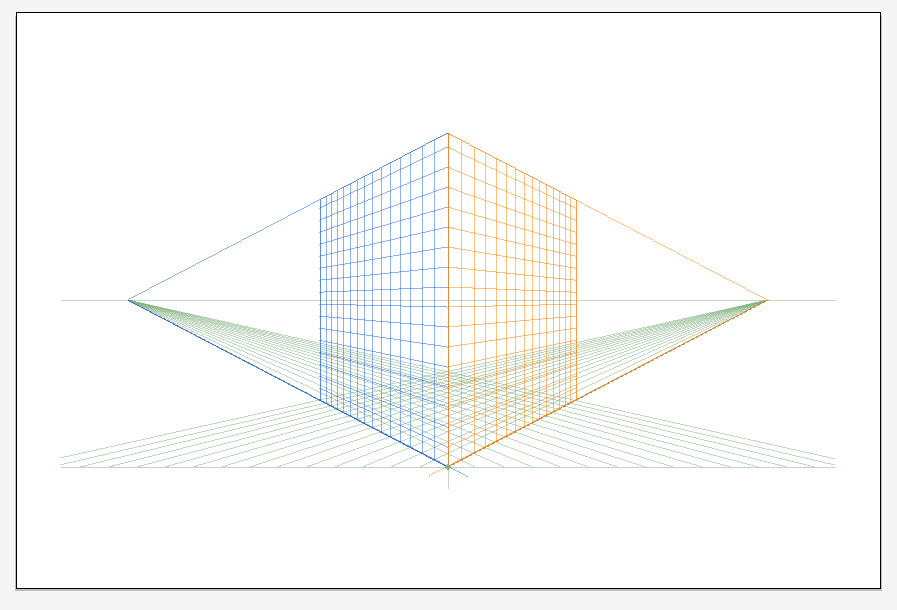
I am not yet familiar with the 3d elements in Illustrator.  But I somehow turned on some huge 3d cube "guide" or something that I can't turn off.

How do I turn it off?  Any help appreciated--thanks...

illustrator3DGuides.png

41.9K
Translate
Report
Community guidelines
Be kind and respectful, give credit to the original source of content, and search for duplicates before posting. Learn more
community guidelines

correct answers 1 Correct answer

Community Expert , Oct 12, 2011 Oct 12, 2011

Look at the View menu under Perspective grid. There you can hide it.

You've probably shown it by clicking on the Perspective Grid tool in the Tools panel.

Translate
Adobe
Community Expert ,
Oct 12, 2011 Oct 12, 2011

Look at the View menu under Perspective grid. There you can hide it.

You've probably shown it by clicking on the Perspective Grid tool in the Tools panel.

Translate
Report
Community guidelines
Be kind and respectful, give credit to the original source of content, and search for duplicates before posting. Learn more
community guidelines
New Here ,
Nov 04, 2023 Nov 04, 2023
LATEST

Kurt Gold, thanks for answering this question. I am constantly trying to update my knowledge of AI but it seems thta these features and menus get away from me. Largely because I am more of a an occasional user and not constantly using it. Thanks for being a concientous helper.

Translate
Report
Community guidelines
Be kind and respectful, give credit to the original source of content, and search for duplicates before posting. Learn more
community guidelines