


Can't View my Cut Contour Lines in Final ai Document. ARGH
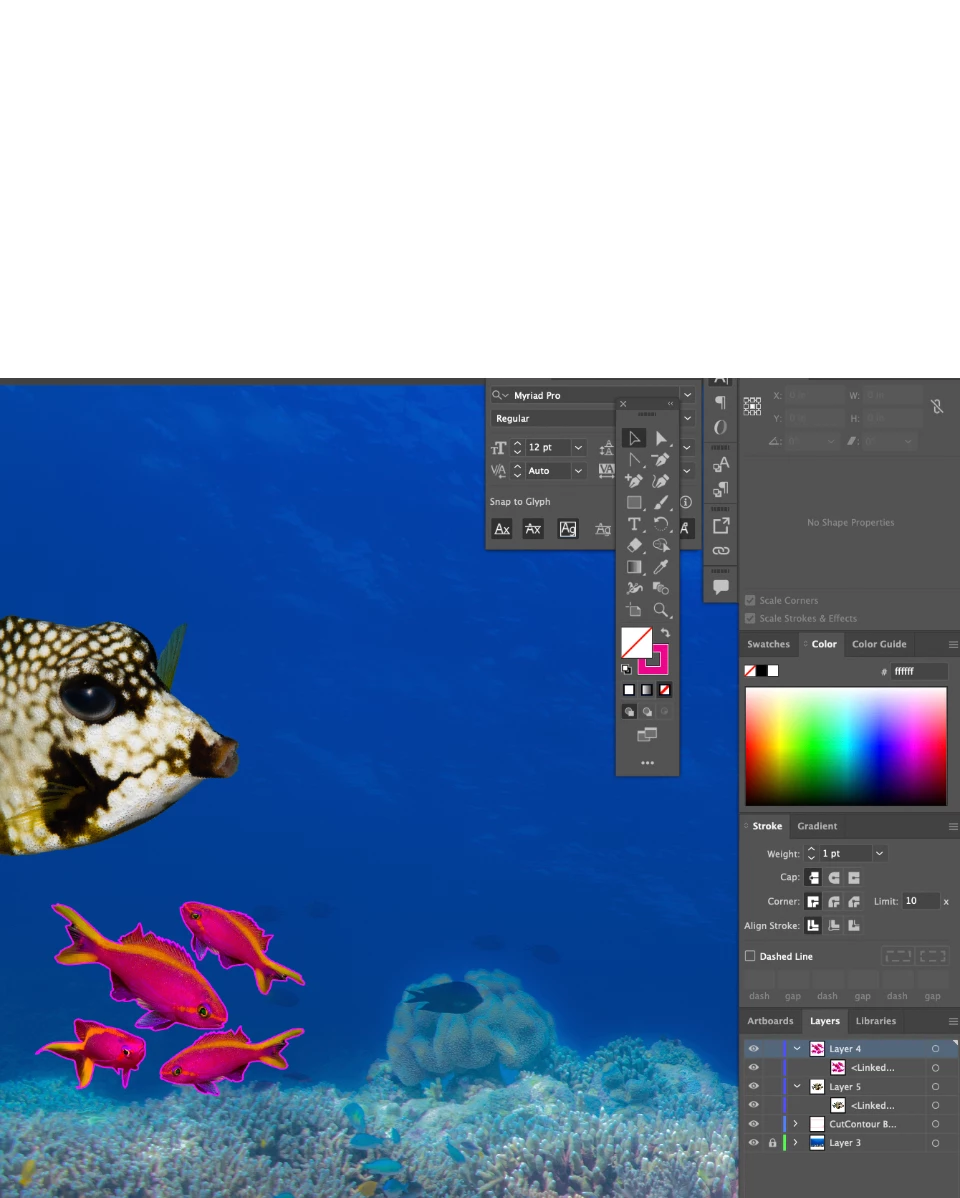
PSD 20+ yrs - new to AI - needing to create EPS or AI file with layer for image and layer for cut contour lines in 100% Magenta- Here is catch- finally mastered that (would love if someone shared an action) - but needing now to add several objects (fish) to my finished project --background for decal sheet. I have my background, but when I create new layer - then place a newly created AI file with image + layer with the cut lines- I can only see image in my document- and not the cut lines- it says 'Linked layer"- and I do not know what that meams. Any help would be great.. going a little bonkers. I need a final documetn for print that has the backgroud... then different fish on it with their corresponding cut contour lines for stickers. Thanks!
See Below- the Purple Antias are viewable, but the linked layer is not showing the CutContour labeled layer the cutter needs. thanks
 AdChoices