
Known Participant
December 4, 2018
Answered

Changing Artboard background color in latest update makes any white fill transparent

  • December 4, 2018
  • 2 replies
  • 10421 views

Hi,

Up to now, if I am creating icons etc and they have to be in white, I normally change the Art-board color in Document Setup to a shade of grey so the white icons stand out. Now with the latest upgrade to Illustrator CC when I do the same thing, all white fills are now the same shade of grey as the art board. If I change the fill to any other shade it is fine. Any ideas please?
    This topic has been closed for replies.
    Correct answer Monika Gause

    Macnimation2  schrieb

    Up to the new version you could indeed change th Art board BG color without effectign the fill colors of objects.

    You can still do that.

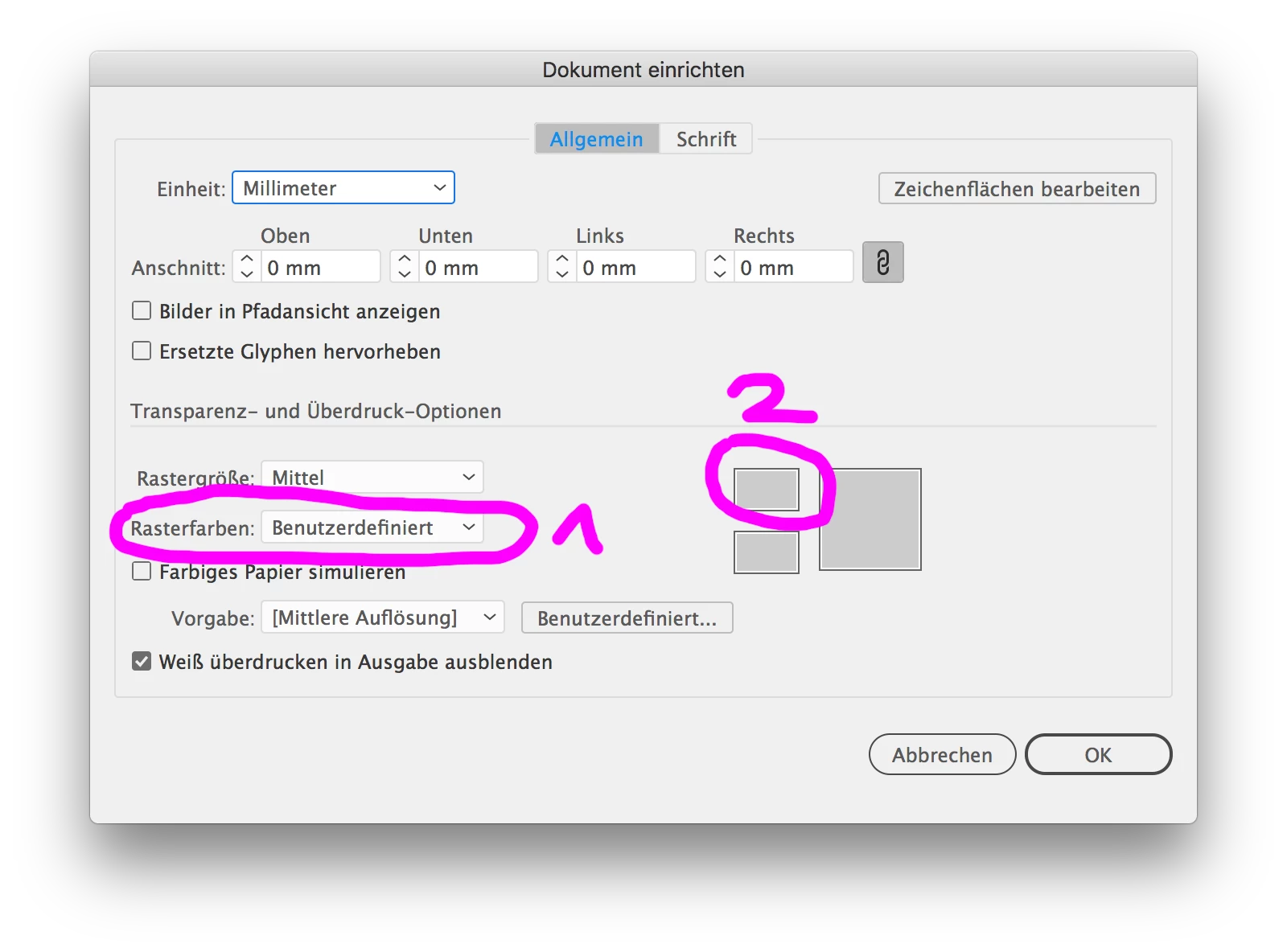
    Select the grid colors from the list, then click on the color miniature to open the Apple color picker (it may be hidden behind the dialog box.

    Don't check "Simulate colored paper"

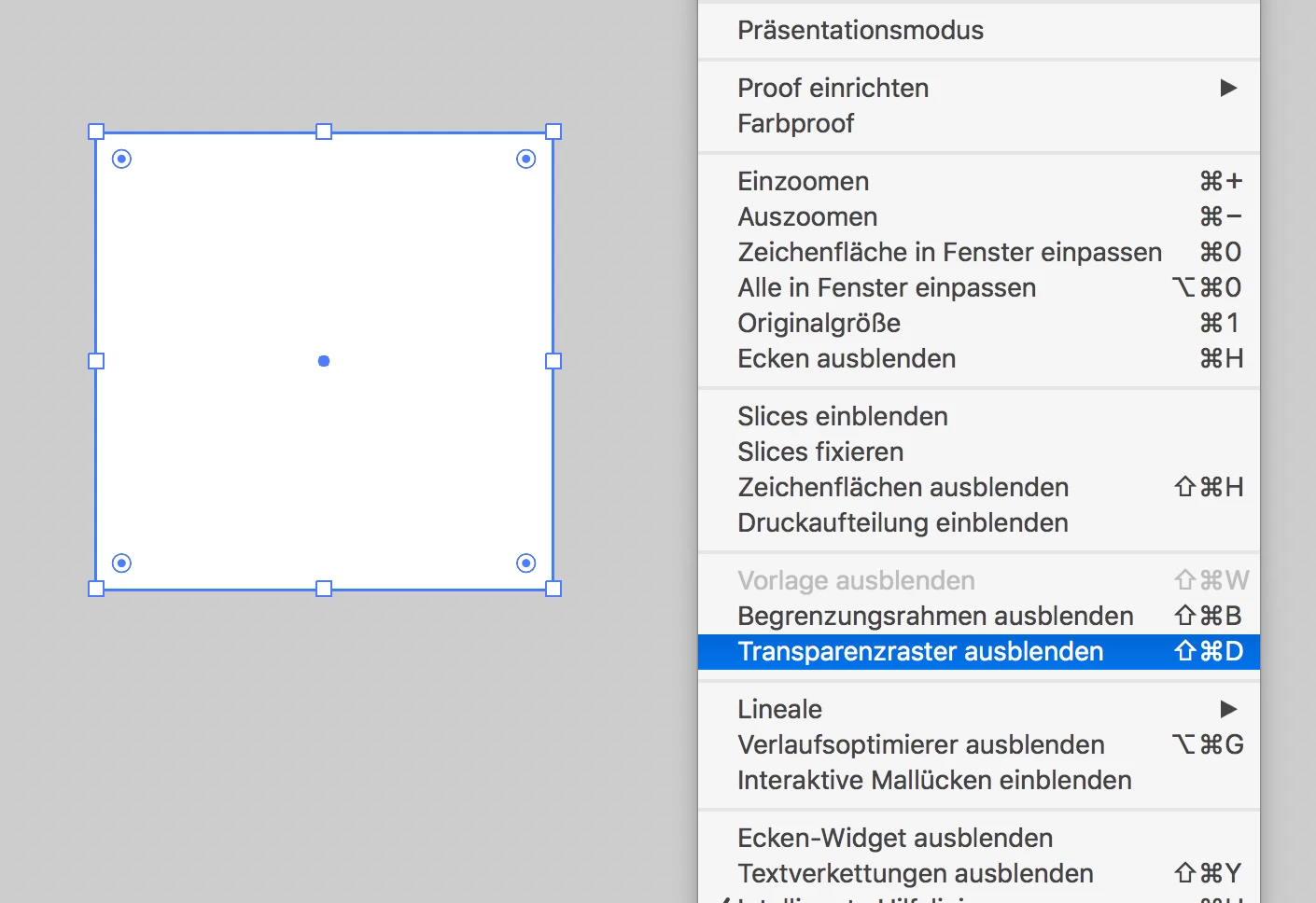
    Then select View > Transparency grid

    If you download this second screenshot and increase its contrast you might see the transparency grid.

    2 replies

    Participating Frequently
    December 4, 2018

    Agree with Monika that Illustrator does not have a background color option.

    You are simulating background color thru document-up option.

    Try this:

    1. Create a single rectangle shape size of your document

    (apply color)

    2. Send to Back

    3. Object>Lock

    A video for precise steps –  watch the entire video for option above:

    Change Artboard Background Color in Adobe Illustrator - YouTube

    Known Participant
    December 5, 2018

    Hi, thanks for the reply. Up to the new version you could indeed change th Art board BG color without effectign the fill colors of objects. I have been using the method for years without issue until now, hence my query about it. I believe it is a change in the update that caused it.

    Monika Gause
    Community Expert
    Monika GauseCommunity ExpertCorrect answer
    Community Expert
    December 5, 2018

    Macnimation2  schrieb

    Up to the new version you could indeed change th Art board BG color without effectign the fill colors of objects.

    You can still do that.

    Select the grid colors from the list, then click on the color miniature to open the Apple color picker (it may be hidden behind the dialog box.

    Don't check "Simulate colored paper"

    Then select View > Transparency grid

    If you download this second screenshot and increase its contrast you might see the transparency grid.

    Monika Gause
    Community Expert
    Community Expert
    December 4, 2018

    Looks like your white fills might be overprinting. Check the Attribues panel.

    Known Participant
    December 4, 2018

    Hi,

    thanks for the response. In the Attributes Panel Overprint Fill is not selected. I have attached a screenshot to show the issue.

    The circle has a black stroke and a white file but the White is the same as the Artboard color.

    Known Participant
    December 5, 2018

    I do understand what you mean. In version 22.1, it was possible to make the background of the artboard a simulated paper color while the area outside of the artboard was the interface color. It does appear that if you use the same technique in version 23.0.1, that simulated paper color is being multiplied to whatever is on the artboard (try it out with other fill colors for objects on the artboard).

    It might be worth reporting as a bug here:  Adobe Illustrator Feedback

    In the meantime, you can get close to what you want to do by using Monika's suggestion of showing the Transparency Grid. The only step I would add is changing the color tiles in Document Setup so that they are the same gray. Inside and outside the artboard will be the same color, but it'll make your artboard's background appear solid gray without having to add any objects to the background.


    Hi,

    thanks for the clarification, I know I wasn't going crazy as I have been using the method almost everyday for years. I am sure it is a bug as it has worked flawlessly. I reopened some files that had white icons only and they too have now turned the same bg color of the art board. It only applies to pure white #FFFFFF though.