
Create a stroke from an outlines path
Hi, I'm still using an old AI version, but I don't think it matters here:
I'm involved in recreating a logo (that some unknown designer created, and the original Vector art is lost), based on a (hi-res) JPG... The logo is loosely based on Avant Garde font, BUT STILL NEEDS SOME ADJUSTMENTS AND TWEEKINGS.
Doing those changes causes the lines' THICKNESS not to be totally consistent, which is what one expects a logo to be...
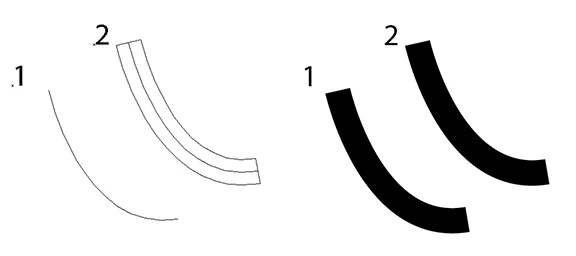
So my question is, please see below, just like creating a stroke (1), giving it a certain thickness, and then doing an "outline stroke" to get #2, I'm looking for just THE OPPOSITE, take a path (my traced logo), like #2, AND TURN IT INTO A SINGLE STROKE. Then I will give all the letters the appropriate thickness — and then outline them. That way all the letters in the logo will be at a consistent thickness, as a logo is expected to be.
Can this be done?
Thanks for your input!
 AdChoices