

Srishti Bali
Legend
October 27, 2021
Answered

Discover Panel: Making the most of Illustrator's native search panel
  • October 27, 2021
  • 2 replies
  • 920 views


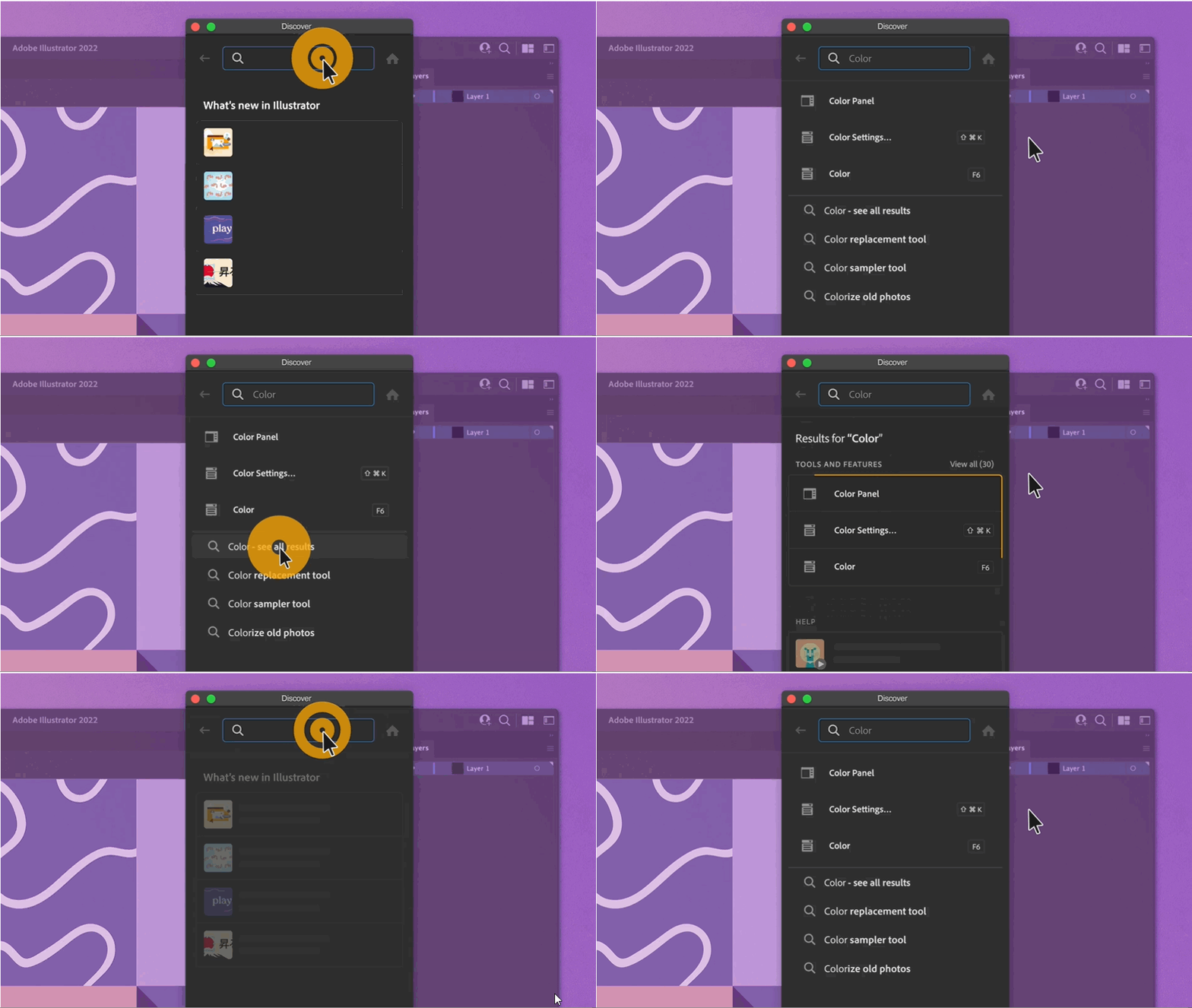
Learning Illustrator just got a whole lot easier! Illustrator 2022 brings to you an in-app Discover Panel that helps you find tools, tutorials, and online help. Alongside, the Hands-on tutorials  provide step-by-step guidance for the chosen workflows. 

For detailed information on Discover Panel, see this article


Using the Discover panel

You can access the Discover Panel in any of the following ways:

  • Use F1 keyboard shortcut. 
  • Click the Search icon () at the upper-right of the interface. 
  • Click Learn More on Rich Tool Tips. 
  • Choose Help > Illustrator Help from the main menu bar. 


When you search for information on any topic, the panel provides suggestions as you type, often guessing what you are looking for before you are done. This is, however, more than just a search panel.  Hands-on Tutorials, What's New, and Resource links help you quickly learn and upgrade your Illustrator skills.


What can I search for in the Discover Panel

  • Hands on Tutorials for getting started with Illustrator.
  • Tutorials for almost all the Tools and features.  
  • Recently added features 
  • Tools and Panels. 
  • Adobe resources (Link Font, plugins, etc) 


Check out this small video tutorial on Discover Panel:


We would love to hear from you about how you found this feature and what you have learnt. Reply to this post to share your observations with us.


- Srishti Bali

This topic has been closed for replies.
Correct answer Srishti Bali

Hi @Sandra240162955qxe 


As Monika mentioned above, Quick Actions is a newly launched feature. If you are not already on the latest version (27.0), we would request you to update the application to the latest version. 


Check out this post for more details: https://community.adobe.com/t5/illustrator-discussions/recolor-artwork-vectorize-images-and-style-text-in-a-single-click/m-p/13281527


Regards,

Srishti

2 replies

RebaMcEntire
Participating Frequently
July 18, 2023

Is there a way to turn this off. This stupid thing keeps opening when I hit the insert key. If I escape out of it another document window will gain focus randomly. This is insane.

Monika Gause
Community Expert
Community Expert
July 19, 2023

@RebaMcEntire  schrieb:

Is there a way to turn this off. This stupid thing keeps opening when I hit the insert key. If I escape out of it another document window will gain focus randomly. This is insane.


The Enter key? And "Escape out of another window is what? Closing the window? Hitting the Escape key?


Did you already try resetting the preferences? 

Known Participant
October 20, 2022

In the Discover Panel tutorial it shows Quick actions for text but mine does not have those options. Do I need to install plug-ins or something? Where do I find the vintage and neon quick actions?

Monika Gause
Community Expert
Community Expert
October 20, 2022

Are you using the latest version of Illustrator: 27 ?

Known Participant
October 20, 2022

I thought I had the most recent version when I just installed it on a new computer but I see that it wasn't the case. I'm updating it now. Thank you!