


Copy link to clipboard
Copied
Hello.
This problem first arose today.
There's been no problem so far.
When i press the x button to finish the task and close one of the tabs, the illustrator will crash and shut down.
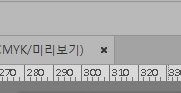
Is this the only problem that I have? Let me know.


 1 Correct answer


Have you tried resetting the Illustrator Preferences?
How to set preferences in Illustrator
"Press and hold Alt+Control+Shift (Windows) or Option+Command+Shift (macOS) as you start Illustrator. You are prompted to delete the current settings. The new preferences files are created the next time you start Illustrator."


Explore related tutorials & articles
 7
Replies
7
7
Replies
7

Copy link to clipboard
Copied
Have you tried resetting the Illustrator Preferences?
How to set preferences in Illustrator
"Press and hold Alt+Control+Shift (Windows) or Option+Command+Shift (macOS) as you start Illustrator. You are prompted to delete the current settings. The new preferences files are created the next time you start Illustrator."

Copy link to clipboard
Copied
Hi as mentioned above try to reset your settings if that not work try to update your software....Thanks

Copy link to clipboard
Copied
I'm having the same issue when closing tabs or the software itself upon opening at least one file. I don't come across this when closing a new blank file or the program without any file open. After some research, I found these possible solutions:
* Reset preferences.
* Set default printer to PDF (since I don't have any printer).
* Reinstalling Illustrator.
Unfortunately, none of them worked for me Despite this issue, I tried to continue doing some work but sometimes I forgot to save before closing some of the tabs , which results in my work totally wiped out Needless to say, it feels so frustrating.

Copy link to clipboard
Copied
Where are your files located?
Which version and system is that?
Do you use any third party plugins?
Font management?
All fonts OK?
Have you also tried resetting the OOBE folder? Description in here: Illustrator crashes on startup
Copy link to clipboard
Copied
Where are your files located?
In a folder located in My Documents. I'm using the hard drive disk from my computer.
Which version and system is that?
Adobe Illustrator 23.0 (I forgot to mention that this issue took place with its last update). My OS is Windows 10 Home, version 1809, build 17763.437.
Do you use any third party plugins?
No
Font management?
Uhh... is it ok to answer that I only use local fonts? I'm not sure about how to properly answer this question. Sorry. What do you mean by "font management"?
All fonts OK?
Yes, they're all ok.
Have you also tried resetting the OOBE folder?
No, I haven't. I'll read about it. Thanks!
Copy link to clipboard
Copied
It's perfectly OK to not use font management. Illustrator might get picky about it anyway.
So since the usual stuff doesn't apply to your case, I would recommend you contact Customer Care. They can login to your system. Contact Customer Care
Copy link to clipboard
Copied
Resetting the OOBE folder didn't solve the issue 


Get ready! An upgraded Adobe Community experience is coming in January.
Learn more
 AdChoices