
jan7517409
Participant
March 24, 2021
Answered

GPU glitch in Illustrator 25.3.1 weird corners/ jagged lines/ weird artifacts

  • March 24, 2021
  • 13 replies
  • 19378 views

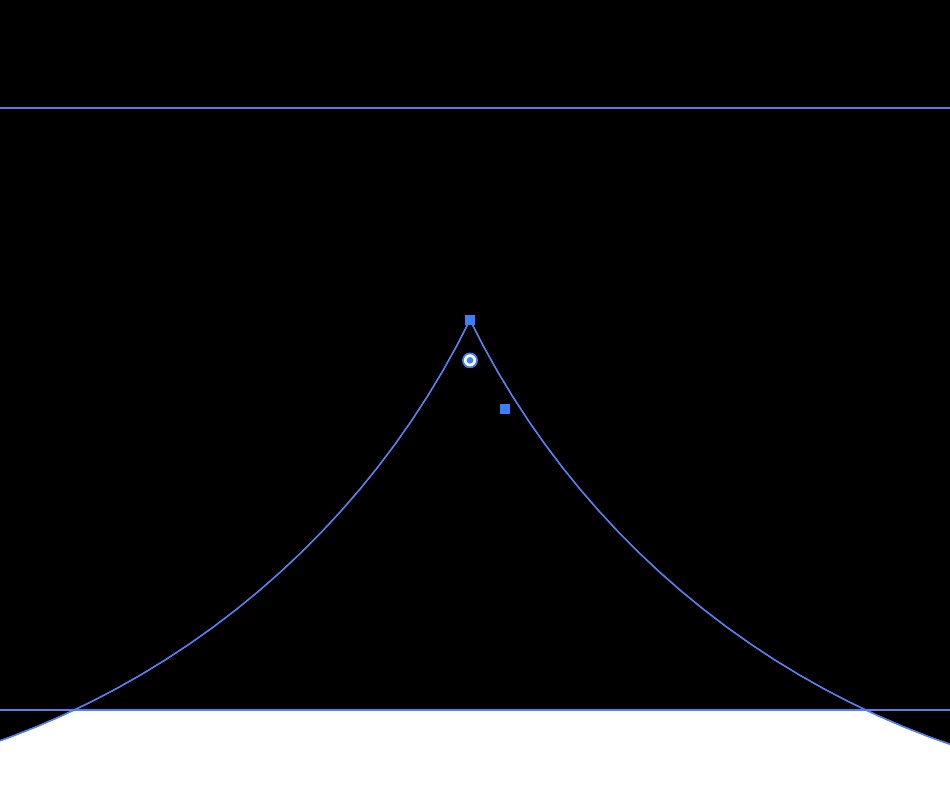
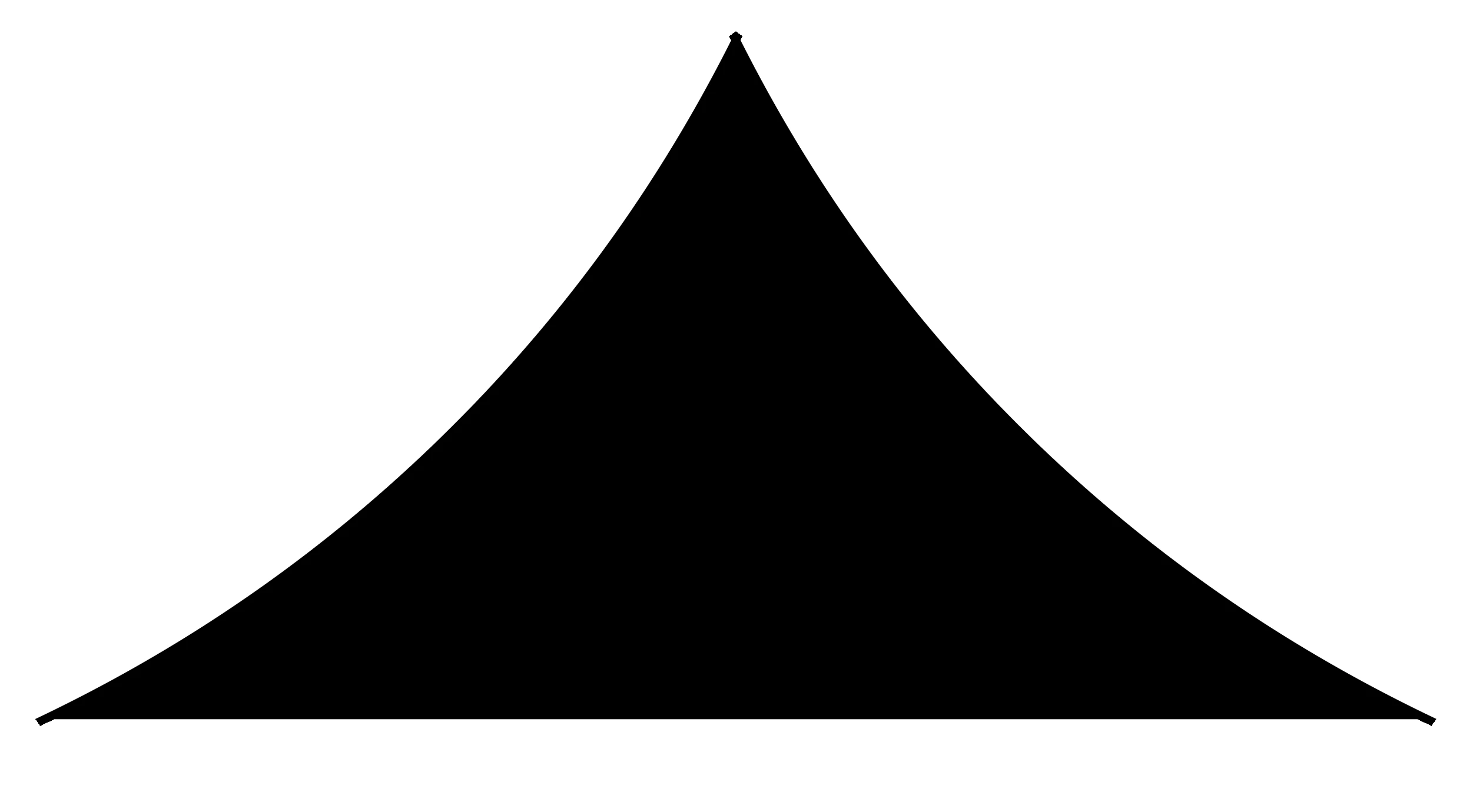
Since the latest update I get weird effects when using pathfinder (trim/divide) for instance. Is there any know issues? Se attachements. The object when using divide gets weird corners, what am I doing wrong? Never seen this before. Any suggestions? Thanks.


{Renamed by MOD}
This topic has been closed for replies.
Correct answer Srishti Bali

Hi all, 


Sorry about the inconvenience this issue has caused. We are currently investigating this issue. Till the time it is fixed, please try the workaround shared by @pixxxelschubser 
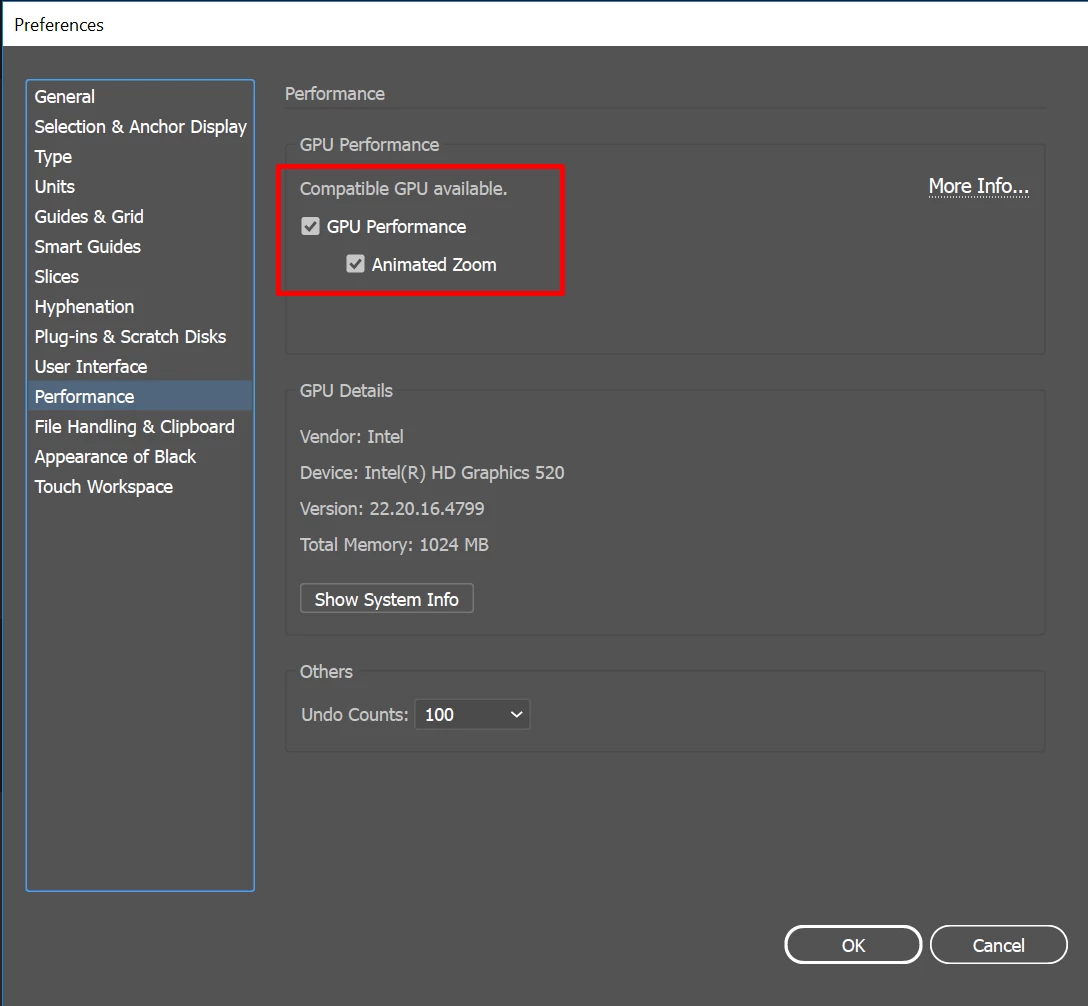
Turn off GPU performance from Illustrator Preferences (CMD+K > Preferences > Uncheck GPU Performance).


I would also request you to upvote this issue here ( https://illustrator.uservoice.com/forums/601447-illustrator-desktop-bugs/suggestions/43599609-sharp-corner-edge-displaying-wrong ) and stay tuned for updates.


Regards,

Srishti

13 replies

PATFLOSAM
Participant
July 9, 2021

Dans la version 2021, et uniquement sur cette verion, lorsque l'on dessine une forme arrondie, sans contour, la pointe se prolonge par un rectangle. Pièce jointe. Merci d'avance

Ton Frederiks
Community Expert
Community Expert
July 9, 2021

Probably a preview problem.

GPU Preview is fast, but sometimes inaccurate.

Try switching between GPU/CPU Preview with Cmd or Ctrl E.

PATFLOSAM
Participant
July 9, 2021

Merci mille fois.

Srishti Bali
Community Manager
Srishti BaliCommunity ManagerCorrect answer
Community Manager
July 8, 2021

Hi all, 


Sorry about the inconvenience this issue has caused. We are currently investigating this issue. Till the time it is fixed, please try the workaround shared by @pixxxelschubser 
Turn off GPU performance from Illustrator Preferences (CMD+K > Preferences > Uncheck GPU Performance).


I would also request you to upvote this issue here ( https://illustrator.uservoice.com/forums/601447-illustrator-desktop-bugs/suggestions/43599609-sharp-corner-edge-displaying-wrong ) and stay tuned for updates.


Regards,

Srishti

Participating Frequently
August 26, 2021

Hello! I am currently using the latest version of Illustrator. I notice that the semi-transperent contours look very srange. What is the problem? Where do the broken lines come from?


rcraighead
Legend
August 26, 2021

This may be a side-effect of GPU Preview. Try "View Using CPU" to see if the issue is corrected.


breep59847840
Participant
July 7, 2021

Is this happening to anyone else? This is a newer problem I'm experiencing where the point of an object doessn't actually come to a perfect point. There's no way for me to edit this little edge as the object is fully expanded and has no stroke. You can see it  happening on most of the letters and the star shape in the Q.

breep59847840
Participant
July 7, 2021

Sorry, I originally uploaded a different file that showed the specific edge I'm speaking about. I'll include a screenshot so you can see what I mean. This weird edge is showing up on almost all of my points on each letter as well as the star shape included in the file I originally shared.

Participant
July 7, 2021

Hello,

When I use pathfinder (minus front), the forms makes an undesirable corner.
How can I fix it?

Thanks

J E L
Community Expert
Community Expert
July 7, 2021

@defaultnej2ibujqdg2 Could be several things but I'm assuming you already checked your layers panel to make sure there isn't another shape you didn't delete underneath the forms. Is that little corner showing up when you export the file? Next will be checking your GPU settings and possibly a preferences reset. Let us know what version and OS you are using and if you need more troubleshooting help.

Participant
July 7, 2021

Hi, 

The little corner disappear in CPU mode and is not there on an hi-res pdf.
I'm using MasOS Mojave and Illustrator 2021 (25.3.1).

Thanks for you time and answer!

Participant
July 5, 2021

Hi there i found a very annoying BUG. When you try to split a circle with the pathfinder tool, he adds a little extra on the tips of the stroke. Please help me to solve it. 


Ton Frederiks
Community Expert
Community Expert
July 5, 2021

Try if it is still visible when you switch to CPU Preview (Cmd or Ctrl E)

And/or set the pathfinder precision from the panel menu PathfinderOptions  to a small value like 0,001 pt.

Participant
July 5, 2021

Heej Tom setting the precison to 0,0001 did not made any difference. However it is indeed not visible when i switch to CPU preview. 

Participant
July 5, 2021

Recently updated iMac (27-inch, Late 2012) to latest software along with illustrator, measurements now do not have live displays and are replaced with grey boxes whenever using pen tool, line tool and box draw tool.


I have seen that it may be due to my graphics card but havent had this problem before?


Is my mac now out of date??

marliton
Community Expert
Community Expert
July 5, 2021

Hi. Make sure that the Graphic Card has the latest driver available installed. Also, disable "GPU Performance" in Preferences > Performance and check if the issue persists.


Marlon Ceballos
Participant
July 2, 2021

I get this exact same issue since an update around this time... I'm using a iMac Pro with 32GB RAM so it really should handle this kind of stuff...


I found that switching off GPU Preview fixed this as well but now Illustrator is unuseably laggy since the update.


Is there a better solution?!

-MT-
Participant
January 21, 2022

Had the same problem here.
Happy to found the solution here but quite annoyed with team Illustrator as I don't understand why the option of GPU Preview is still in (for many versions) as it's causing these issues. If it doesn't work; trash it. Sorry had to vent.


Ton Frederiks
Community Expert
Community Expert
January 21, 2022

It is a tradeoff between speed and accuracy and a work in progress.

I like the speed and switch temporarely between CPU and GPU when I don't trust the preview (Cmd or Ctrl E).

AbdulRehaman
Participant
July 2, 2021

Any one can solve this white patches in Illustrator (100pt stroke used)


sishamIAGD
Community Expert
Community Expert
July 2, 2021

Have you tried switching from GPU to CPU in your viewing options?

Participant
November 8, 2021

I have the same problem and tried it but it's still the same

sheriffofworksop
Known Participant
June 30, 2021

Has anyone else experienced a fault with gradients that appears to cause a fractal effect? Here's a couple of screenshots...

Now, I've only encountered this parasite when working with outlined type. I can make complex shapes without any fault in the same gradients.


Colour space is CMYK as this needs to be for print. Exporting to pixel formats makes everything right. SVG files inherrit the fractal effect.


Any thoughts?

Anshul_Saini
Community Manager
Community Manager
June 30, 2021

Hi there,

Sorry for the trouble. Could you please share some info like:

  • The version of OS and Illusrator?
  • Is the issue related to a specific document? If yes, could you please share the document with us? You can upload it to the Creative Cloud (https://helpx.adobe.com/in/creative-cloud/help/share.html) and share the download link.
  • Have you tried toggling GPU Performance under Preferences > Performance?


Looking forward to your response.

Thanks & Regards,
Anshul Saini

sheriffofworksop
Known Participant
June 30, 2021

Hi Anshul, thanks for getting back to me. 


I can confirm I'm using macOS Big Sur version 11.4 and Illustrator 25.3.1.


The fault appears in new and old documents and does not appear to be colour space specific.


My settings have GPU Performance activated. Toggling to "Off" solves the problem! Confirmed by it reappearing when GPU Performance is activated again. How bizarre?!


To clarify, GPU Performance has always been active. I use gradients most of the time in my work and the fault has only appeared in the last update or two.

J2kLarsonite
Inspiring
June 9, 2021

All vector lines are highlighted in red.  No stroke.  Moved accender on "N" and illustrator keeps glitching out.  Can't get rid of it.  Any suggestions?


I need to send the client a proof but I can't because of this glitch.


Monika Gause
Community Expert
Community Expert
June 10, 2021

Please try View > Preview on CPU