
Participant
March 23, 2023
Answered

Hard lines in Gaussian Blur

  • March 23, 2023
  • 2 replies
  • 2002 views

I am getting weird hard lines inside the boundaries of my object. I am using rgb and I have tried increasing my raster effect plently and it didnt work. I have changed the path to a shape and that still didnt work. I cant seem to understand or figure out a way to fix it, please help!
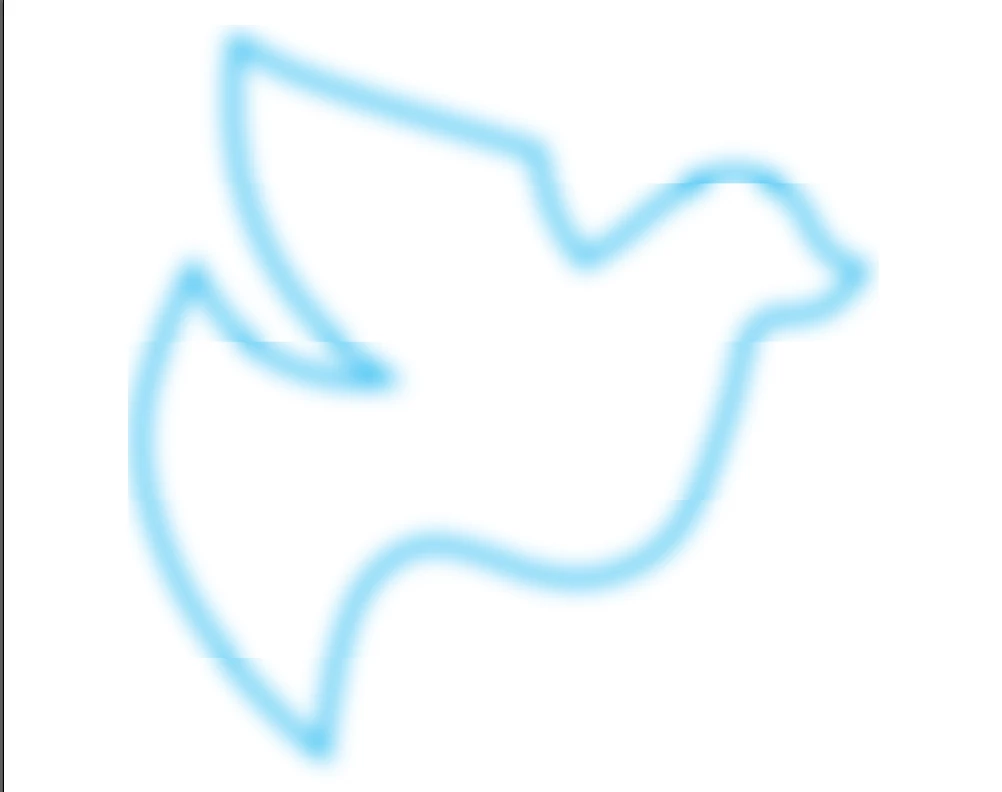
This topic has been closed for replies.
Correct answer Monika Gause

You need to adjust the blur after scaling down.

2 replies

Monika Gause
Community Expert
Community Expert
March 23, 2023

How large is this object and which version is it?

Does this also happen in smaller objects?

Known Participant
February 6, 2024

I'm having this same issue, but i need the size of the object to remain big. It seems to be an issue relating to the object being so large.

Anshul_Saini
Community Manager
Community Manager
March 15, 2024

Hello Anshul,

Thanks for your reply.
I've tried both of the solutions you mention here and neither worked. Dropping document raster effects lower made it worse (and our printer requires 100dpi raster graphics)
CPU preview mode vs GPU preview mode made no difference either.
Monika's suggestion also didn't make a difference. I tried the blur at many different sizes.


Hello @Marlon@centricity,


Thank you for trying out the suggested solutions, and I'm sorry to hear that they didn't resolve the issue for you. Regarding the Document Raster Effects Settings, 72ppi resolution is typically used for previewing work and not for output. If lowering the resolution worsens the issue, then increasing it might be worth trying.


Additionally, you mentioned trying the blur effect at different sizes without success. In some cases, increasing the blur radius significantly might help mitigate the hard lines or artifacts within the object.

If none of these solutions work, reviewing the file directly to better understand the problem would be helpful. If you could share the file with us via Google Drive, Dropbox, or a similar service and provide a download link, we can further investigate the issue and provide more tailored assistance.


Thank you for your cooperation, and I appreciate your patience as we work to resolve this matter.


Best regards,

Anshul Saini

sishamIAGD
Community Expert
Community Expert
March 23, 2023

That looks like a rendering issue, have you tried switching your GPU to CPU (Ctrl+E) and see if that makes any difference.

Participant
March 23, 2023

Thank you for your response, I tried switching to cpu and it doesn't seem to have fixed it