Exit
  • Global community
    • Language:
      • Deutsch
      • English
      • Español
      • Français
      • Português
  • 日本語コミュニティ
  • 한국 커뮤니티
0

Help: place image on Illustrator won't work

New Here ,
Jun 13, 2017 Jun 13, 2017

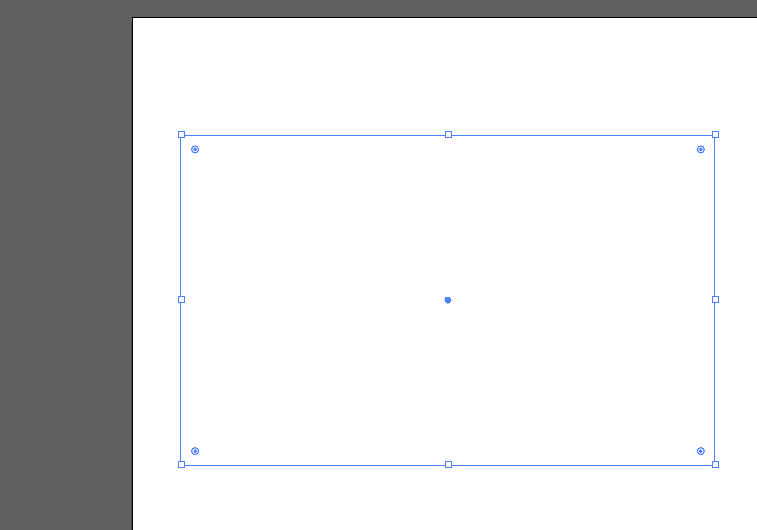
Hello, I've been having trouble with the images on Illustrator, every time I try to place one, the image does not apear and the paths on the file become transparent.

I found It could be FontExplorer but I do not have that plugIn installed. I've already tried uninstalling along with the preferences and reinstalling but no luck.

Any ideas on how to fix this please?

919
Translate
Report
Community guidelines
Be kind and respectful, give credit to the original source of content, and search for duplicates before posting. Learn more
community guidelines
Adobe
Community Expert ,
Jun 13, 2017 Jun 13, 2017

Which version?

Which system?

What exactly is happening step by step?

Translate
Report
Community guidelines
Be kind and respectful, give credit to the original source of content, and search for duplicates before posting. Learn more
community guidelines
New Here ,
Jun 13, 2017 Jun 13, 2017

Is creative cloud version 21.1.0 for Mac,

Screen Shot 2017-06-13 at 18.47.40.png

I try to place an image, the program wait a second, the image does not apear, the paths I was working on turn transparent. and I have to close the file to see them again.

Screen Shot 2017-06-13 at 18.50.11.png

Screen Shot 2017-06-13 at 18.50.30.png

Screen Shot 2017-06-13 at 18.50.47.png

Translate
Report
Community guidelines
Be kind and respectful, give credit to the original source of content, and search for duplicates before posting. Learn more
community guidelines
Community Expert ,
Jun 13, 2017 Jun 13, 2017

Quick tip: You can just drag images from folders or your desktop right into Illustrator without having to place them.

Hope that helps.

Translate
Report
Community guidelines
Be kind and respectful, give credit to the original source of content, and search for duplicates before posting. Learn more
community guidelines
New Here ,
Jun 14, 2017 Jun 14, 2017

I tried both, is the same if I place from menu or drag and drop

Translate
Report
Community guidelines
Be kind and respectful, give credit to the original source of content, and search for duplicates before posting. Learn more
community guidelines
Community Expert ,
Jun 13, 2017 Jun 13, 2017

Can you try if it works with View > Preview on CPU?

Translate
Report
Community guidelines
Be kind and respectful, give credit to the original source of content, and search for duplicates before posting. Learn more
community guidelines
New Here ,
Jun 14, 2017 Jun 14, 2017

With that, the image shows but the path is still transparentScreen Shot 2017-06-14 at 09.05.40.png

Translate
Report
Community guidelines
Be kind and respectful, give credit to the original source of content, and search for duplicates before posting. Learn more
community guidelines
Community Expert ,
Jun 14, 2017 Jun 14, 2017

Which system is that?

By chance a 4K or 5K Mac?

More than one monitor attached?

Translate
Report
Community guidelines
Be kind and respectful, give credit to the original source of content, and search for duplicates before posting. Learn more
community guidelines
New Here ,
Jun 14, 2017 Jun 14, 2017

Just 1apple monitor, and the system is a mac pro

Translate
Report
Community guidelines
Be kind and respectful, give credit to the original source of content, and search for duplicates before posting. Learn more
community guidelines
Community Expert ,
Jun 14, 2017 Jun 14, 2017

Have you restarted it recently?

Is that image in an unusual color mode or file format (some flavours of TIF or PNG)?

Which Mac OS? In case of Sierra - is it 10.12.5?

Translate
Report
Community guidelines
Be kind and respectful, give credit to the original source of content, and search for duplicates before posting. Learn more
community guidelines
New Here ,
Jun 14, 2017 Jun 14, 2017

Yes MacOS Sierra, Yes I restarted yesterday with no luck, the images are RGB I tried both PNG and JPG but is the same

Screen Shot 2017-06-14 at 10.59.06.png

Translate
Report
Community guidelines
Be kind and respectful, give credit to the original source of content, and search for duplicates before posting. Learn more
community guidelines
Community Expert ,
Jun 14, 2017 Jun 14, 2017

Please contact Customer care:

contact-bumper

Translate
Report
Community guidelines
Be kind and respectful, give credit to the original source of content, and search for duplicates before posting. Learn more
community guidelines
Adobe Employee ,
Aug 17, 2017 Aug 17, 2017
LATEST

Hi nataliag,

I would like to know if the issue resolved by our customer care team, or it still persists.

Kindly update the discussion if you need further assistance with it.

Thanks,

Srishti

Translate
Report
Community guidelines
Be kind and respectful, give credit to the original source of content, and search for duplicates before posting. Learn more
community guidelines