


ingahannarr
Participating Frequently
January 9, 2017
질문

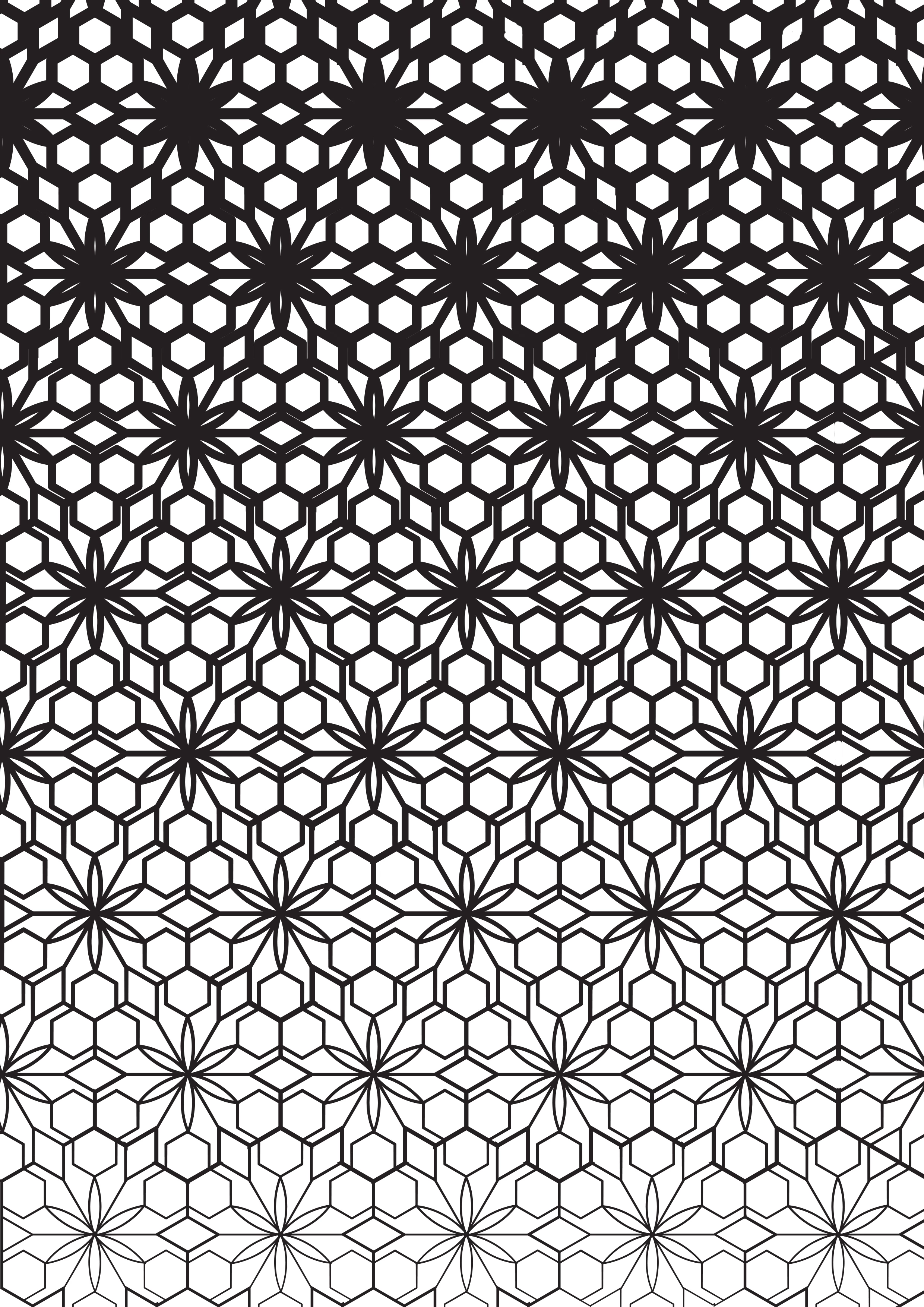
How do I apply a colour line gradient across a whole piece, not just each individual lines in a piece?

  • January 9, 2017
  • 3 답변들
  • 501 조회

Hi,

Probably something really obvious that Im missing here, so apologies. But, I'm looking to apply a colour line gradient across a whole piece so it goes from dark to light, as well as thick to thin. I already use astute graphics Widthscribe so I have the line thickness that i want, but I also want it to change from dark to light along with the thickness change. Hope that makes sense.
이 주제는 답변이 닫혔습니다.

3 답변

Participant
January 11, 2017

The most simple solution in my opinion:

  1. Select all the Elements that should have the gradient-border
  2. Set the border-color the desired gradient
  3. Press "G" to select the gradient-tool
  4. Click-drag the gradient in the desired direction
  5. enjoy

Hope this helps and is still relevant for you!

macpawel
Participating Frequently
January 9, 2017

I'm not sure I understood you correctly - but.

You can prepare first row of your thin artwor and then another / last row with stroke adjusted

Then try tu use Blend Tool (W) - just click first grouped row and then secend (lte last grouped row). In beetween you can see as many rows as it's possible. It's difficult to explain in English.

Pawel

ingahannarr
ingahannarr작성자
Participating Frequently
January 9, 2017

im not sure I'm doing this right but i will keep trying thank you

Mike_Gondek10189183
Community Expert
Community Expert
January 9, 2017

Object >> Expand

Pathfinder Pallete >> click Unite

then fil this with a gradient into the fill since there are no more strokes.

Monika Gause
Community Expert
Community Expert
January 9, 2017

It would probably be easiest to first group all your objects

Then create a rectangle with the gradient, put it below all the other objects.

Then select both and in the transparency panel "Make Mask"

You will probably need to Invert the mask with the button.

Note that this method is not suitable for all production methods as it won't e.g. create a path for cutting. But it will be suitable for printing.

ingahannarr
ingahannarr작성자
Participating Frequently
January 9, 2017

yes! thats pretty close to what I'm trying to achieve, just need to play with it a little more i think. thank you.