Answered
how to center text vertically in illustrator
In my colored text box I can center type horizontally but how do I center it vertically?

In my colored text box I can center type horizontally but how do I center it vertically?
Unfortunatley after many many years of asking for this, Illustrator still has not added this feature to text frame options.
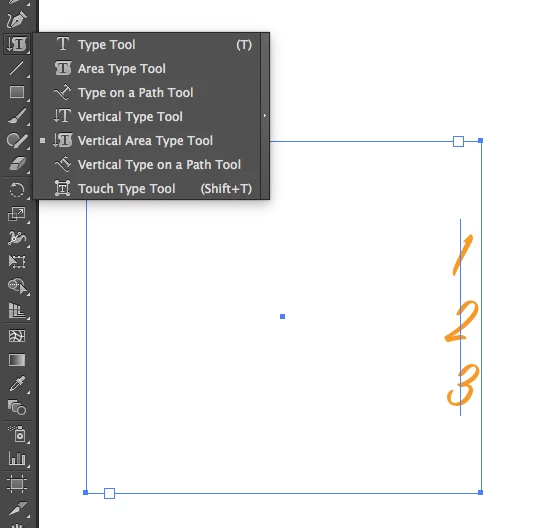
The closest you can get is to draw a rectangle, click with the vertical type tool (But that will only allow you one character per line.)
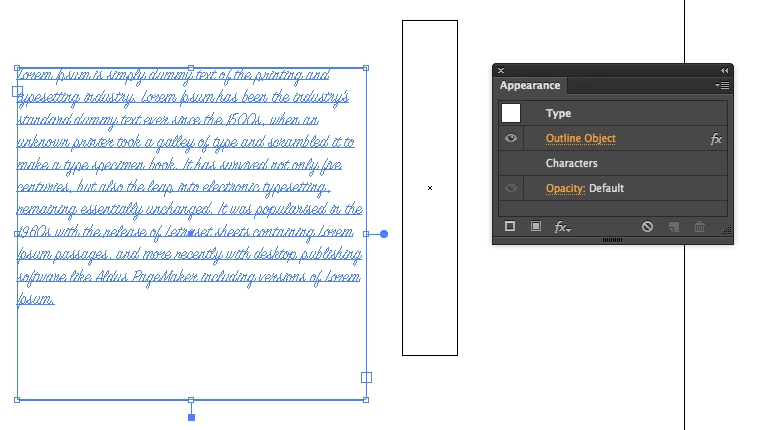
You could do this with the align palette. You would need to select another element to align against (eg: a rectangle filled with none). You need to add an outline effect to the type, and in the align flyout menu turn ON use preview bounds.
Already have an account? Login
No account yet? Create an account
Enter your E-mail address. We'll send you an e-mail with instructions to reset your password.


 AdChoices