

How to cut/delete/trim layers out that overlap below the top layer
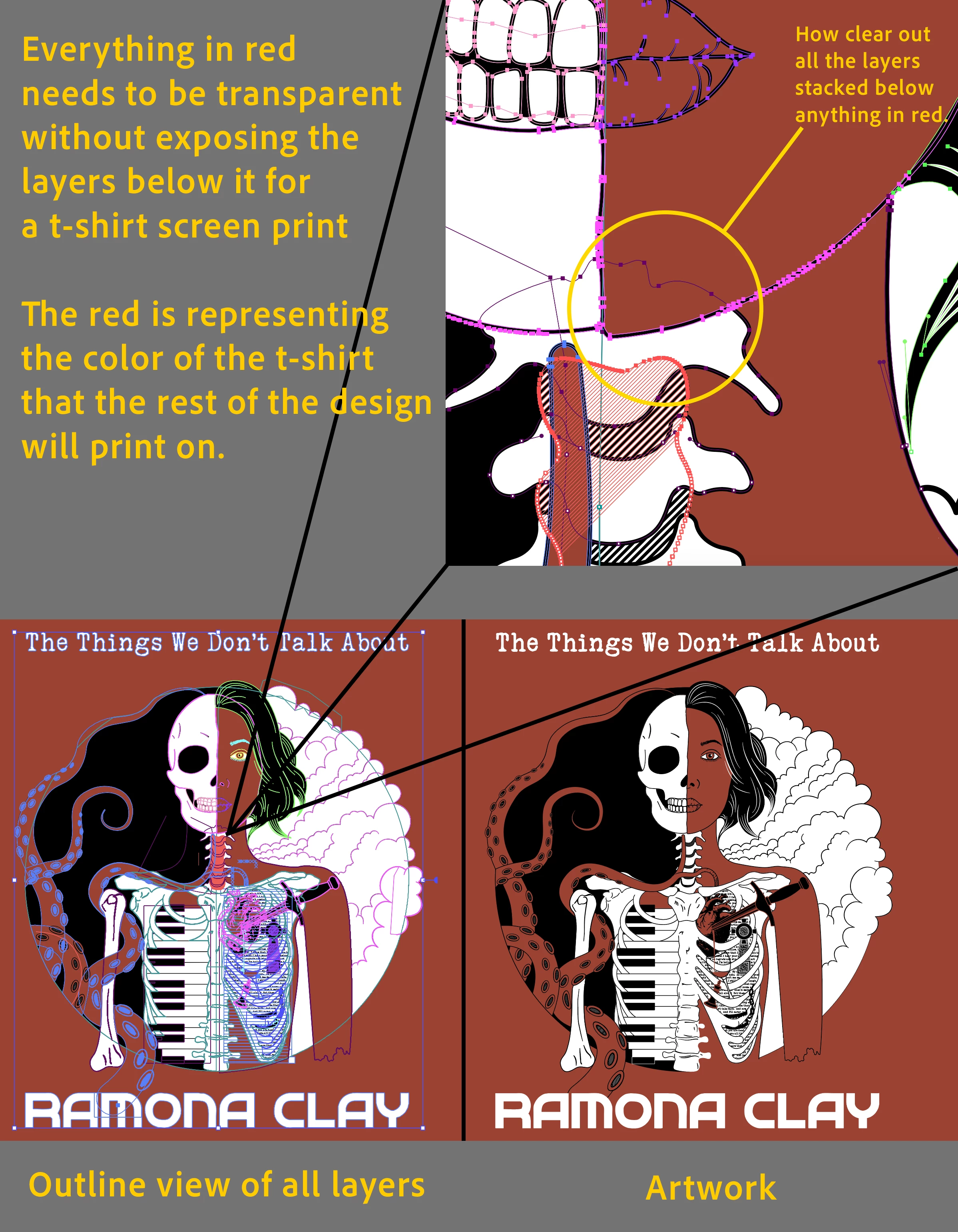
I'm making artwork for a red T-shirt. Essentially, everything in the image that's red needs to be transparent so only red and black objects are visible. I have many layers stacked on top of one another. Some layers contain paths and objects with a fill and stroke, while others are compound paths where the filled-in color and outline are separated into sublayers. It's honestly a big mess since I'm still new-ish to Illustrator.
I'm familiar with using the shape builder tool, but it would take a long time and be difficult to manage. I know how most of the Pathfinder options work, but it seems like using Trim or something similar would also take a bit to clean up. I'm wondering if there is some universal way for Illustrator to see what is visible on top and just cut through all the lower layers so there is no overlap. I hope the attached image helps clarify what I mean.
 AdChoices